
Best AI Website Builders 2026 That Are Actually Worth Using
Choosing among the best AI website builders 2026 comes down to more than how quickly a tool can generate a homepage. Wix is a strong all-round option, Hostinger appeals to budget-conscious users, Squarespace prioritizes design, Shopify focuses on ecommerce, and WordPress.com suits content-heavy websites. The right choice depends on your budget, customization needs, SEO goals, and whether you want a free starting point or a website you can grow for years.
AI can handle much of the initial layout, copywriting, and page creation. But it cannot guarantee accurate content, strong search rankings, or a website that converts visitors into customers. Here are five established platforms worth comparing before you commit.
Best AI Website Builders 2026: Our Top 5 Picks
The following shortlist covers five different needs rather than claiming a definitive Google ranking. Ratings are editorial assessments based on publicly documented features, pricing models, and intended use cases—not scores from hands-on testing. Prices and plan availability can vary by country and billing period.
| Website builder | Best for | Free option | Editorial rating |
|---|---|---|---|
| Wix | Most small businesses | Yes, limited | 9.0/10 |
| Hostinger Website Builder | Budget-conscious projects | Paid plans; money-back guarantee | 8.7/10 |
| Squarespace | Design-focused websites | 14-day trial | 8.6/10 |
| Shopify | Online stores | Limited free trial | 9.0/10 for ecommerce |
| WordPress.com | Blogs and content publishing | Yes, limited | 8.5/10 |
These scores reflect different priorities, so Shopify’s ecommerce score should not be interpreted as meaning it is the best choice for every website.
1. Wix — Best Overall AI Website Builder
Editorial rating: 9.0/10
Best for small businesses, freelancers, and beginners
Platforms: Web browser; mobile apps support selected management tasks.
Pricing: Free plan available; a paid plan is needed for a custom domain and certain business features.
Wix is a practical starting point if you want AI assistance without giving up the ability to fine-tune your site. Its AI builder creates a site based on your description, while its visual editor lets you adjust layouts, colors, fonts, and individual elements.

Core features
- AI-assisted website generation and content creation.
- Drag-and-drop editing and a large template library.
- Built-in SEO, marketing, forms, and booking tools.
- Paid-plan options for ecommerce and custom domains.
Pros
- Flexible enough for many small-business website types.
- You can refine the generated design instead of accepting it as-is.
- Free access lets you explore the builder before committing.
Cons
- A free site has limitations, including Wix branding and no custom domain connection.
- The breadth of settings can feel overwhelming to beginners.
- Moving a complex site to another platform can require substantial rebuilding.
What users say: G2’s published Wix review analysis highlights ease of use and customization as strengths, while noting concerns about migration and the cost of upgrading.
Verdict: Choose Wix if you want a versatile website builder that can grow with a service business. It is a particularly sensible option when you need more than a simple landing page.
2. Hostinger Website Builder — Best for Tight Budgets
Editorial rating: 8.7/10
Best for simple business sites, portfolios, and landing pages
Platforms: Browser-based builder; published websites support desktop and mobile browsers.
Pricing: Paid subscription; introductory offers and a 30-day money-back guarantee are available.
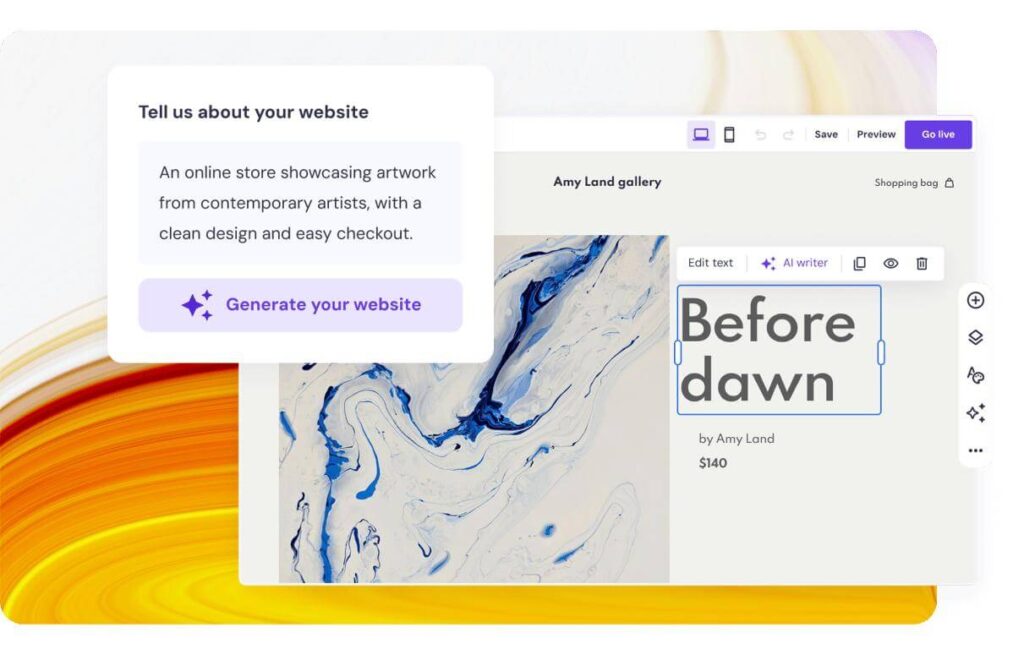
Hostinger combines website creation and hosting in one subscription. Its AI tools help generate a website from a prompt, while a visual editor makes it possible to adjust the result without starting from scratch.
The advertised introductory price can be attractive, but check the renewal rate and required billing term before purchasing. For example, its published Premium offer lists a promotional rate of $2.99 per month with a 48-month commitment, followed by a higher renewal price.
Core features
- AI-assisted website and content generation.
- Templates, hosting, and domain offers.
- Ecommerce options on eligible plans.
- Conversational AI assistance for website creation and management.
Pros
- Low introductory pricing for users comfortable with longer commitments.
- Hosting and site-building tools are bundled.
- Straightforward setup for conventional small-business websites.
Cons
- The promotional price does not reflect the long-term renewal cost.
- Advanced customization may be more limited than specialist platforms.
- AI credits and available features vary by plan.
What users say: G2 review summaries frequently praise Hostinger’s affordability and beginner-friendly dashboard. Some reviewers raise concerns about renewal pricing, support response times, and advanced-feature limitations.
Verdict: Hostinger is worth considering when you want to launch a conventional website affordably. Compare the full initial term and renewal cost rather than choosing solely by the lowest advertised monthly figure.
3. Squarespace — Best for Design-Focused Websites
Editorial rating: 8.6/10
Best for creatives, consultants, portfolios, and service brands
Platforms: Web browser; mobile apps support selected site-management tasks.
Pricing: 14-day free trial; a paid subscription is required to keep the trial website accessible.
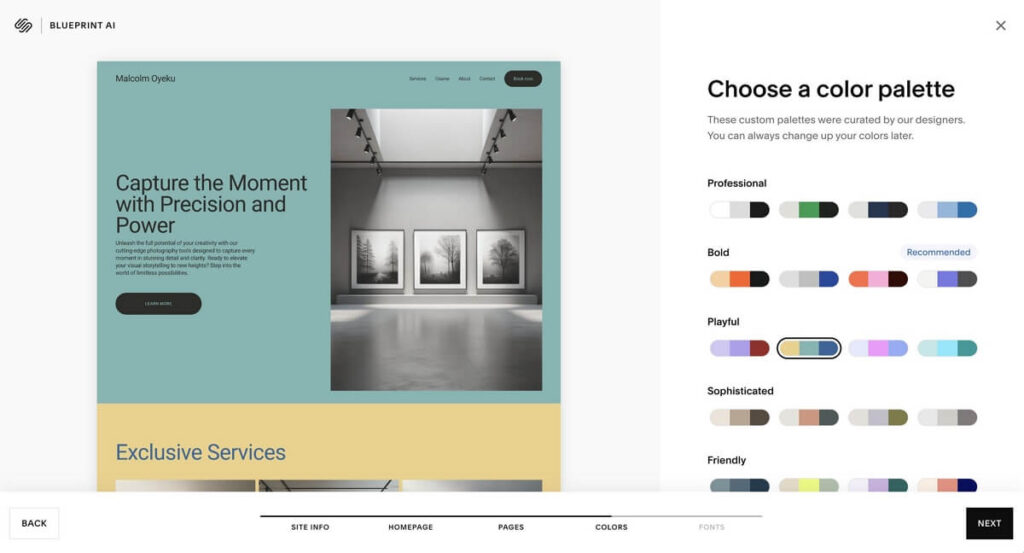
Squarespace takes a more design-led approach. Its Blueprint AI builder helps users create a site around their business, style preferences, and content needs. The platform then provides templates and integrated tools for managing the site.
It is a good fit for photographers, consultants, restaurants, and creative businesses that care about presentation as much as functionality.
Core features
- Blueprint AI-assisted site creation.
- Professionally designed templates and visual editing.
- Blogging, scheduling, analytics, and ecommerce.
- Built-in SEO and marketing features.
Pros
- Consistent visual design with less manual styling.
- Convenient combination of website, marketing, and commerce tools.
- Useful for people who want to manage their own site without maintaining separate hosting infrastructure.
Cons
- No permanent free website plan; the trial site becomes inaccessible unless you upgrade.
- Layout and design controls can feel restrictive for advanced users.
- Complex or unusual functionality may require workarounds.
What users say: Squarespace has a 4.4/5 rating from 1,137 reviews on G2’s listing. Reviewers praise its templates and ease of use, while some report limitations in customization and technical flexibility.
Verdict: If visual polish is central to your brand, Squarespace deserves a place on your shortlist. Its structured design system is helpful for beginners, although it may frustrate users who want granular control over every element.
4. Shopify — Best AI Website Builder for Ecommerce
Editorial rating: 9.0/10 for ecommerce
Best for entrepreneurs selling physical or digital products
Platforms: Browser-based admin, mobile management apps, and customer-facing mobile web stores.
Pricing: Paid ecommerce plans; a limited free trial may be available, with promotional terms varying by region.
Shopify belongs on this list for a specific reason: building an online store involves much more than generating attractive pages. Merchants also need product catalogs, checkout, payments, inventory, shipping, and order management.
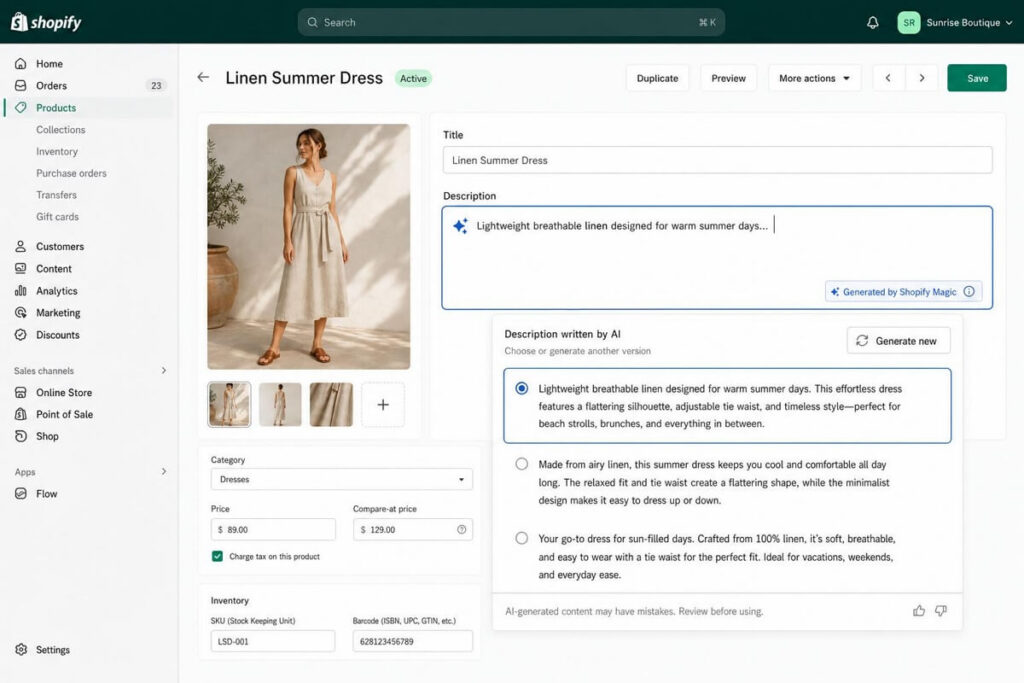
Shopify’s AI tools can assist with store creation and product content, while its commerce infrastructure handles much of the operational work behind the storefront.
Core features
- AI-assisted store creation and product descriptions.
- Product catalogs, checkout, and payment integrations.
- Inventory, shipping, and order management.
- App integrations and sales-channel support.
Pros
- Built around ecommerce rather than general-purpose website creation.
- Combines storefront management with essential selling workflows.
- Offers room to expand as product ranges and business needs grow.
Cons
- Ongoing subscription and potential app costs can add up.
- Some advanced features depend on plan selection or third-party apps.
- Less suitable for a simple informational website with no selling requirements.
What users say: Shopify is widely positioned as a commerce-focused platform in specialist website-builder comparisons. The key question for a prospective user is whether its selling tools justify the cost compared with a simpler general-purpose builder.
Verdict: If selling products is the primary purpose of your website, Shopify is a more relevant choice than a general-purpose AI builder. If you only need a few service pages and a contact form, it may be more platform than you need.
5. WordPress.com — Best for Content and Long-Term Publishing
Editorial rating: 8.5/10
Best for bloggers, publishers, and content-led businesses
Platforms: Web browser; mobile apps support publishing and site management.
Pricing: Limited free plan; paid plans unlock additional features and custom-domain options.
WordPress.com combines hosted website management with a publishing-oriented content management system (CMS). A CMS is software that lets you create, organize, and update content without manually editing every page’s code.
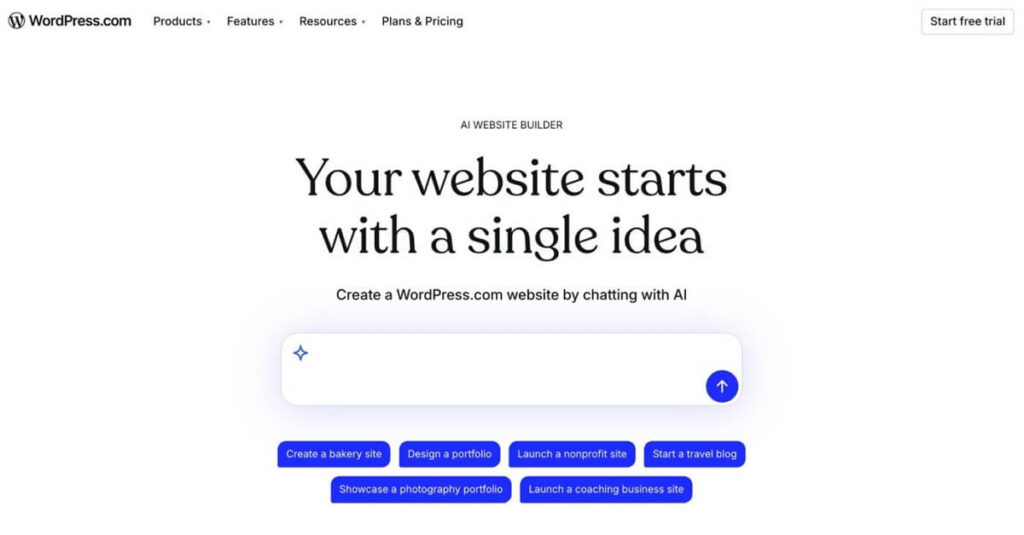
Its AI website builder can help establish a site’s initial structure, while WordPress’s publishing tools make it attractive for projects that will accumulate articles, landing pages, and resources over time.
Core features
- AI-assisted website creation.
- Blog posts, pages, categories, and publishing workflows.
- Themes and plan-dependent customization options.
- SEO and analytics features, with additional capabilities varying by plan.
Pros
- Strong fit for blogs and content-heavy websites.
- Supports a structured publishing workflow.
- Offers a free entry point for experimenting with a website idea.
Cons
- The hosted WordPress.com service is not identical to self-hosted WordPress.org; available plugins and customization depend on the plan.
- Advanced configuration can require more learning than a simple visual builder.
- Theme, plugin, and hosting choices need careful consideration if you expect to expand.
What users say: G2’s WordPress.com review summary identifies ease of use and theme availability as strengths, while noting reported limitations around customization and plugin compatibility.
Verdict: WordPress.com is worth considering if your website will depend on publishing useful content consistently. It is particularly relevant to bloggers and businesses that see their website as a long-term search and content asset.
How We Evaluated the Best AI Website Builders in 2026
This comparison uses a transparent editorial framework based on publicly available product documentation, pricing information, and third-party user reviews. No hands-on testing records were provided, so the ratings above should be treated as editorial judgments rather than laboratory results or personal test scores.
We considered six factors:
- Ease of use: Can someone without coding experience build and edit a functional website?
- AI usefulness: Does AI help with structure and content, or mainly produce a first draft?
- Design control: Can users make meaningful changes after generation?
- SEO capabilities: Can users manage titles, descriptions, URLs, indexing settings, and content structure?
- Business features: Are forms, bookings, ecommerce, or publishing tools available?
- Long-term cost and flexibility: What happens when the website grows, the introductory offer ends, or the owner wants to move elsewhere?
A useful way to understand these criteria is to consider a real-world use case: a freelance photographer launching a portfolio. AI might generate a homepage, an about page, and a contact page quickly. But the photographer still needs to replace generic copy, optimize image sizes, add accurate service information, and make sure potential clients can inquire easily.
That distinction matters. A generated website is a starting point, not a finished business asset.
For a fair comparison, each platform should ultimately be tested with the same brief, such as creating a five-page website for a local service business. The reviewer should then inspect the mobile layout, editability, page metadata, publishing restrictions, and total cost. Until that testing is completed, claims about which platform produces the best results should remain qualified.
Best Free Website Builders 2026: What Can You Actually Get for $0?
If your budget is zero, start by distinguishing three offers that are often confused.
| Offer type | What it means | Example |
|---|---|---|
| Permanent free plan | You can keep a website on a limited plan without a recurring subscription | Wix or WordPress.com, subject to free-plan limits |
| Free trial | You can explore paid features temporarily | Squarespace offers a 14-day trial |
| Introductory promotion | You pay a discounted rate, often with a required term | Hostinger’s promotional subscriptions |
Sources: official Wix and Squarespace documentation and Hostinger’s published pricing.
Which free option makes the most sense?
- Choose Wix if you want to experiment with AI-generated layouts and visual editing before upgrading.
- Choose WordPress.com if your priority is starting a blog or publishing content on a limited budget.
- Try Squarespace if you want to evaluate a design-led website before paying, but remember that the trial is temporary.
- Consider Hostinger if you can pay for a subscription and prefer bundling hosting with the builder.
- Consider Shopify if you need a real online store and are prepared for a paid ecommerce plan.
One important catch: a free website is not necessarily a free business website. You may need a paid plan for a custom domain, payment processing, advanced integrations, or removal of platform branding.
Before publishing, calculate the actual cost of running the site for a year—not just the headline monthly price. Include the subscription, domain renewal, necessary apps, email, and transaction fees where applicable.
Best Website Builders 2026: Which One Fits Your Goals?
The right choice depends on what the website must accomplish after launch.
Small-business website
Start with Wix if you need service pages, contact forms, booking options, and room to customize the design.
Low-budget business launch
Compare Hostinger’s complete subscription cost with other builders, paying particular attention to renewal pricing.
Portfolio or personal brand
Squarespace is a strong candidate if you value cohesive layouts and polished visual presentation.
Online store
Shopify is the natural starting point when inventory, checkout, payments, and order management are central to the business.
Blog or content-led website
WordPress.com is worth considering if publishing and organizing a growing library of articles is a core requirement.
An overlooked factor: what happens after the AI builds your site?
Here is a useful decision framework: evaluate the platform twice—once on launch day and again six months later.
On launch day, speed and convenience matter. Six months later, you may care more about publishing workflows, page performance, SEO controls, lead tracking, integrations, and the ability to redesign without rebuilding everything.
This is where the differences between the best AI website builders become more meaningful. A platform that creates a beautiful homepage quickly may not be the best long-term choice if its content structure or integrations do not fit your business.
For SEO-focused projects, investigate how the builder handles page titles, meta descriptions, canonical URLs, redirects, XML sitemaps, structured data, and indexing controls. Also check whether you can export content or migrate the website if your needs change.
The best builder is the one that minimizes future friction, not simply the one that generates a site fastest.
Common AI Website Builder Mistakes to Avoid
Even the most capable builder can produce a website that looks finished but performs poorly. Watch out for these mistakes.
1. Publishing generic AI copy. Review every claim, service description, business detail, and call to action. AI-generated text can sound plausible without accurately describing your business.
2. Ignoring mobile layouts. Responsive design means a website adapts to different screen sizes. Preview important pages on mobile devices and check navigation, text wrapping, buttons, and image crops.
3. Assuming AI automatically handles SEO. AI can suggest keywords and generate metadata, but it cannot guarantee indexing or rankings. Search performance still depends on useful content, technical accessibility, relevance, and competition.
4. Choosing a plan based on the promotional price alone. Check renewal prices, contract length, domain costs, and the paid features your business actually needs.
5. Forgetting about portability. Before committing, investigate how easily you can export content, redirect old URLs, preserve media, and move to another platform. A visual copy of a website is not the same as a complete migration.
6. Skipping human review. Test forms, booking links, checkout flows, and contact details before launch. For an ecommerce store, verify product descriptions, prices, shipping settings, and refund policies.
The practical takeaway is simple: let AI do the repetitive first draft, then spend your time checking accuracy, usability, and the details that make your business different.
Frequently Asked Questions About best AI website builder 2026
1. What is the best AI website builder in 2026?
Wix is a strong all-round choice for small businesses and beginners. Hostinger is worth comparing for budget-conscious projects, Squarespace for design-focused websites, Shopify for ecommerce, and WordPress.com for content publishing. The right option depends on your needs rather than a universal ranking.
2. What is the best free AI website builder in 2026?
Wix is a useful option for trying AI-assisted website creation on a free plan. WordPress.com is another option for content-focused projects. Both have limitations, and features such as custom domains or advanced business tools may require payment.
3. Can AI build a complete website for free?
AI can help generate pages, layouts, and draft content at no upfront cost on some platforms. However, a permanent custom domain, advanced features, and a fully branded business website may require a paid subscription. Always check the plan restrictions before publishing.
4. Are AI-built websites good for SEO?
They can be, provided the website is technically accessible, useful to visitors, well structured, and properly optimized. AI-generated content alone does not guarantee rankings. Review metadata, internal links, mobile usability, page speed, and the accuracy and originality of your content.
5. Can I move my website to another platform later?
It depends on the platform. Some content may be exportable, while layouts, interactive features, apps, and design settings may need to be rebuilt. Check export and migration options before committing, especially if the website will become a significant source of traffic or revenue.

 English