
Top 5 Must-Try Excel AI Tools in 2026
Bottom Line Up Front (BLUF): The integration of AI for Excel is no longer a luxury but a necessity for data professionals in 2026. After extensive testing and evaluation, we’ve found that the best Excel AI tools dramatically reduce manual tasks, from complex formula generation to in-depth data analysis. The top performer for overall capability and user-friendliness is GPTExcel, but the ideal choice ultimately depends on your specific needs, budget, and technical expertise. This guide will break down the top 5 contenders to help you select the perfect AI Excel assistant for your workflow.
Our Evaluation Criteria for the Best Excel AI tools
To ensure a fair and comprehensive comparison, we evaluated each tool based on the following critical dimensions:
- Ease of Use & Setup: How quickly can a non-technical user start benefiting from the tool?
- Core Feature Set & Capabilities: The range of tasks it can perform, from formula generation to data analysis.
- Accuracy & Reliability: The correctness and robustness of the generated formulas, scripts, and analyses.
- Integration & Workflow: How seamlessly it integrates into your existing Excel environment (e.g., as an add-in).
- Pricing & Value: The cost structure and the value it provides for the price, including any free AI tools for Excel tiers.
Top 5 Must-Try Excel AI Tools in 2026
1. GPTExcel
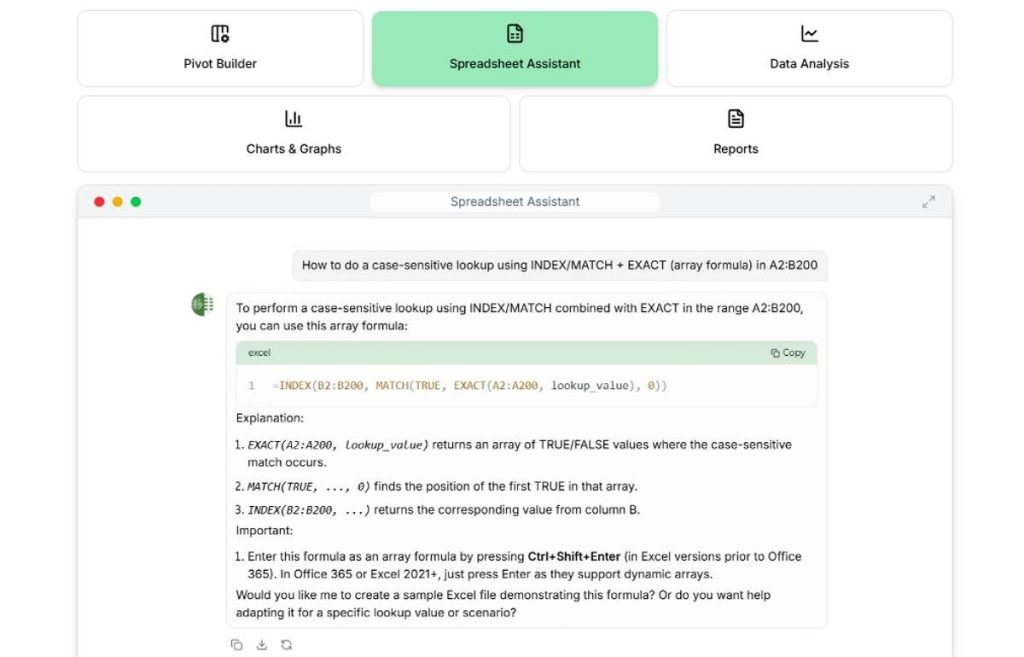
GPTExcel stands out as a versatile and powerful web-based platform that excels at generating formulas, scripts (VBA/Google Apps Script), and even regex. It’s designed for users who want to not only get the job done but also understand how it’s done.
- Key Features:
- Formula Generation & Explanation: Input a task in plain English, and it outputs the correct Excel formula, with an option to get a step-by-step explanation.
- VBA & Macro Scripting: Automatically generates VBA code for complex automation tasks, a feature that sets it far apart from many competitors.
- Google Sheets & Apps Script Support: Offers robust support for Google’s ecosystem, making it a cross-platform solution.
- Template Generation: Can create basic spreadsheet templates based on your description.
- Pros:
- Exceptional accuracy for complex formulas and scripts.
- The “explain” feature is an incredible learning tool.
- User-friendly, intuitive interface with a free tier.
- Cons:
- As a web-based tool, it requires copying and pasting outputs into Excel, which is slightly less integrated than an add-in.
- Expert Comment: “GPTExcel is more than a tool; it’s a tutor. Its ability to generate and demystify VBA code is a game-changer for anyone looking to automate repetitive Excel tasks without a programming background. It truly embodies the concept of a comprehensive AI Excel assistant.“
2. Numerous.ai
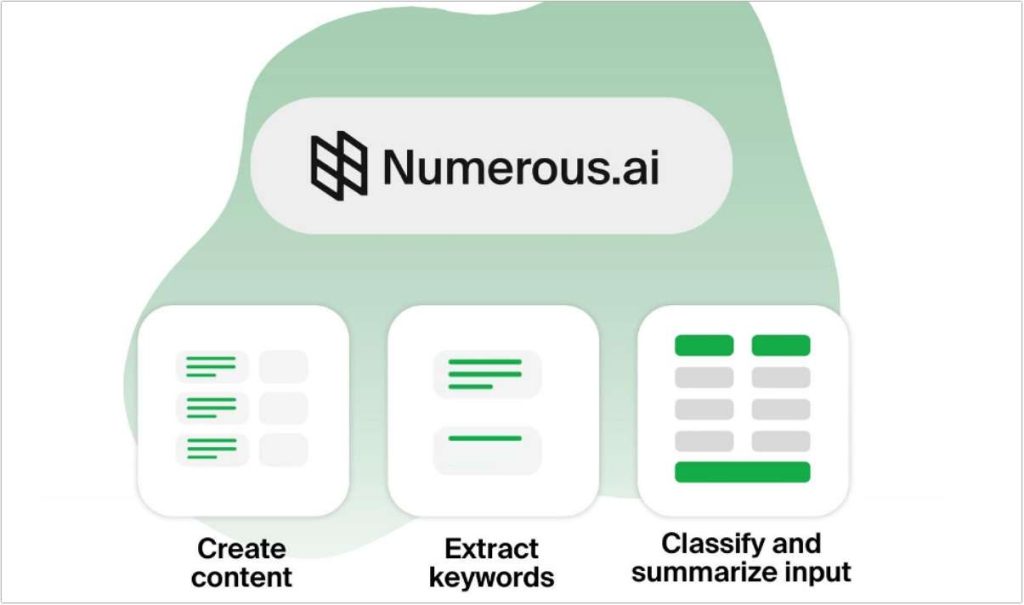
Numerous.ai takes a uniquely simple approach by integrating directly into Excel as a function. Instead of using a separate interface, you use a custom formula =AI() directly in your spreadsheet cells to perform a vast array of tasks.
- Key Features:
- In-Cell AI Function: The core
=AI()command can classify text, generate content, extract information, and perform calculations based on natural language prompts. - Seamless Excel Integration: Works natively inside Excel, making it feel like a built-in, super-powered function.
- No Copy-Pasting: The workflow is incredibly smooth, as data is processed directly within your spreadsheet.
- In-Cell AI Function: The core
- Pros:
- Extremely low learning curve; if you can write a formula, you can use Numerous.
- Perfect for data cleaning, categorization, and content generation within cells.
- Deep, native integration with the Excel environment.
- Cons:
- Less suited for generating complex multi-step formulas or VBA scripts compared to GPTExcel.
- The subscription model is based on the number of AI calls.
- User Comment: “As a marketing analyst, I use Numerous daily to categorize thousands of customer feedback entries. Writing
=AI("classify the sentiment of this text")is a lifesaver. It’s the most straightforward way how to use AI in Excel for mass data processing.“
3. Powerdrill AI
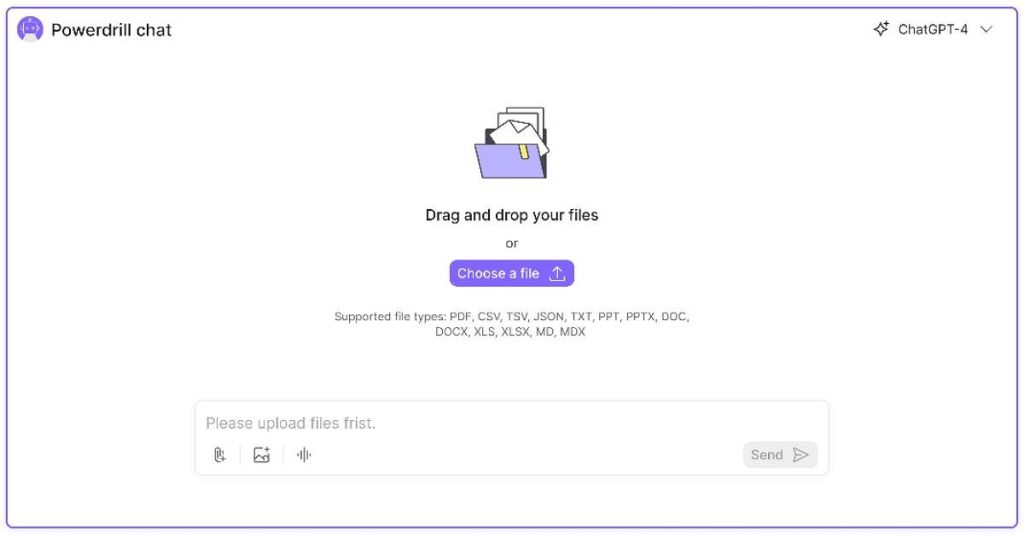
Powerdrill AI positions itself as an advanced analytics copilot. It goes beyond formula generation to help you understand, visualize, and analyze your data through a conversational interface.
- Key Features:
- Conversational Data Analysis: Ask complex questions about your dataset (e.g., “What are the key drivers of sales in Q3?”) and get actionable insights.
- Automated Chart & PivotTable Generation: Instruct the AI to create specific visualizations and summaries automatically.
- Data Cleaning & Transformation: Quickly identifies and helps fix data inconsistencies.
- Pros:
- Powerful for exploratory data analysis and uncovering hidden trends.
- Automates the creation of complex charts and PivotTables.
- Excellent for users who need to derive business intelligence from raw data.
- Cons:
- May have a steeper learning curve for absolute beginners.
- Focused more on analysis than on formula or code generation.
- Expert Comment: “Powerdrill AI is for the user who looks at a spreadsheet and asks ‘why?’. It’s less about writing
=SUMIFand more about discovering the ‘so what?’ behind your numbers. It’s one of the most intelligent Excel AI tools for strategic analysis.“
4. Workik AI Excel Assistance
Workik AI Excel Assistance is part of a broader AI workplace platform, offering a focused and accessible solution for common Excel challenges. It aims to be a quick and reliable helper for a wide audience.

- Key Features:
- Formula and VBA Generation: Capable of generating both formulas and basic VBA scripts from text descriptions.
- Multi-Language Support: Caters to a global user base by understanding prompts in multiple languages.
- User-Friendly Chat Interface: A clean, chat-based experience that makes interacting with the AI simple.
- Pros:
- Very intuitive and easy to use for beginners.
- The multi-language capability is a significant advantage for non-English speakers.
- Provides a balanced set of features for both formulas and automation.
- Cons:
- May not have the same depth in advanced analytics or scripting as specialized tools like GPTExcel or Powerdrill.
- Primarily a web-based application.
- User Comment: “I manage a team across different regions, and Workik’s ability to understand requests in Spanish and English has been incredibly helpful. It’s a reliable and straightforward AI for Excel that gets the job done without confusion.“
5. AI Excel Bot
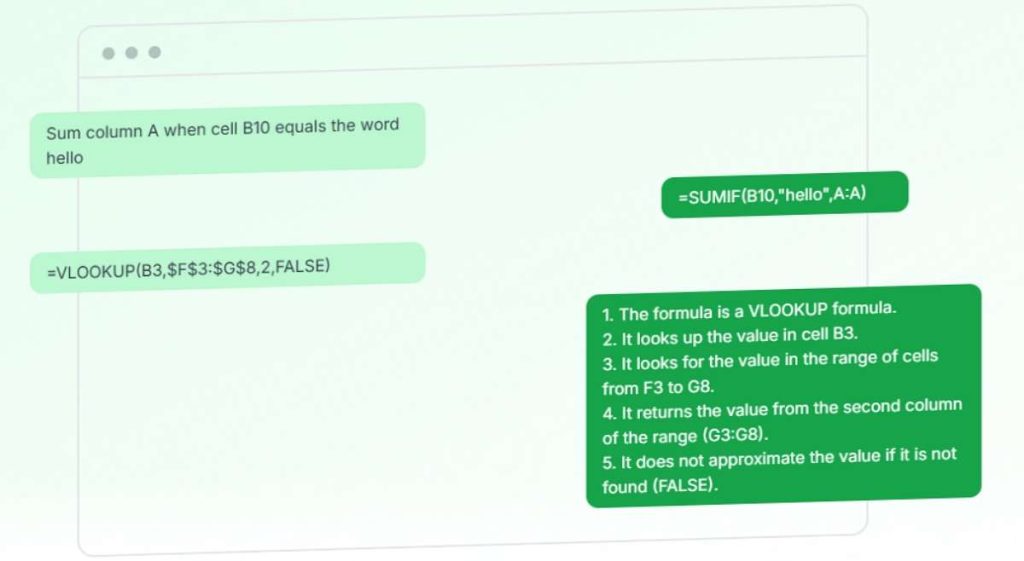
AI Excel Bot lives up to its name by providing a fast, bot-like response to your Excel queries. It focuses on speed and efficiency for generating formulas and explanations.
- Key Features:
- Rapid Formula Generation: Input your task and get a formula almost instantly.
- Formula Explainer: Paste any complex formula you don’t understand, and the bot will break it down into plain English.
- Clean and Simple Interface: The website is minimalist, focusing entirely on its core functionality.
- Pros:
- One of the fastest tools for quick formula lookups.
- The explainer function is excellent for reverse-engineering existing spreadsheets.
- Offers a generous number of free AI tools for Excel queries.
- Cons:
- Lacks the advanced features of other tools, such as VBA generation or deep data analysis.
- Functionality is limited to formulas.
- Expert Comment: “AI Excel Bot is the digital equivalent of a quick-reference guide. It’s perfect for that moment when you forget the syntax for a specific function. While it won’t write a macro for you, it’s an excellent, no-fuss resource for mastering how to use AI in Excel for formula-related tasks.“
Comprehensive Comparison Table: Excel AI Tools
| Feature | GPTExcel | Numerous.ai | Powerdrill AI | Workik AI | AI Excel Bot |
|---|---|---|---|---|---|
| Primary Strength | Formulas & VBA Scripting | In-Cell Data Processing | Data Analysis & Insights | Ease of Use & Multi-language | Speed & Formula Explanation |
| Integration | Web App | Excel Add-in | Web App / Add-in | Web App | Web App |
| Formula Generation | Excellent | Good (via =AI()) | Good | Excellent | Excellent |
| VBA/Macro Support | ✅ | ❌ | Limited | ✅ | ❌ |
| Data Analysis | Basic | Good (via in-cell) | Excellent | Basic | ❌ |
| Learning Curve | Moderate | Low | Moderate | Low | Very Low |
| Free Tier | ✅ | Limited Free Queries | Trial | ✅ | ✅ |
| Best For | Power Users, Automators | Data Cleaners, Analysts | Business Analysts, Strategists | Beginners, International Teams | Quick Formula Help |
FAQs About Excel AI Tools
Q1: Are these AI tools for Excel safe to use with my sensitive data?
A1: This is a critical consideration. Most reputable tools have clear privacy policies. Web-based tools like GPTExcel and AI Excel Bot typically state that they do not store your data permanently. However, for highly confidential financial or personal data, using an add-in like Numerous.ai that processes data locally within Excel might be preferable. Always review the provider’s privacy policy before uploading sensitive spreadsheets.
Q2: Can I completely replace learning Excel with an AI assistant?
A2: No, and you shouldn’t try to. Think of these Excel AI tools as a powerful co-pilot. They handle the complex syntax and tedious work, but you still need the fundamental knowledge to ask the right questions, verify the outputs, and understand the logic behind the solutions. They enhance your skills; they don’t replace them.
Q3: What is the best free AI tool for Excel?
A3: GPTExcel, Workik AI, and AI Excel Bot all offer robust free tiers that are excellent for getting started. GPTExcel’s free plan is particularly generous for formula and VBA generation, while AI Excel Bot is perfect for quick, free formula help. If you’re looking for tools that don’t just assist but actually generate Excel content automatically, such as formulas, tables, or reports, take a look at our dedicated roundup of the 5 Best AI Excel Generators to Boost Productivity.
Q4: How do I choose the best AI for my Excel needs?
A4: Ask yourself what you do most:
- For automation and scripting, choose GPTExcel.
- For in-cell data cleaning and categorization, choose Numerous.ai.
- For deep data analysis and insights, choose Powerdrill AI.
- For multi-language support and ease of use, choose Workik AI.
- For quick formula help and explanations, choose AI Excel Bot.
Final Words
The landscape of AI for Excel is vibrant and evolving rapidly, offering solutions for every type of user. In 2026, integrating one of these tools is the most effective way to supercharge your productivity, reduce errors, and gain deeper insights from your data. The journey to finding the best AI for Excel starts with understanding your own workflow and taking one of these powerful assistants for a test drive.
Have you tried any of these AI Excel tools? What has your experience been? Do you have another favorite we should know about? Share your thoughts and questions in the comments below — we’d love to hear from you!
If you’re particularly interested in automating formula creation, check out our detailed guide on the best AI Excel formula generators in 2026. Or, if your goal is to streamline number combining and calculations, explore our review of AI spreadsheet tools for combining numbers.

 English