
The Best 7 AI Slide Generators to Try in 2026
Bottom Line Up Front: After extensive testing, Gamma emerges as our top choice for the best AI slide generator in 2026, offering the most powerful balance of AI-powered content creation, design flexibility, and collaborative features for professionals seeking to create stunning presentations efficiently.
The landscape of presentation design has undergone a revolutionary transformation with the advent of artificial intelligence.AI slide generators have evolved from simple template-based tools to sophisticated platforms capable of producing stunning, professional-grade presentations in minutes rather than hours.After extensively testing and analyzing the current market of AI presentation tools, we’ve identified the seven best slide maker AI solutions that deliver exceptional results, innovative features, and tangible time savings. These selections represent the pinnacle of what’s currently available—tools that genuinely understand content structure, design principles, and user needs. Whether you’re prioritizing design aesthetics, collaborative features, or seamless integration with existing workflows, our comprehensive review will help you identify the perfect AI presentation partner for your specific requirements in 2026.
7 Best AI Slide Generators You Must Try
1. Gamma AI
Gamma stands out as one of the most versatile and powerful AI-powered presentation platforms available today. It combines robust content generation with sophisticated design capabilities, creating a seamless experience from initial concept to polished presentation. What makes Gamma particularly impressive is its ability to understand context and generate both meaningful content and appropriate visual designs based on simple prompts or existing documents.
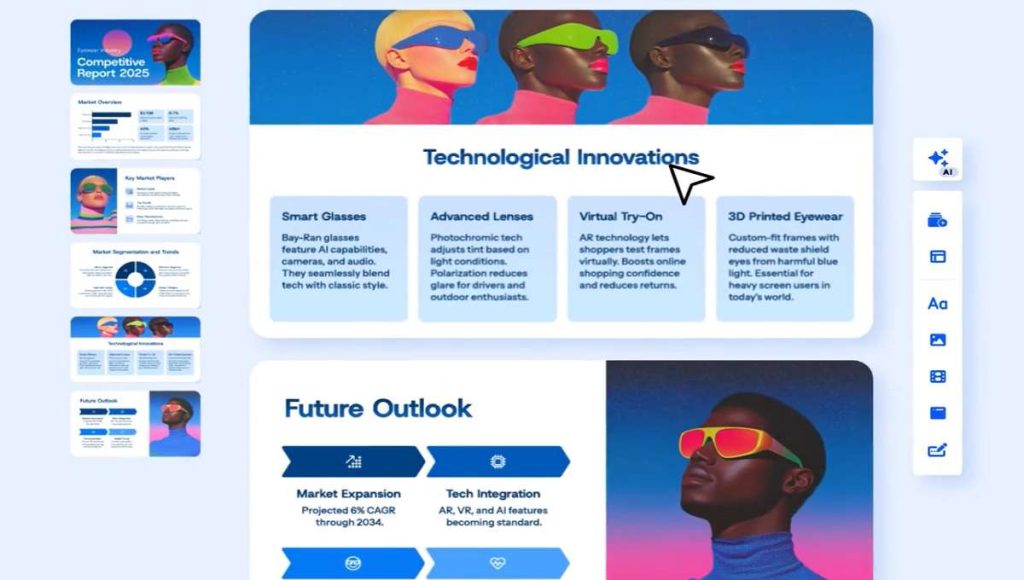
Key Features: Gamma’s AI can generate complete presentations from a single topic sentence, outline, or uploaded document (supporting PDF, Word, and Notion files) . Its “card-based” system breaks down complex information into digestible visual components, while the integrated AI assistant provides real-time suggestions for improving both content and design. The platform offers extensive customization options, including flexible templates, color schemes, and font choices, plus the ability to embed interactive elements like videos, polls, and GIFs directly into presentations .
The Bottom Line: Gamma strikes an exceptional balance between AI-powered automation and creative control, making it ideal for users who want professional results without extensive manual effort.
Pros:
- Exceptional AI content generation that maintains logical flow
- Intuitive editor that simplifies customization
- Strong collaboration features for team projects
- Multiple export options including PDF and online links
Cons:
- Advanced features require a learning curve
- Some template elements lack flexibility
2. Canva
Canva needs little introduction in the design world, but its AI capabilities have transformed it from a visual design tool into a comprehensive best AI slides generator. The platform leverages its enormous template library and design assets through AI enhancements that streamline the presentation creation process. Canva’s Magic Design feature can generate complete presentations from prompts, with its AI intelligently selecting appropriate layouts, visuals, and formatting based on content requirements.
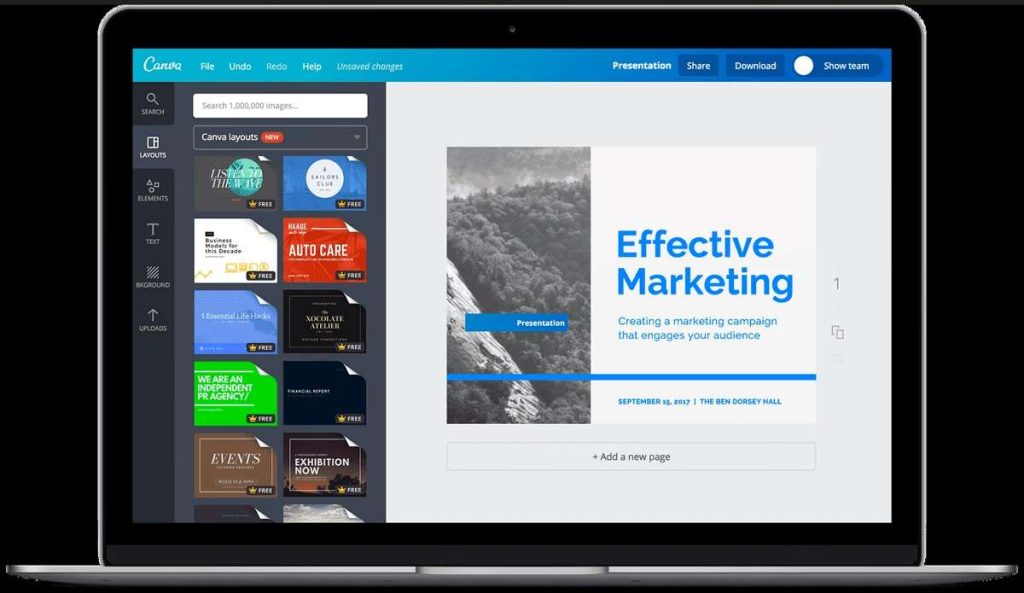
Key Features: Canva’s AI presentation tools include text-to-slide generation, automatic layout adjustment, and Magic Write for content creation and refinement. Its extensive asset library offers millions of design elements, while Brand Kits ensure consistency with your visual identity. The AI-powered translation feature makes it easy to create multilingual presentations, and real-time collaboration allows teams to work together seamlessly .
The Bottom Line: Canva remains the go-to solution for users who prioritize design variety and visual impact, with AI features that enhance rather than replace its core strengths.
Pros:
- Massive template and design element library
- Intuitive interface suitable for non-designers
- Strong collaboration and sharing capabilities
- Integrates with numerous third-party apps
Cons:
- Advanced AI features require premium subscription
- Can feel overwhelming due to feature abundance
3. Beautiful.AI
Beautiful.AI takes a unique approach to presentation design by focusing on “smart templates” that automatically adapt as you add content. This ensures design consistency and proper formatting without manual adjustments. The platform is specifically engineered for users who want designer-quality results without possessing professional design skills, making it a strong contender for the title of best AI for creating PowerPoint slides.
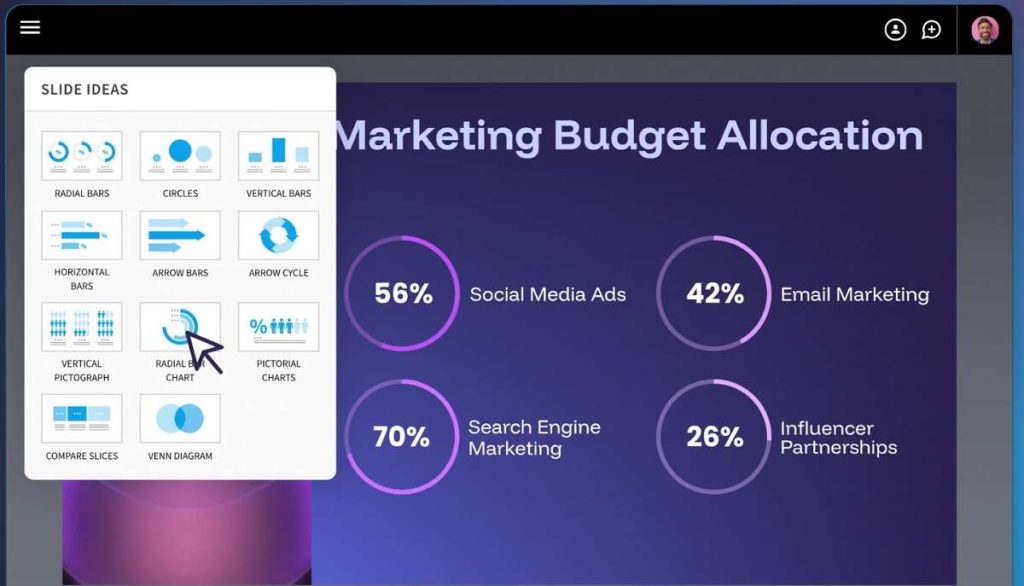
Key Features: Beautiful.AI’s smart templates automatically adjust layout, spacing, and formatting when content changes. Its data visualization tools can transform spreadsheets and numbers into compelling charts and infographics. The platform offers a comprehensive content suggestion engine and maintains strict design consistency throughout presentations with its automated styling system .
The Bottom Line: Beautiful.AI delivers arguably the most polished design outcomes with minimal effort, thanks to its adaptive template system that maintains professional standards automatically.
Pros:
- Exceptional design quality with minimal input
- Smart templates that automatically adjust to content
- Strong data visualization capabilities
- Maintains design consistency throughout presentation
Cons:
- Limited customization compared to other tools
- Higher price point than many competitors
4. Figma Slides
Figma Slides brings the collaborative power of Figma’s design platform to presentations. While relatively new compared to some competitors, it leverages Figma’s robust design infrastructure and real-time collaboration features to create a unique presentation experience. The tool is particularly valuable for design teams and organizations already invested in the Figma ecosystem.
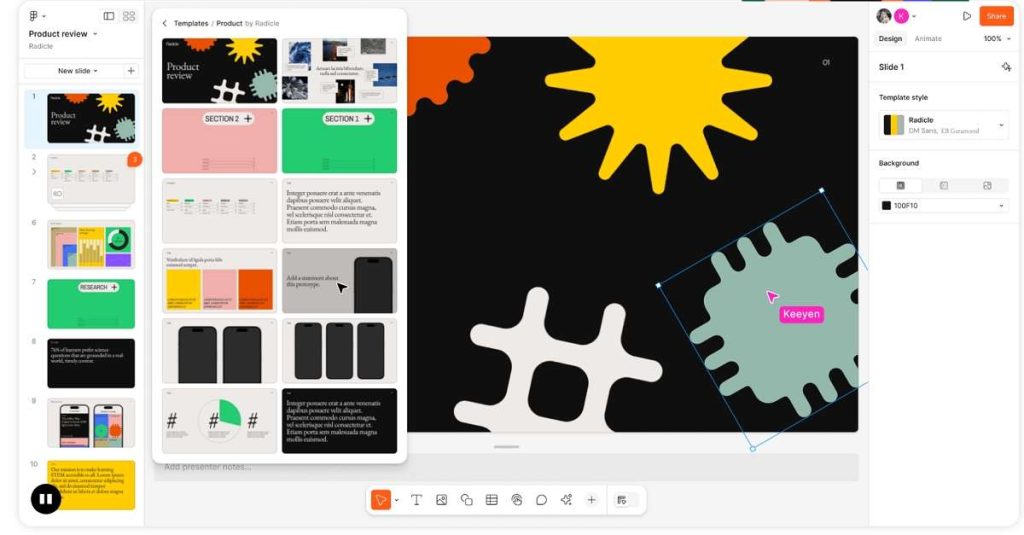
Key Features: Figma Slides offers vector-based editing capabilities that enable precise design control unavailable in most other presentation tools. Its real-time collaboration shows cursor positions and edits from multiple team members simultaneously. The platform integrates seamlessly with other Figma design files and supports plugins that extend functionality. Automatic layout tools help maintain consistent spacing and alignment .
The Bottom Line: Figma Slides is ideal for design-focused teams who need pixel-level control and already use Figma for other design workflows.
Pros:
- Unmatched real-time collaboration features
- Vector-based editing for precise design control
- Excellent for teams already using Figma
- Strong design consistency across slides
Cons:
- Steeper learning curve for non-designers
- AI features less developed than specialized tools
5. Pitch
Pitch is specifically designed for workplace collaboration, with features that streamline how teams create, present, and track their presentations. It combines elegant templates with powerful workflow tools that make it easy for organizations to maintain brand consistency while enabling individual creativity. The platform positions itself as the best slide maker AI solution for teams who frequently collaborate on presentations.
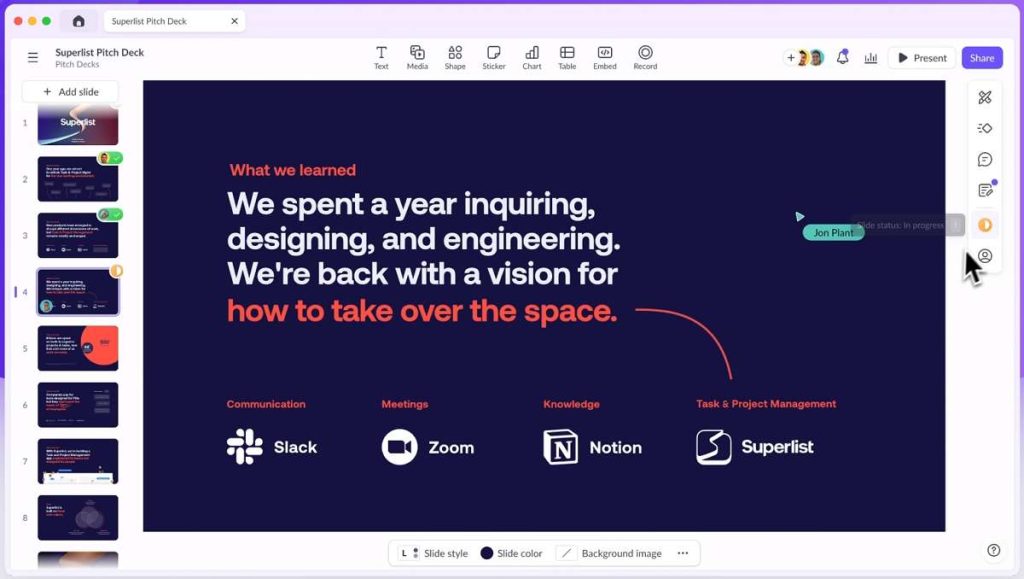
Key Features: Pitch offers customizable templates that can be saved as company-wide standards. Its workflow management includes version history, assignment tracking, and presentation status updates. The platform provides advanced analytics on viewer engagement and includes a built-in video recording feature for async presentations. Smart content suggestions help refine messaging .
The Bottom Line: Pitch excels at team collaboration and workflow management, making it ideal for organizations that create presentations as a collaborative process.
Pros:
- Superior collaboration and workflow features
- Elegant, professional templates
- Effective brand consistency tools
- Useful presentation analytics
Cons:
- Less focused on individual users
- Limited AI content generation compared to others
6. Plus AI
Plus AI stands out for its seamless integration with familiar tools, working directly within Google Slides and Microsoft PowerPoint. This approach minimizes the learning curve while adding powerful AI capabilities to environments users already know. For organizations hesitant to adopt entirely new platforms, Plus AI offers a compelling middle ground that enhances existing workflows rather than replacing them.
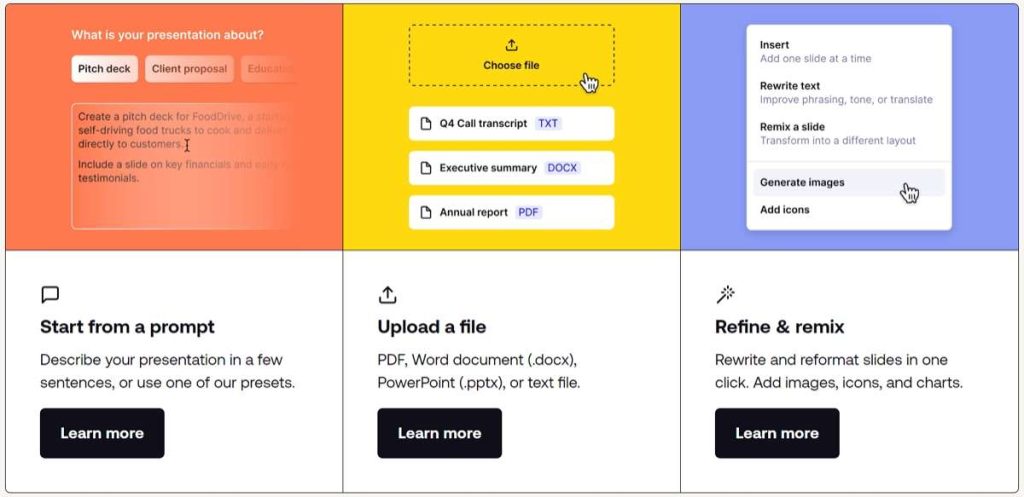
Key Features: Plus AI can generate entire presentations from a simple prompt or outline directly in Google Slides or PowerPoint. Its AI editing tools can rewrite, Summarize Slides, or expand content with a single click. The automatic layout suggestions improve slide design without manual formatting, and the template library is specifically curated for business needs .
The Bottom Line: Plus AI is perfect for users who want AI assistance without leaving their familiar presentation environments of Google Slides or PowerPoint.
Pros:
- Works within existing presentation tools
- Minimal learning curve
- Effective AI content generation and editing
- Good template selection for business use
Cons:
- Dependent on host platforms’ limitations
- Fewer innovative features than standalone tools
7. SlidesAI.io
SlidesAI.io specializes in converting text into visually appealing presentations with minimal effort. Its straightforward approach makes it particularly accessible for users who primarily need to transform existing content—such as reports, articles, or documents—into presentation format quickly. The extension-based model means you can use it without leaving your preferred presentation environment.
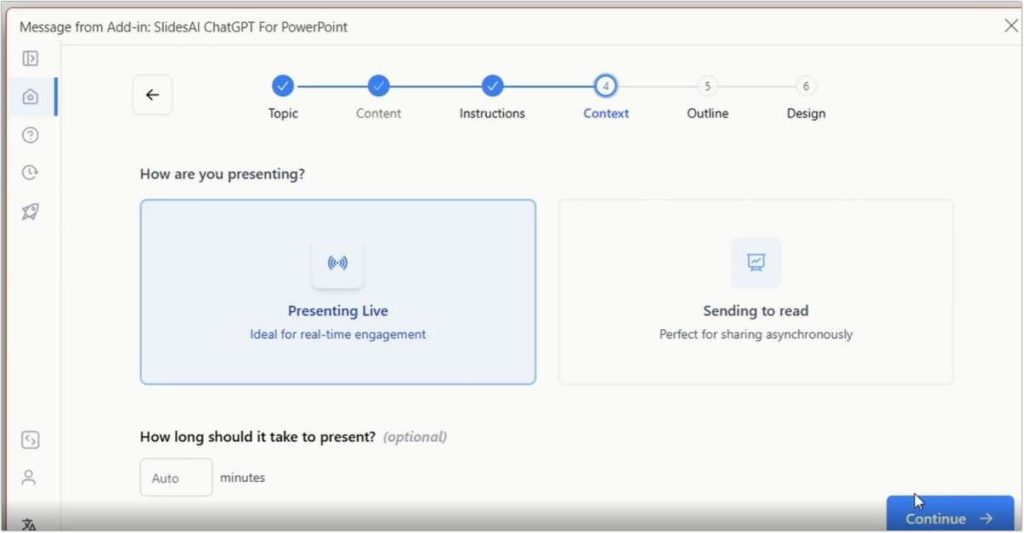
Key Features: SlidesAI.io can automatically summarize long texts and distribute content appropriately across slides. It offers a selection of curated color schemes and fonts and can generate slides in multiple languages. The tool works as an extension for both Google Slides and PowerPoint, requiring no new software installation .
The Bottom Line: SlidesAI.io excels at rapid text-to-presentation conversion, making it ideal for users who frequently need to transform existing content into slide format.
Pros:
- Extremely fast text-to-slide conversion
- No new software to learn
- Supports multiple languages
- Clean, professional results
Cons:
- Limited design customization options
- Less control over layout details
These tools don’t just assist with design; they generate entire presentations from a simple idea. Once your slides are created, you might also need tools to quickly digest others’ presentations. For that, check out our list of the best AI slide summarizers for effortless presentations.
Comparison Table of the Best AI Slide Generators
| Tool | Best For | AI Content Generation | Design Flexibility | Learning Curve | Pricing |
|---|---|---|---|---|---|
| Gamma | All-around excellence | Excellent | High | Moderate | Freemium, starts at $8/month |
| Canva | Design variety | Good | Very High | Low | Freemium, Premium starts at $12.99/month |
| Beautiful.AI | Design quality | Good | Medium | Low | Starts at $12/month |
| Figma Slides | Design teams | Fair | Very High | High | Freemium, Professional starts at $12/editor/month |
| Pitch | Team collaboration | Good | High | Moderate | Free with premium features for teams |
| Plus AI | Google Slides/PowerPoint users | Excellent | Medium | Low | Starts at $10/month |
| SlidesAI.io | Quick text conversion | Excellent | Low | Very Low | Freemium, Premium starts at $8.33/month |
FAQs About Best AI Slide Generators
What is the best AI slide generator overall?
Gamma stands out as the best overall AI slide generator for its exceptional balance of content generation capabilities, design flexibility, and collaborative features . It produces logically structured presentations with professional designs suitable for various use cases, from business reports to educational content. The platform’s ability to generate both content and appropriate visuals from minimal input, combined with its reasonable pricing structure, makes it the most versatile choice for most users.
How accurate is AI-generated content in these presentations?
The content generated by these advanced AI tools is generally quite good, particularly for common presentation topics and business contexts. Most platforms now incorporate sophisticated language models that produce coherent, contextually appropriate content. However, it’s essential to review and refine AI-generated content for accuracy, particularly with specialized or technical subjects. The best AI slides generator platforms function as collaborative partners rather than complete replacements for human expertise, significantly accelerating the creation process while still benefiting from human oversight.
Can I use my own brand colors and fonts with AI slide generators?
Most premium AI presentation tools offer brand kit functionality that allows you to define and lock in specific colors, fonts, and logo placements . Gamma, Canva, Beautiful.AI, and Pitch all provide robust brand management features that ensure consistency across team-created presentations. This capability has become increasingly important as organizations recognize the value of maintaining brand identity across all communications, making modern AI presentation tools particularly valuable for business use.
Are these AI presentation tools suitable for team collaboration?
Yes, collaboration features are a key strength of many AI presentation platforms. Gamma, Pitch, and Figma Slides particularly excel in this area, offering real-time co-editing, comment systems, version history, and permission controls . These features make AI presentation tools particularly valuable for organizational use, where multiple stakeholders typically contribute to and review presentations before they’re finalized and delivered.
Final Words
The evolution of AI presentation tools has reached an impressive stage in 2026, with multiple platforms offering genuine time savings while enhancing design quality. The best AI slide generators have moved beyond simple template applications to become intelligent partners in the presentation creation process. They understand context, suggest appropriate designs, and help structure content in ways that communicate ideas more effectively.
When selecting your ideal AI presentation partner, consider your specific needs and constraints. For maximum design flexibility with strong AI content generation, Gamma remains the top recommendation. For those prioritizing visual impact above all, Beautiful.AI and Canva deliver stunning results. Teams will appreciate the collaborative strengths of Pitch and Figma Slides, while Google Slides and PowerPoint loyalists will find Plus AI seamlessly enhances their existing workflow.
For a look at all types of modern presentation tools, including non-AI options, explore our roundup of the top PowerPoint alternatives you should try.

 English
photo to coloring book
This roundup of AI slide generators is a total lifesaver for my last-minute work presentations! I’ve been stuck using the same old tools, so testing out Canva Magic Studio and Beautiful.ai (like the blog suggested) is next on my list. Super grateful for the breakdown of each tool’s pros—saved me so much time researching on my own!
EverydayJoe
This really cleared things up for me.