
Top 5 AI Age Filter Tools You Can’t Miss
The digital landscape is constantly evolving, and one of the most fascinating applications of artificial intelligence is in visual transformation. The quest for a reliable ai age filter has moved from a novelty to a powerful tool for creators, marketers, and individuals looking to visualize potential futures or simply have fun. Whether you’re a filmmaker testing character aging, a marketer creating compelling “then and now” campaigns, or someone curious about your future self, the right ai aging filter can make all the difference.
In 2026, the market is flooded with options, making it challenging to identify which tool delivers on its promises. This in-depth review cuts through the noise. We have rigorously tested and analyzed the top performers to bring you a definitive guide to the best ai age filter tools available today, including excellent free ai aging filter options. Our goal is to provide a trustworthy resource that empowers you to make an informed choice.
What to Look for in a Top-Tier AI Age Filter
Before we dive into the specific tools, it’s crucial to understand the criteria that separate a gimmick from a genuinely powerful ai aging filter.
Based on our extensive testing and industry expertise, here are the key factors we evaluated for this review:
- Realism and Biological Accuracy: The best tools go beyond adding lines. They understand and simulate complex age-related changes, including: Skin Texture: The development of fine lines, wrinkles, and changes in skin elasticity and pore size. Volume Loss: Subtle sinking of the cheeks, thinning of the lips, and more pronounced facial bones. Pigmentation & Hair: The appearance of age spots, and the natural graying or thinning of hair and eyebrows. Overall Harmony: The changes must look cohesive and natural on the individual’s unique bone structure, rather than a one-size-fits-all filter.
- Ease of Use and Accessibility: A sophisticated ai aging filter shouldn’t require a degree in graphic design. We prioritized tools with intuitive interfaces, a clear workflow (upload -> process -> download), and broad accessibility, whether as a web-based platform or a user-friendly mobile app.
- Processing Speed and Performance: In a fast-paced digital world, waiting minutes for a result is a significant drawback. The leading tools leverage optimized AI models to deliver high-quality results in a matter of seconds.
- Value Proposition (Free vs. Paid): The market offers everything from completely free ai aging filter tools to premium subscriptions. We assess whether the paid features offer genuine value, such as higher resolution outputs, video support, or advanced customization, and clearly identify the best options for budget-conscious users.
- Data Privacy and Security: Your personal photos are sensitive data. We give weight to tools that are transparent about their data handling policies, specifying whether images are stored, for how long, and if they are used to train their AI models further.
Top 5 Must-Try AI Age Filter Tools of 2026
Here is our detailed breakdown of the five best AI age filter tools, evaluated on their key features, ease of use, output quality, and value.
1. Picwand Free AI Age Filter
Picwand Free AI Age Filter lives up to its name by offering a powerful and completely free aging transformation tool. It has quickly become a favorite for its straightforward approach and impressive results, setting a high standard for what a free ai aging filter can achieve.
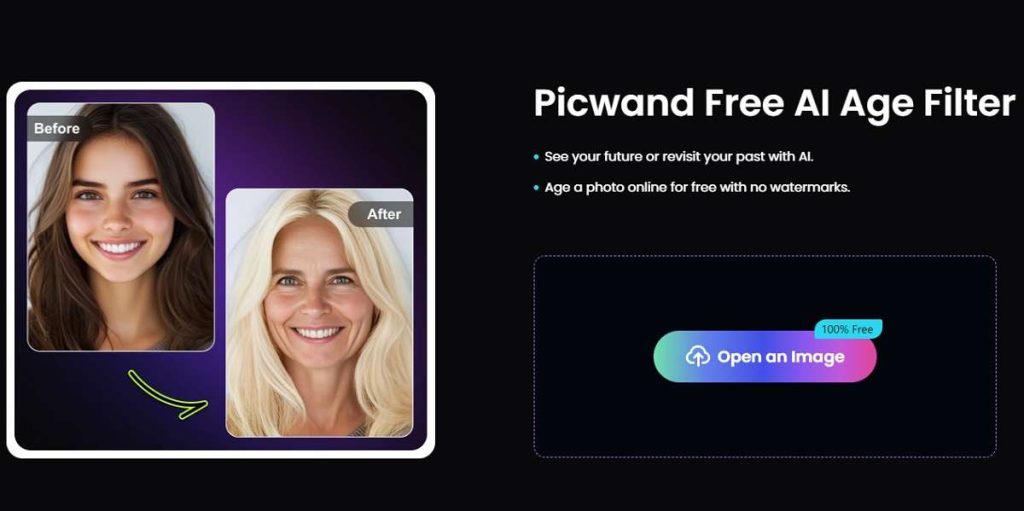
- Key Features: Utilizes advanced generative AI to create highly realistic wrinkles, skin texture changes, and hair graying. The interface is remarkably simple—upload a photo, and the tool processes it within seconds. It provides options for both aging and rejuvenation.
- Pros:
- 100% free with no hidden watermarks or usage limits.
- Exceptional output quality that rivals paid competitors.
- No registration or login required, ensuring privacy and speed.
- Web-based; no software download needed.
- Cons:
- Currently focused solely on images, with no video support.
- Fewer stylistic “filter” options compared to some entertainment-focused apps.
- Expert/User Comment: “As a digital content creator, I’ve tried countless AI tools. Picwand’s AI age filter is my go-to for its sheer simplicity and stunningly realistic results. The fact that it’s completely free feels like discovering a hidden gem in a market of overpriced subscriptions.”
2. Media.io AI Age Filter
Media.io AI Age Filter is part of a robust suite of online multimedia tools. It distinguishes itself by applying aging effects not just to photos but also to videos, making it a versatile choice for dynamic content.
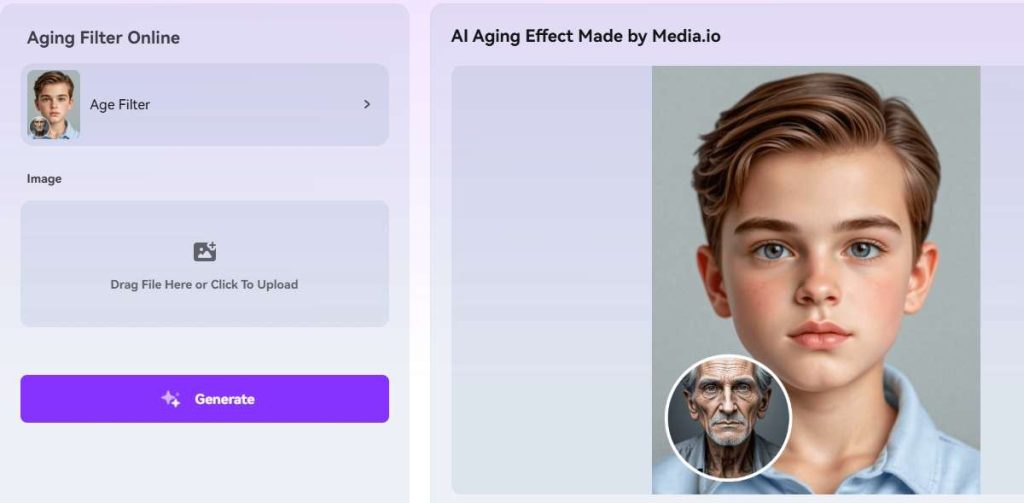
- Key Features: Specializes in both image and video aging. The AI analyzes facial features and applies temporal changes convincingly across multiple frames. It offers a clean, ad-free interface and includes basic video editing capabilities alongside the filter.
- Pros:
- Unique video aging capability, a rare feature in the market.
- High-quality, natural-looking results for both media types.
- Free tier available with generous processing limits.
- Secure and fast cloud processing.
- Cons:
- The highest resolution outputs and batch processing require a premium subscription.
- The video processing can take longer depending on length and server load.
- Expert/User Comment: “I needed to age a character in a short film sequence, and Media.io was the only web-based tool that handled the video seamlessly. The aging was consistent across all frames, which saved us countless hours in post-production. An indispensable tool for indie filmmakers.”
3. BYLO AI Age Filter
BYLO AI Age Filter positions itself as a professional-grade tool for individuals and businesses. It goes beyond simple aging to offer a more controlled and detailed transformation experience.
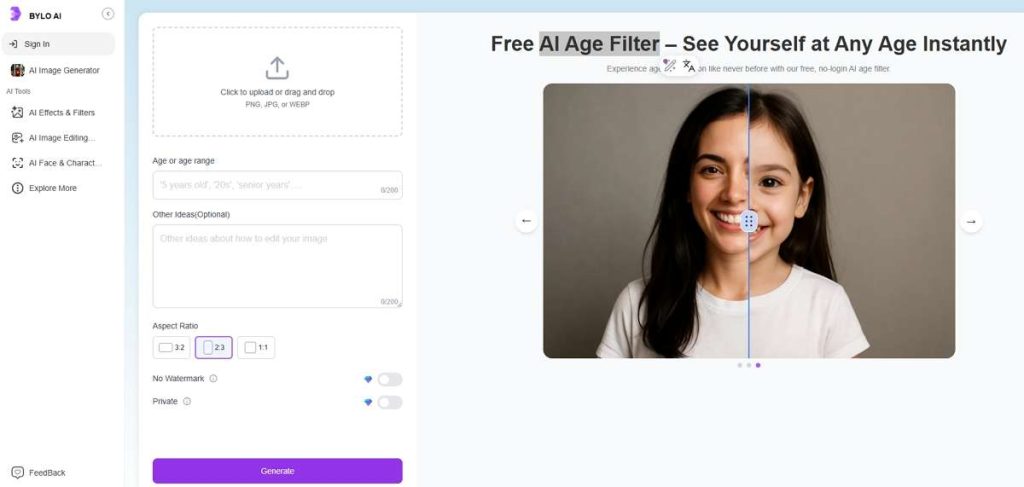
- Key Features: Offers granular control over the aging process, allowing users to adjust the intensity of specific features like crow’s feet, forehead lines, and skin sagging. It also includes a “lifeline” feature that shows a progression from young to old.
- Pros:
- High degree of customization for precise results.
- Professional-grade output suitable for commercial use.
- Clean and intuitive dashboard.
- Prioritizes user data privacy with clear policies.
- Cons:
- Primarily a premium tool, with the free version limiting access to full features.
- The learning curve is slightly steeper than more basic tools.
- Expert/User Comment: “For marketing agencies, BYLO is a game-changer. The ability to fine-tune the aging effect allows us to create perfectly tailored ‘future self’ visuals for financial planning and healthcare clients. It’s more than a filter; it’s a strategic visualization tool.”
4. LogoAI Age Filter
While LogoAI is primarily known for its brand identity solutions, its foray into the ai aging filter space is impressive. It leverages its powerful AI engine to deliver fast and effective age transformations.
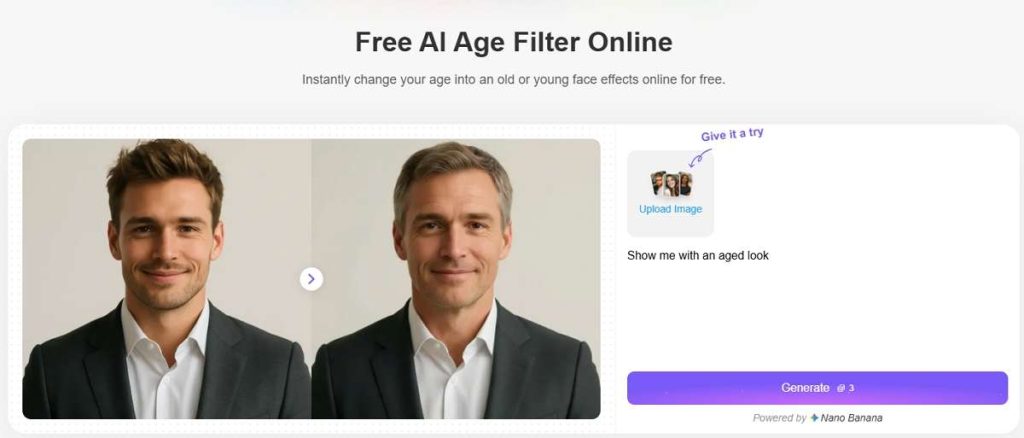
- Key Features: Integrated into the broader LogoAI platform, this tool is designed for speed and efficiency. It processes images rapidly and delivers clear, aged results. It’s an excellent example of a company repurposing its core AI for new, creative applications.
- Pros:
- Very fast processing times.
- Produces clean, high-definition results.
- No distracting ads on the tool page.
- Can be part of a larger workflow if the user is also involved in brand design.
- Cons:
- Lacks the advanced customization options of dedicated tools like BYLO.
- Not its primary business focus, so future updates may be less frequent.
- Expert/User Comment: “I was surprised by the quality from LogoAI’s tool. It’s incredibly straightforward—upload, click, and get a high-quality aged photo in seconds. It’s perfect for users who want a no-fuss, effective ai aging filter without creating an account.”
5. Reface AI Age Filter
Reface AI Age Filter is the king of viral entertainment. Famous for its face-swap technology, its “Old Face” filter is one of the most popular and engaging ways to age a photo, prioritizing fun and shareability.
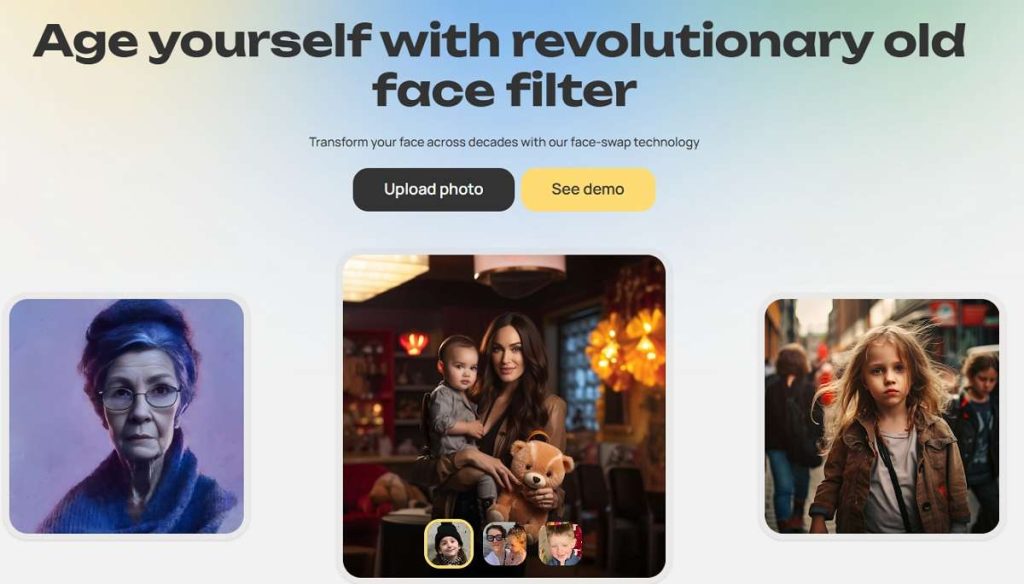
- Key Features: Focuses on applying dramatic and often stylized aging effects that are optimized for social media sharing. The app is mobile-first and integrates its aging filter with other fun features like face swapping and GIF creation.
- Pros:
- Highly entertaining and engaging results.
- Seamless mobile app experience.
- Massive library of other fun filters and templates.
- Excellent for creating viral content quickly.
- Cons:
- The aging can be less realistic and more “filter-like” compared to competitors.
- The free version includes prominent watermarks.
- Requires a mobile app download; not a web-based tool.
- Expert/User Comment: “If your goal is to create a hilarious TikTok or a shareable meme, nothing beats Reface. The ‘Old Face’ filter is incredibly fun and the app makes it easy to turn your aged self into a GIF. It’s less about realism and more about pure entertainment.”
Comprehensive Comparison of AI Age Filter
| Feature | Picwand | Media.io | BYLO | LogoAI | Reface |
|---|---|---|---|---|---|
| Best For | Overall Value & Quality | Video Aging | Professional Customization | Speed & Simplicity | Entertainment & Virality |
| Core Media | Image | Image & Video | Image | Image | Image (via App) |
| Free Tier | Excellent (Fully Free) | Good (With Limits) | Limited | Good | Limited (Watermark) |
| Ease of Use | Very Easy | Easy | Moderate | Very Easy | Easy |
| Output Realism | High | High | Very High | High | Moderate (Stylized) |
| Platform | Web | Web | Web | Web | Mobile App |
| Ideal User | Everyone | Content Creators | Professionals & Marketers | Quick Personal Use | Social Media Users |
FAQs About AI Age Filter Tools
Q1: How does an AI age filter work?
An ai aging filter uses a type of artificial intelligence called a generative adversarial network (GAN). It has been trained on millions of images of people of different ages. The AI learns the patterns of how facial features, skin texture, and bone structure change over time and applies this learned knowledge to your uploaded photo to simulate aging or rejuvenation.
Q2: Are there any truly free AI age filter tools?
Yes. As highlighted in our review, Picwand Free AI Age Filter is a prime example of a completely free ai aging filter with no strings attached. Other tools like Media.io and LogoAI also offer robust free tiers, though they may have limitations on output resolution or processing speed.
Q3: Is it safe to use these AI age filters with my photos?
Reputable tools prioritize user privacy. They typically process your image on secure servers and automatically delete it after a short period. Always review the platform’s privacy policy. Tools like Picwand and BYLO, which require no login, offer an added layer of privacy for your data.
Q4: Which tool is best for aging a video?
Media.io AI Age Filter is the clear leader for video aging in 2026. Its specialized algorithm is designed to handle the complexities of applying consistent aging effects across multiple frames, a feature that is still rare among web-based tools.
Q5: Why do the aged results from different tools look slightly different?
Each platform uses a uniquely trained AI model. The dataset it was trained on, the specific aging parameters it prioritizes (e.g., skin texture vs. bone structure), and the desired output style (realistic vs. stylized) all contribute to variations in the final result.
Conclusion
The world of ai age filter technology is more accessible and powerful than ever in 2026. Whether your priority is finding a powerful free ai aging filter for personal projects like Picwand, a professional tool for client work like BYLO, or a fun app for social media like Reface, there is a perfect solution waiting for you. The key is to align the tool’s strengths with your specific needs for media type, realism, and budget.
We’d love to hear from you! Have you tried any of these tools? Which one gave you the most surprising or realistic result? Share your experiences and your own aged photos in the comments below!

 English