
Top 5 Best AI Texture Generators
In the world of digital art, game design, and 3D modeling, textures are the unsung heroes. They bring surfaces to life, making them look real, touchable, and emotionally immersive. Creating high-quality, seamless, and realistic textures manually can be time-consuming and technically demanding. This is where AI texture generation steps in. Thanks to recent advancements, AI texture generators have revolutionized how creators approach texture design, offering a faster, smarter, and more scalable alternative. Whether you’re developing a game, designing a 3D model, or just experimenting with visuals, AI-generated textures can help you streamline your workflow.
In this article, we’ll explore the top 5 best AI texture generators that are not only powerful and efficient but also accessible for creators of all levels. We’ll also answer some of the most common questions about AI texture generation and help you choose the tool that best fits your needs.
Why Use AI Texture Generators for Creating Textures?
AI texture generation tools have gained popularity for good reason. Here’s why they’re worth your attention:
- Speed and Efficiency: An AI texture generator can produce high-quality textures in a matter of seconds.
- Cost-Effective: Many tools are free or offer affordable plans.
- Customizability: Generate unique textures based on your input image or description.
- Seamless Textures: Most AI generators now support seamless texture creation, ideal for gaming and 3D environments.
- Accessibility: No need for advanced design skills—just plug in your prompt or upload an image.
From AI game texture generators to AI texture generators from images, there’s something for everyone in this space.
5 Best AI Texture Generators Recommended
1. OpenArt AI Texture Generator
Platform: Web-based
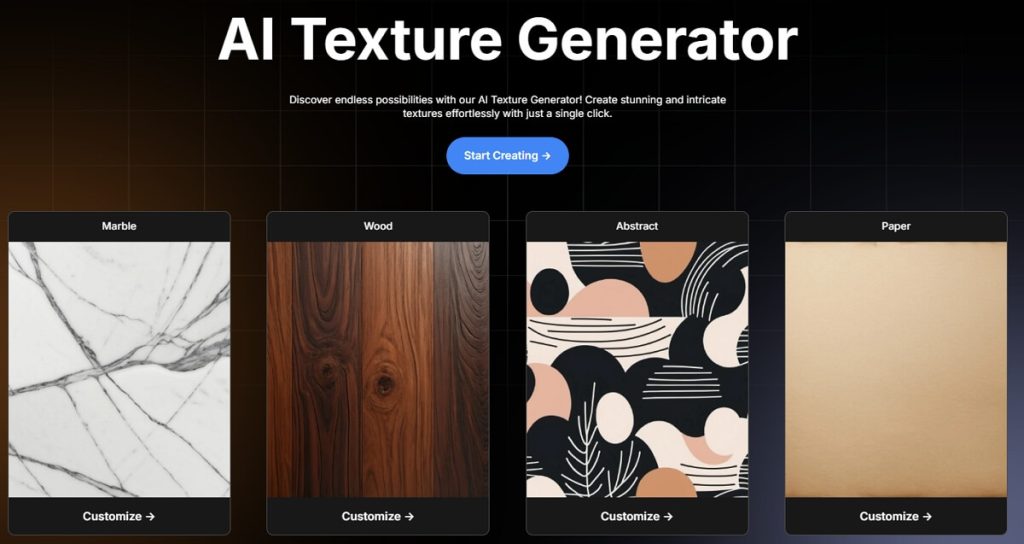
OpenArt’s AI Texture Generator is a favorite among digital artists and 3D creators. It allows users to create stunning, seamless textures from text prompts or images using powerful AI models.
Core Features:
- Supports seamless texture generation.
- Accepts both text prompts and images.
- Offers style customization.
- Easy to export textures for 3D models and games.
User Experience: The interface is clean and intuitive. Beginners can start without a learning curve, and professionals will appreciate the speed and quality of outputs.
Expert Comment: “OpenArt stands out with its balance of simplicity and power. It’s an excellent AI texture generator for 3D models and game design.” — Jordan Bellamy, Game Designer
Pros:
- Free to use with generous credits
- Great variety of style options
- High output resolution
Cons:
- Limited export formats
- Occasional wait times during peak hours
Best For: Indie game developers, 3D artists, and designers needing quick, quality textures.
2. Piclumen AI Texture Generator
Platform: Web-based
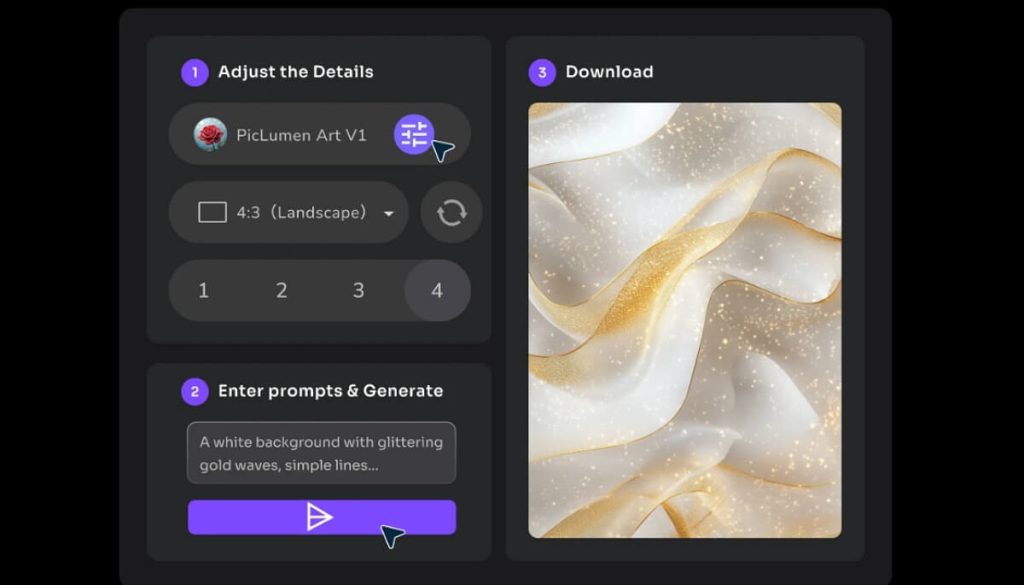
Piclumen offers a fast and clean interface for generating textures from images or text prompts. Known for its detail accuracy and texture clarity, it’s a solid AI texture generation tool for professionals.
Core Features:
- AI generate texture with photorealistic detail
- Drag-and-drop image uploads
- Supports seamless texture generation
- Real-time preview
User Experience: Smooth and minimalistic. The tool focuses heavily on visual quality and offers a range of control options.
User Review: “Piclumen gives me textures that actually feel alive. It’s my go-to tool when working on architectural renders.” — Sam Taylor, 3D Visual Artist
Pros:
- High-quality AI generated textures
- Seamless textures supported
- Responsive design
Cons:
- Limited free credits
- Requires registration
Best For: Interior designers, architects, and digital artists.
3. Toggle3D AI Texture Generator
Platform: Web-based and desktop app (Mac & Windows)
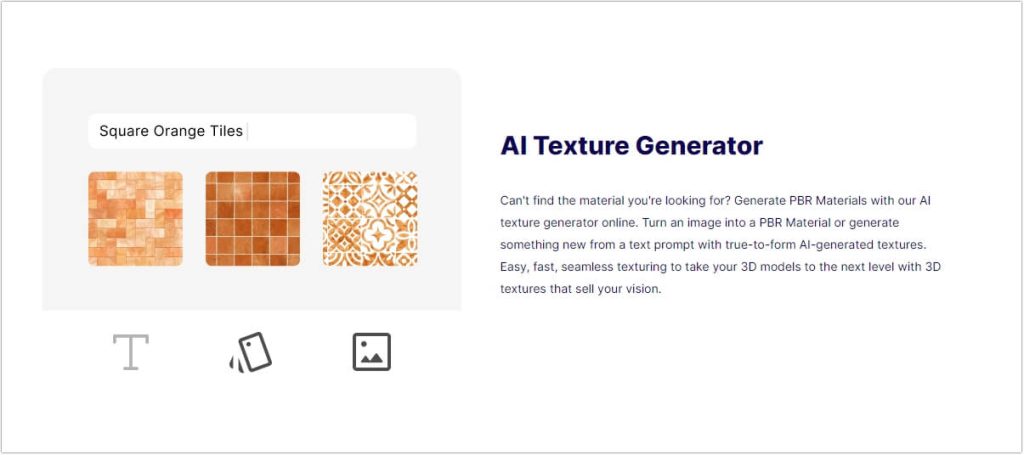
Toggle3D brings AI texture generation into a fully immersive 3D environment. It’s especially valuable for those creating product mockups or detailed 3D scenes.
Core Features:
- Real-time texture rendering
- Seamless texture generation
- 3D model import and texture application
- AI texture generator from image feature
User Experience: Toggle3D stands out for its integration with 3D environments. The AI game texture generator is perfect for visual testing and texture realism.
Expert Comment: “Toggle3D blurs the line between art and AI—it’s a playground for texture design.” — Alice Nguyen, UX Designer
Pros:
- Excellent for 3D modeling
- Versatile export formats
- Seamless preview
Cons:
- Slight learning curve
- Heavier on system resources
Best For: Game developers, product designers, and animators.
4. Polycam AI Texture Generator
Platform: iOS, Android, and Web
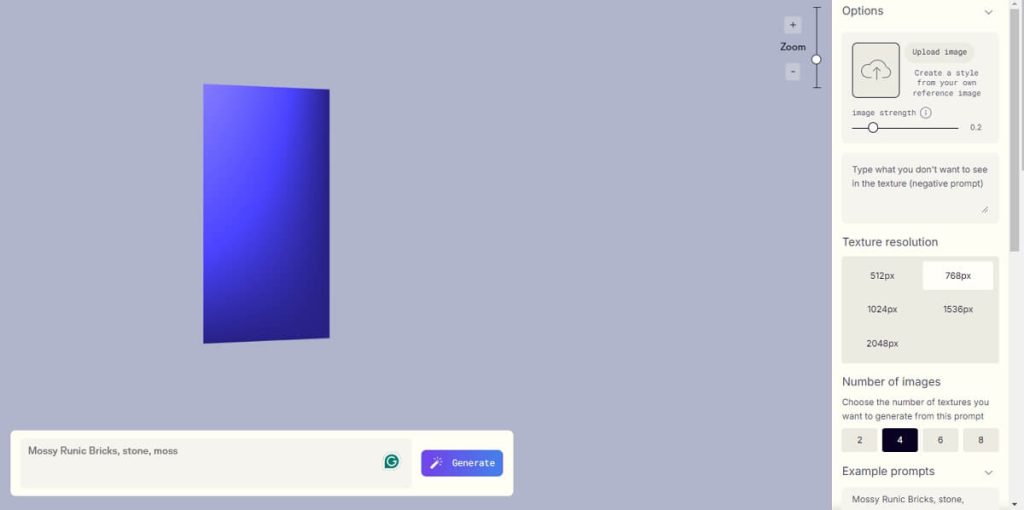
Known for its photogrammetry capabilities, Polycam now offers an AI texture generator that’s impressively good at creating realistic surface details from images.
Core Features:
- AI texture generation from real-world captures
- Exportable to 3D modeling software
- Works seamlessly with AR/VR environments
- Supports Texture seamless generator
User Experience: Mobile-first but incredibly functional, Polycam makes it easy to scan, convert, and texture real-world items.
User Review: “I use Polycam when I need ultra-realistic textures from everyday items. It’s like carrying a studio in your pocket.” — Brian Leung, VR Developer
Pros:
- Mobile convenience
- AI texture generator free with optional premium tools
- High realism
Cons:
- Mobile version has limited batch processing
- Some features locked behind paywall
Best For: AR/VR developers, mobile creators, and 3D photographers.
5. YESCHAT AI Texture Generator
Platform: Web-based
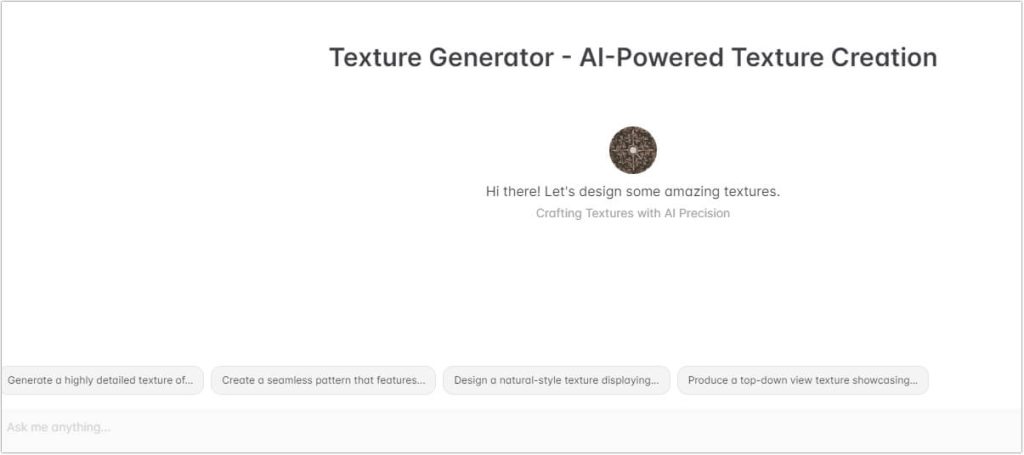
YESCHAT leverages conversational AI to help generate textures in a more interactive way. It’s a creative tool for experimenting with ideas and iterating quickly.
Core Features:
- Chat-based input for generating textures
- AI texture generator for 3D models
- Custom style tweaking
- Seamless generation support
User Experience: Interactive and fun. You type what you want, and the AI offers options you can refine. It’s more like collaborating with an assistant.
Expert Comment: “YESCHAT feels like brainstorming with a fellow artist. It’s an innovative twist on AI tools.” — Ellie Raines, Concept Artist
Pros:
- Easy to use
- Fun, chat-style interaction
- Good for idea exploration
Cons:
- Lacks batch processing
- Fewer export options than others
Best For: Hobbyists, creative writers, and concept artists looking for inspiration.
Comparison Table of the 5 AI Texture Generators
| Tool Name | Main Features | Supports Seamless Textures | Difficulty Level | Free to Use | Output Formats |
|---|---|---|---|---|---|
| OpenArt | Text/image input, style control | ✔ | ⭐⭐ | ✔ | PNG, JPG |
| Piclumen | High-res detail, drag-drop input | ✔ | ⭐⭐ | ✘ | PNG |
| Toggle3D | Real-time render, 3D model support | ✔ | ⭐⭐⭐ | ✘ | OBJ, PNG, JPG |
| Polycam | Mobile scanning, AR/VR compatible | ✔ | ⭐⭐ | ✔ | FBX, USDZ, PNG |
| YESCHAT | Chat-based generation, style control | ✔ | ⭐ | ✔ | PNG, JPG |
FAQs About AI Texture Generators
Q1: What is an AI texture generator?
An AI texture generator uses artificial intelligence to create digital textures from text prompts, images, or other data. These tools are designed to simplify the texture creation process.
Q2: Can AI generate textures that are seamless?
Yes, many modern AI texture generation tools offer seamless texture outputs, making them ideal for tiling in 3D models and game environments.
Q3: What’s the best free AI texture generator?
OpenArt and Polycam both offer robust free versions with good output quality, making them strong candidates for those on a budget.
Q4: Can I use AI-generated textures for commercial projects?
It depends on the license of the tool you’re using. Always check the licensing terms to ensure commercial usage is permitted.
Q5: How does an AI texture generator from image work?
You upload a reference image, and the AI analyzes patterns, colors, and structure to generate a new texture based on that input.
Final Thoughts
From seamless tile creation to real-time 3D texture rendering, AI texture generators are redefining what’s possible in digital art and design. Whether you’re a pro working on AAA game assets or a hobbyist experimenting with textures, these tools offer something valuable for every creative workflow.
Each tool we’ve covered—OpenArt, Piclumen, Toggle3D, Polycam, and YESCHAT—brings a unique edge to AI texture generation. Depending on your specific needs—whether it’s creating textures from images, generating seamless game-ready surfaces, or finding an AI texture generator for 3D models—you now have a powerful lineup to explore.
So dive in, experiment, and let AI bring your surfaces to life.

 English