
Is Steam Down? Live Status Check & Why Steam Is Down
For millions of gamers, few sights are as frustrating as a “Could not connect to the Steam network” error message. Whether you are gearing up for a Counter-Strike 2 match or trying to grab a deal during a seasonal sale, a sudden interruption raises the immediate question: Is Steam down?
In the world of digital distribution, downtime is an occasional but inevitable reality. Understanding how to distinguish between a global outage, routine maintenance, and a problem on your own end can save you hours of troubleshooting. This guide provides a comprehensive look at how to check Steam’s status using professional tools and explains the technical reasons why Steam is down when it happens.
Is Steam Down Right Now? Quick Status Checklist
Before diving into deep diagnostics, it is important to realize that Steam isn’t just one single entity. It is a massive ecosystem of servers handling the Store, the Community Market, Web APIs, and specific game coordinators. If you find that Steam is down right now, it might only be affecting one of these sectors.
How to Tell if the Issue is Global or Local
- Check other websites: If Google or YouTube also won’t load, the problem is likely your ISP.
- Test on mobile: Switch your phone to 5G/LTE and try to open the Steam app. If it works there but not on your PC, the issue is your local network.
- Look for error codes: Codes like E2, E20, or “Connection Timeout” often point toward server-side congestion rather than a personal hardware failure.
How to Check Steam Status: Top 3 Professional Tools
When the client fails to log in, you need reliable external data. Here are the top three most trusted industry-standard tools to verify if is Steam down.
1. SteamStat.us (The Gold Standard)
SteamStat.us is widely considered the most accurate unofficial status dashboard. It uses Steam’s own Web API to provide a granular breakdown of every service.
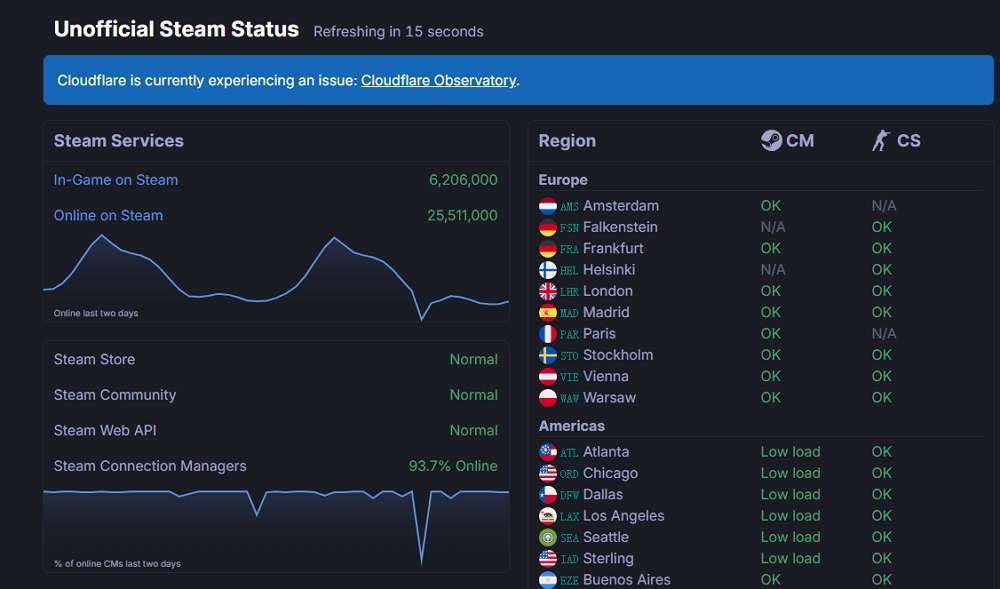
- What it tracks: Store, Community, Web API, and individual regional “Connection Managers” (CMs).
- Why use it: It tells you exactly where the failure is. If “Connection Managers” are at 100% but the “Store” is “Normal,” you know the problem is likely on your end.
2. Downdetector
Downdetector relies on crowdsourced data. It tracks spikes in user reports to create a real-time heatmap of outages.
- What it tracks: Total volume of user-submitted reports over the last 24 hours.
- Why use it: It is the best tool for identifying regional outages. If thousands of people in your specific city are reporting issues, it confirms a localized network routing problem.
3. Is It Down Right Now?
This tool provides a simple “Up” or “Down” verdict by pinging Steam’s web servers from multiple global locations.
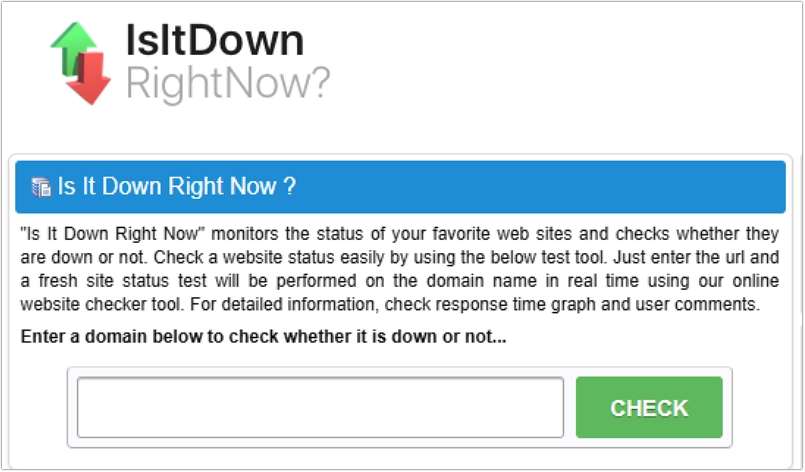
- What it tracks: Response time, last downtime duration, and server pings.
- Why use it: It is excellent for verifying if the Steam Store website (
steampowered.com) is accessible, which is helpful if you are trying to make a purchase via a browser.
Pro Tip: Using AI4How’s AI Down Tracker for Instant Clarity
While traditional tools are excellent, they often require you to interpret complex graphs or percentages. For a more intuitive experience, we recommend the AI Down Tracker by AI4How.
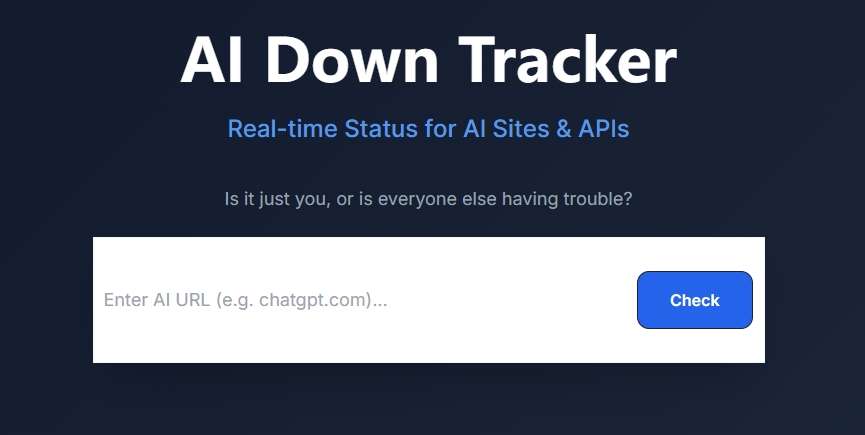
This specialized platform provides more than just a simple “up or down” status; it monitors real-time performance for major AI services and gaming networks like Steam and Fortnite. Simply enter any URL in the search bar and click “Check” Button to instantly verify the live connectivity of that site/platform.
Why Is Steam Down? Common Causes Explained
Understanding why Steam is down can help you predict when it will be back online. Generally, downtime falls into three categories:
1. Scheduled Tuesday Maintenance
This is the most common reason. Like clockwork, Valve performs routine server maintenance every Tuesday, typically between 3:00 PM and 6:00 PM Pacific Time (PT).
- Duration: Usually 10 to 30 minutes.
- Purpose: Applying security patches, updating server software, and optimizing database performance. If it’s Tuesday evening and you can’t connect, don’t panic—it’s just the weekly “housekeeping.”
2. High Traffic & Seasonal Sales
During the Steam Summer or Winter Sales, or the launch of a highly anticipated title (like a new GTA or Valve announcement), the sheer volume of users can overwhelm the “Connection Managers.”
- The Result: You might be able to log in, but the store won’t load, or your library will show you as “Offline.”
3. Server-Side Technical Failures
Even with Valve’s world-class infrastructure, hardware can fail. These unplanned outages are rarer but last longer.
- Database Desync: If the database that tracks user licenses fails, you might see an empty library.
- DDoS Attacks: As a high-profile target, Steam occasionally faces distributed denial-of-service attacks that clog the network pipes.
- ISP Routing Issues: Sometimes Steam isn’t actually down, but a major internet backbone (like Level 3 or Cloudflare) is having trouble routing your specific traffic to Valve’s data centers.
Troubleshooting: What to Do When Steam is Down for You Only
If the status checkers say “All Systems Nominal” but you still can’t connect, the issue is likely local. Follow these steps in order:
- Restart the Steam Client: Completely exit Steam (Task Manager > End Task) and relaunch it. This forces a fresh handshake with the server.
- Clear Download Cache: Go to Settings > Downloads > Clear Download Cache. This often fixes “Content Servers Unreachable” errors.
- Check Firewall & Antivirus: Occasionally, an update to your security software might flag Steam as a threat. Temporarily disable your firewall to test the connection.
- Flush Your DNS: Open the Command Prompt as an administrator and type
ipconfig /flushdns. This clears old “pathway” data that might be directing your PC to a dead server. - Change Download Region: If you can log in but downloads are stuck at 0 bytes, go to Settings > Downloads and change your region to a different city or country.
Summary Table: Steam Status Overview
| Reason | Occurrence | Typical Duration | Action Required |
| Tuesday Maintenance | Weekly (Tue PM) | 10–30 Minutes | Wait it out. |
| Seasonal Sales | 4-5 times a year | 1–2 Hours (at start) | Keep refreshing. |
| Database Failure | Rare | 1–4 Hours | Check AI4How AI Down Checker. |
| Local Network Error | Random | Permanent until fixed | Restart Router / Flush DNS. |
Final Thoughts
Steam is one of the most stable platforms in gaming, but it isn’t invincible. By using professional tools like SteamStat.us and the AI4How’s AI Down Tracker, you can quickly identify whether the problem lies with Gabe Newell’s servers or your own router.
Next time you see that dreaded connection error, take a breath, check the status, and remember: if it’s Tuesday, you probably just need to go grab a snack while the servers reboot.

 English