
Is Canvas Down Right Now? Live Status & Fixes
In the digital age of education, few things are as stressful as a blank screen when you have a looming deadline. Whether you are a student trying to submit a final essay or a professor attempting to grade assignments, the question “is canvas down?” becomes the only thing that matters.
Canvas, operated by Instructure, is one of the world’s most reliable Learning Management Systems (LMS), but like any cloud-based platform, it is not immune to technical hiccups. In this guide, we will provide you with the tools to check the status of the platform in real-time and actionable steps to take if canvas is down right when you need it most.
Is Canvas Down Right Now?
If you are currently staring at a 504 Gateway Timeout or a “Page Not Loading” error, you need answers fast. Before you restart your router or blame your laptop, use these three reliable tools to verify if the issue is widespread.
- AI Down Tracker by AI4How: This is a dedicated real-time monitoring tool designed to provide instant visibility into the operational status of any online platforms. Instead of wondering if a service disruption is “just you” or a global outage, this tool offers a centralized dashboard to check the health of popular platforms at a glance.
- Official Instructure Status Page: The primary source for the official word. It breaks down the status by component (e.g., New Quizzes, SpeedGrader, or Dashboard).
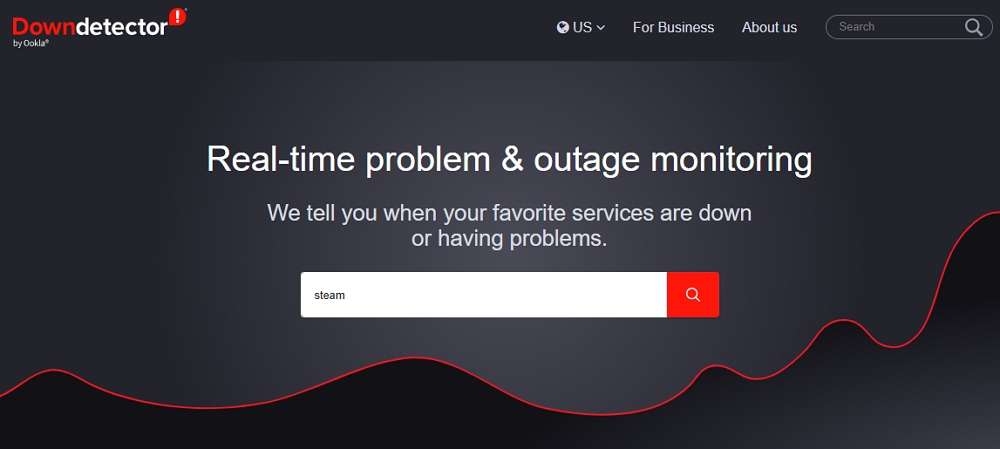
- DownDetector: A community-driven site where you can see a live map of user reports. If you see a massive spike in the last 10 minutes, the answer to “is canvas down right now” is likely a resounding yes.
Why Is Canvas Down? Common Causes for Outages
Understanding why is canvas down can help you estimate how long the outage might last. While Instructure maintains an impressive uptime, several factors can cause a service disruption:
- AWS Service Disruptions: Canvas runs on Amazon Web Services (AWS). If AWS experiences a regional outage (commonly in the US-East-1 region), Canvas and many other global sites will go offline simultaneously.
- Scheduled Maintenance: Major updates are usually scheduled for late Saturday nights or during term breaks. While these are announced in advance, they can occasionally overrun.
- Server Overload: During “Finals Week” or the first day of a new semester, millions of students log in at once. This massive traffic surge can lead to “Heavy Load” errors.
- DDoS Attacks: Like any major web entity, Canvas is occasionally the target of Distributed Denial of Service attacks, which aim to overwhelm their authentication servers.
Is Canvas Still Down? How to Check for Local vs. Global Issues
Sometimes the official status page says “Operational,” yet you still can’t log in. In this case, you need to determine if is canvas still down for everyone or just for you.
- Global Issues: These are confirmed by Instructure. If the “Canvas LMS” status bar is red or yellow, the problem is on their end.
- Regional Issues: Sometimes an outage only affects specific regions (e.g., Europe or North America). Check if your university’s specific URL (e.g., university.instructure.com) is the only one failing.
- Local Issues: If other students in your class can access the site but you cannot, the issue is local. This could be due to your ISP, a browser cache conflict, or an outdated operating system.
“Is Canvas Down” — What to Do If You Have a Deadline
The phrase “canvas is down” is a nightmare for anyone with an assignment due at midnight. If you find yourself in this situation, follow this professional protocol:
- Document the Outage: Take a full-screen screenshot of the error message, including the date and time on your computer clock. This is your “receipt” for your instructor.
- Check Your Email: Often, the University IT department will send a broadcast email acknowledging the outage and providing temporary extensions.
- Email the Professor Directly: Do not wait for the site to come back up. Send your assignment as an attachment to your professor via email before the deadline. Even if they don’t accept email submissions normally, it proves the work was completed on time.
- Try the Mobile App: Interestingly, the Canvas Student App sometimes uses different API routes. If the desktop site is failing, the app might still let you submit a file from your phone’s cloud storage.
Troubleshooting Tips: Fixes for When Canvas is Not Loading
If the status trackers suggest the servers are fine, but canvas is down for you specifically, try these expert troubleshooting steps:
- Clear Cache and Cookies: This is the #1 fix. Old data can cause login loops.
- Check Third-Party Cookies: Canvas relies on these for tools like Kaltura or McGraw-Hill integrations. Ensure your browser isn’t blocking them.
- Try Incognito Mode: Opening Canvas in a private window disables extensions (like AdBlockers) that might be interfering with the site’s scripts.
- Update Your Browser: Canvas officially supports the last two versions of Chrome, Firefox, and Edge. If you are using an outdated version, the CSS may fail to render correctly.
- DNS Flush: If the page won’t resolve, try flushing your DNS via the command prompt (
ipconfig /flushdnson Windows) to clear out bad routing paths.
How to Get Real-Time Alerts for Future Outages
Instead of constantly refreshing the page to see is canvas still down, set up an automated system so you are the first to know when it’s back.
- Twitter (X) Alerts: Follow
@CanvasLMSand turn on notifications. They are very active during major outages. - StatusGator: You can subscribe to the Canvas status feed through StatusGator to receive an SMS or Slack message the second the status changes from “Up” to “Down.”
- University IT Dashboard: Most large universities have their own status pages that monitor the specific “instance” of Canvas assigned to your school. Bookmark this page for the most localized data.
FAQs About “Is Canvas Down”
1. How long do Canvas outages usually last?
Most Canvas outages are resolved within 30 to 90 minutes. Official status page reports generally only include incidents that last longer than 15 minutes. However, major infrastructure failures (like those involving AWS) can occasionally lead to disruptions lasting several hours or, in extreme cases, a full day.
2. Why is my Canvas not working?
If you suspect canvas is down but the status page is green, the issue is likely local. Common culprits include:
- Weak Internet Connection: Canvas requires at least 1.5 Mbps download speed.
- Outdated Hardware: Older operating systems may no longer support the security protocols required for modern LMS logins.
- Firewall Blocks: Some public Wi-Fi networks block Port 8443, which Canvas uses for authentication.
3. Why is Canvas denying me access?
An “Access Denied” or “Unauthorized” error usually isn’t a server-wide outage. Instead, it typically means:
- Locked Content: Your instructor may have set a specific date for the content to open or required a prerequisite module to be finished first.
- Unpublished Items: The link you are clicking on might point to an assignment the teacher has not yet “published.”
- Stale Session: Your login credentials might have expired. Try logging out and back in.
4. Why is Canvas not loading on Chrome?
Chrome is the recommended browser for Canvas, but it can fail if:
- Conflicting Extensions: Ad-blockers or privacy shields often break Canvas’s script execution.
- Multiple Google Accounts: If you are signed into a personal Gmail account and a university account, Chrome may “confuse” the authorization tokens.
- Outdated Chrome OS: If you are on a Chromebook, ensure your OS is updated to the latest version, as Canvas requires modern browser rendering engines.
Conclusion
Dealing with a scenario where is canvas down can be incredibly frustrating, especially during the high-stakes environment of an academic semester. By using tools like the AI Down Tracker by AI4How and following a systematic troubleshooting approach, you can significantly reduce the stress of an outage.
Remember: stay calm, document the error, and communicate with your instructors early. In most cases, institutions are very understanding of “acts of tech” and will provide the necessary accommodations to ensure your grades don’t suffer.

 English