
Top 5 Must-Try Image to Video AI Generators
In today’s digital landscape, the ability to transform static images into dynamic videos has become a game-changer for content creators, marketers, and businesses alike. With the advent of image to video AI generators, producing engaging video content has never been more accessible. Whether you’re seeking an image to video AI generator free of charge, one that operates online without watermarks, or a tool that offers unlimited usage without the need for sign-up, the options are plentiful.
This article delves into the best image to video AI generators available in 2026, highlighting their features, advantages, and potential drawbacks to help you make an informed decision.
Why Image to Video AI Generator is Essential
The rise of image to video AI generators has revolutionized content creation by:
- Enhancing Engagement: Videos often capture attention more effectively than static images, leading to increased viewer engagement.
- Streamlining Content Creation: AI-powered tools simplify the video creation process, saving time and resources.
- Expanding Creative Possibilities: These generators allow for the transformation of simple images into compelling narratives, broadening creative horizons.
- Cost-Effective Solutions: Many tools offer free versions, making high-quality video production accessible to all.
5 Best Image to Video AI Generator
1. DeeVid AI Image to Video Generator
Platform Compatibility: Web-based; accessible on Windows, macOS, and mobile browsers.
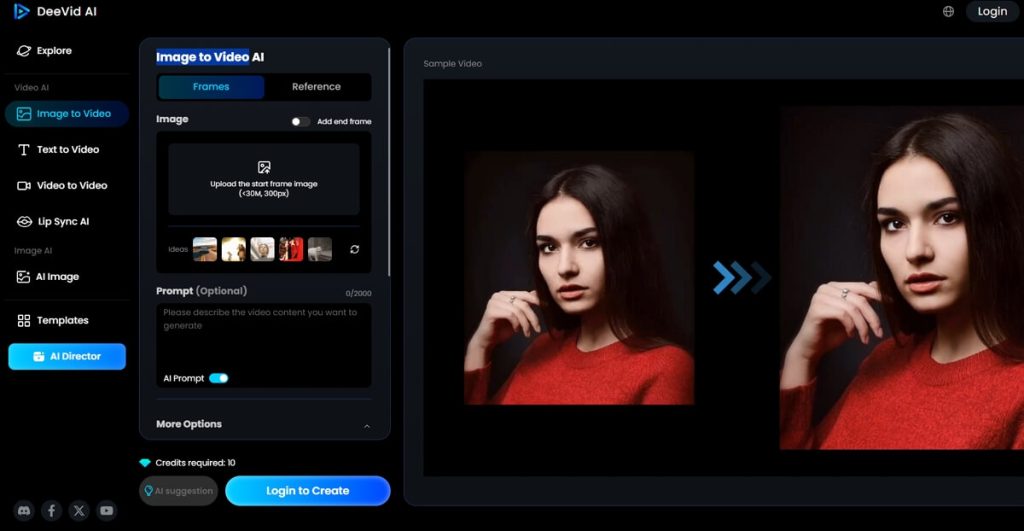
DeeVid AI stands out with its advanced capabilities, including text-to-video, image-to-video, and video-to-video transformations. Its user-friendly interface and extensive template library make it suitable for both novices and professionals. Notably, DeeVid AI recently introduced a feature that converts images into animations reminiscent of Studio Ghibli’s art style, adding a unique touch to video creations.
Core Features:
- High-quality video generation with minimal effort.
- Extensive library of professional templates.
- Ghibli-style animation feature.
Pros:
- Intuitive interface suitable for all skill levels.
- Rapid video generation process.
- Unique animation styles enhance creativity.
Cons:
- Some advanced features may require a subscription.
User Experience: “DeeVid AI simplifies the video creation process, allowing users to produce professional-quality videos effortlessly.”
2. DeepAI Image to Video AI Generator
Platform Compatibility: Web-based; compatible with all major browsers.
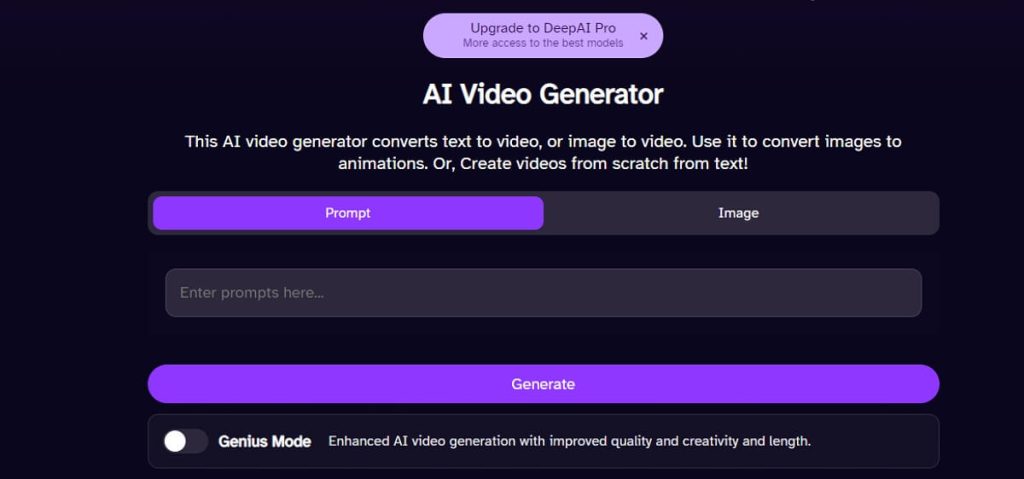
DeepAI offers a straightforward approach to video creation, enabling users to generate videos from text or animate images using AI. The platform is free to use, with no login or signup required, making it an ideal choice for quick projects.
Core Features:
- Text-to-video and image-to-video generation.
- No registration required for basic use.
- Option to upgrade for higher-quality outputs.
Pros:
- User-friendly interface.
- Quick processing times.
- Accessible without account creation.
Cons:
- Limited customization options in the free version.
Expert Opinion: “DeepAI is best for generating quick, high-quality images, videos, and music from simple text, making content creation fast and easy for beginners and pros alike.”
3. Pollo.AI’s Image to Video Generator
Platform Compatibility: Web-based; optimized for desktop and mobile devices.
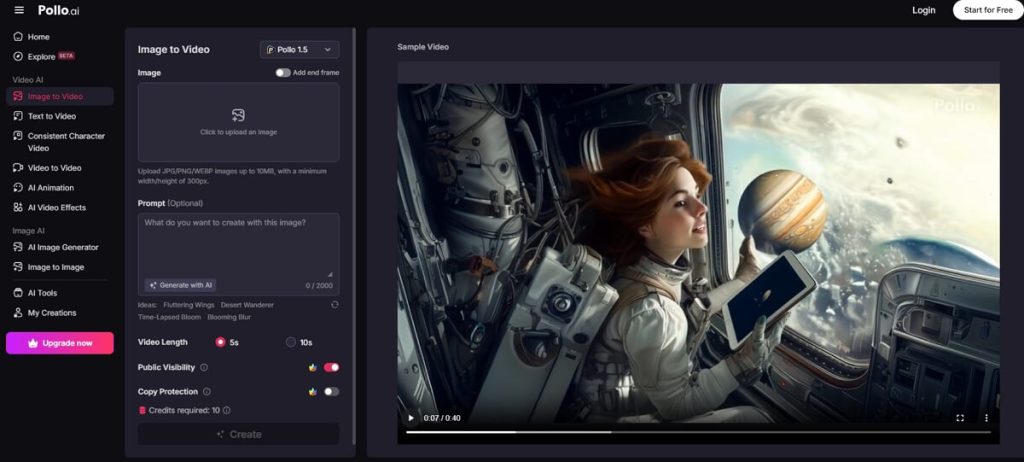
Pollo.AI integrates multiple cutting-edge AI models, including Kling AI, Runway, and Vidu AI, to deliver diverse video outputs. Its free plan offers access to various features, making it a versatile tool for both casual and professional use.
Core Features:
- Access to multiple AI models for varied outputs.
- Free plan with generous features.
- Commercial use of no-watermark videos and images for paid users.
Pros:
- Versatile video creation options.
- User-friendly interface.
- Regular updates and feature additions.
Cons:
- Premium features require a subscription.
User Review: “Pollo.ai has positioned itself as a versatile platform in the AI content creation landscape, offering users access to multiple cutting-edge models for generating videos and images.“
4. Clipfly AI Video Generator
Platform Compatibility: Web-based; accessible on Windows, macOS, and mobile browsers.
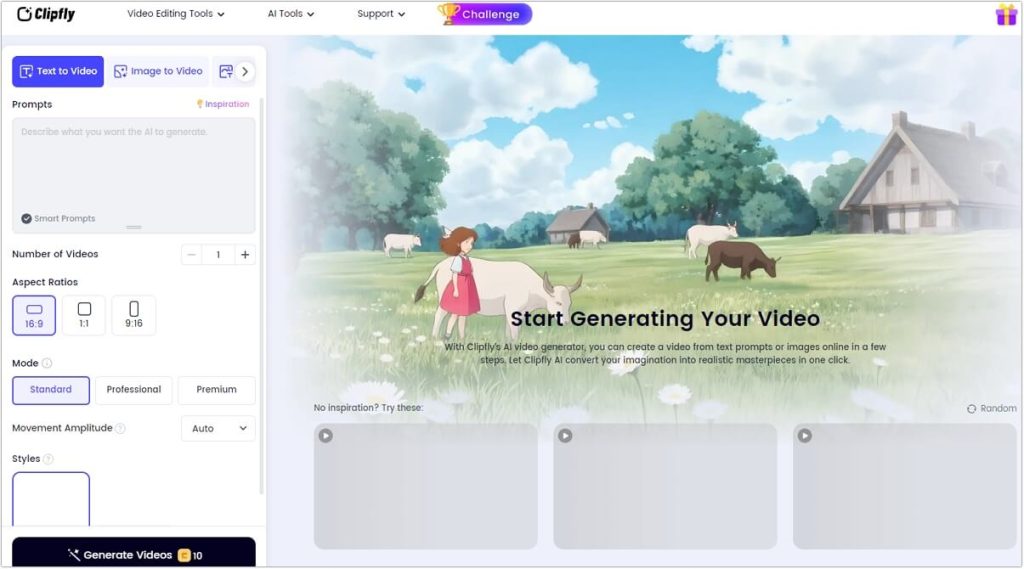
Clipfly AI Video Generator is a versatile and user-friendly platform that empowers users to transform text prompts or static images into dynamic videos effortlessly. With its intuitive interface, Clipfly caters to both beginners and professionals, eliminating the need for advanced video editing skills. The platform offers a range of visual styles, including cinematic, anime, digital art, and more, allowing users to tailor their videos to specific themes or audiences. By leveraging AI technology, Clipfly streamlines the video creation process, making it ideal for social media content, marketing campaigns, educational materials, and personal projects.
Core Features:
- Text-to-Video and Image-to-Video Generation: Convert written prompts or images into engaging video content.
- Multiple Visual Styles: Choose from various styles like cinematic, anime, digital art, and more to match your creative vision.
- AI-Powered Editing Tools: Enhance videos with features like AI video enhancer, background remover, face swap, and voiceover generation.
- Comprehensive Editing Suite: Access tools for trimming, merging, adding transitions, music, subtitles, and applying filters and effects.
- High-Quality Output: Export videos in resolutions up to 4K, ensuring professional-grade results.
Pros:
- Intuitive and easy-to-navigate interface suitable for users of all skill levels.
- Wide array of customization options to personalize video content.
- Access to a rich library of stock images, music, and effects.
- Supports high-resolution video exports, including 4K.
Cons:
- The free version has limitations on advanced features and export quality.
- Performance is dependent on a stable internet connection due to its web-based nature.
User Experience: “Clipfly just made the video creation process so easy! I typed my prompt, and AI did the rest. The cinematic setting, though—it was game-changing for my social media posts.“
5. Freepik AI Video Generator
Platform Compatibility: Web-based; accessible on Windows, macOS, and mobile browsers.
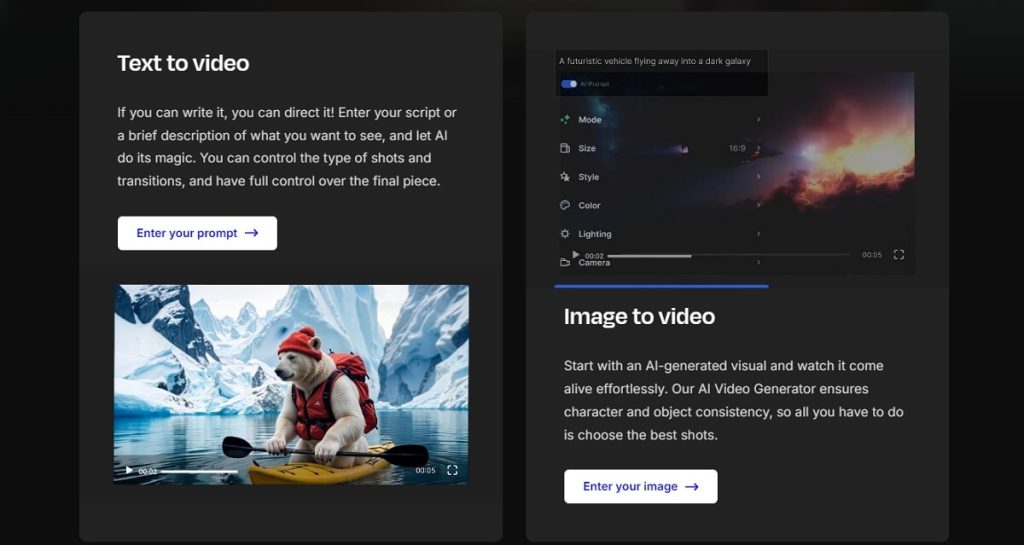
Freepik AI Video Generator is a comprehensive tool that enables users to create high-quality videos from text prompts or static images. It offers both text-to-video and image-to-video functionalities, making it suitable for various content creation needs. Users can generate videos with AI-powered transitions, animations, and effects, ensuring a visually engaging result. The platform is designed to be user-friendly, catering to both beginners and professionals.
Core Features:
- Text-to-video and image-to-video generation.
- AI-powered transitions, movements, and effects.
- Integration with Freepik’s library of stock images, vectors, and design tools.
- Multi-language support.
Pros:
- User-friendly interface suitable for all skill levels.
- High-quality video outputs with customizable styles.
- Access to a vast library of creative assets.
Cons:
- Some advanced features require a Premium subscription.
User Review: “As a content creator, Freepik’s AI Video Generator has revolutionized my workflow. It allows me to easily and quickly generate high-quality videos from a prompt or an image.”
Comparison Table of Image to Video AI Generator
| Tool | Platform | Core Features | Pros | Cons |
|---|---|---|---|---|
| DeeVid AI Image to Video Generator | Web-based | Text-to-video, image-to-video, Ghibli-style animations | Intuitive interface, rapid video generation | Some features require subscription |
| DeepAI Image to Video AI Generator | Web-based | Text-to-video, image-to-video | No registration required, quick processing | Limited customization in free version |
| Pollo.AI’s Image to Video Generator | Web-based | Access to multiple AI models, commercial use for paid users | Versatile video creation, user-friendly | Premium features require subscription |
| Clipfly AI Video Generator | Web-based | AI-powered video generation from text prompts, basic editing tools | Quick video creation, suitable for beginners | Limited advanced features |
| Freepik AI Video Generator | Web-based | Text-to-video, image-to-video, AI-powered transitions and effects | High-quality outputs, access to creative assets | Advanced features require Premium subscription |
FAQs About Image to Video AI Generator
Q1: What is an image to video AI generator?
An image to video AI generator is a tool that uses artificial intelligence to transform static images into dynamic videos by adding transitions, animations, and effects.
Q2: Are there free image to video AI generators available online?
Yes, several platforms offer free versions of image to video AI generators online, such as DeepAI and Pollo.AI.
Q3: Can I use these tools without watermarks?
Some tools offer watermark-free videos in their free versions, while others may require a subscription to remove watermarks.
Q4: Do I need to sign up to use these generators?
Platforms like DeepAI allow users to generate videos without signing up, whereas others may require account creation for access to certain features.
Q5: Which is the best image to video AI generator?
The best tool depends on your specific needs. For instance, DeeVid AI offers unique animation styles, while Freepik provides access to a vast library of creative assets.
Conclusion
Image to video AI generators have become essential tools for content creators, marketers, and businesses aiming to produce engaging video content efficiently. Whether you’re looking for a free online tool without watermarks or a comprehensive platform with advanced features, there’s an option to suit your needs. By leveraging these tools, you can transform static images into dynamic videos, enhancing your content’s appeal and reach.
Remember to choose a generator that aligns with your specific requirements, considering factors like platform compatibility, core features, and pricing. With the right tool, you can elevate your content creation process and produce professional-quality videos with ease.

 English