
7 Best Free AI Code Generators for 2026
AI code generators have revolutionized the way developers approach programming. With the power of artificial intelligence, writing code has become faster, more accessible, and easier to manage. Whether you’re a beginner looking to streamline your learning process or an experienced developer needing quick code snippets, there’s an AI tool to suit your needs. In 2026, a host of free AI code generators offer diverse features, from generating Python code to HTML and JavaScript. In this article, we’ll explore the 7 best free AI code generators you can use in 2026.
Top 7 Free AI Code Generators Recommended
1. GitHub Copilot – Best for Python and Multi-language Support
GitHub Copilot is a widely used AI tool for developers, and it stands out for its ability to write code across many programming languages, including Python, JavaScript, and TypeScript. GitHub Copilot’s integration with Visual Studio Code allows for quick code generation and suggestion, making it an invaluable resource for developers.

Pros:
- Excellent multi-language support, including Python, JavaScript, TypeScript, and more.
- Seamless integration with Visual Studio Code.
- Boosts productivity by suggesting code snippets and completions.
- Continually improves with usage, adapting to your coding style.
Cons:
- Occasionally, the suggestions can be inaccurate or require manual correction.
- May not be ideal for extremely complex coding scenarios.
- Only available as a plugin for specific IDEs like Visual Studio Code.
Expert Comment:
“GitHub Copilot has transformed the way developers approach coding by allowing them to focus on problem-solving rather than syntax. It accelerates the development process significantly and is especially beneficial for those working with frameworks they don’t use often.” – Sarah Johnson, Senior Developer at TechX Solutions
User Review:
“As someone who has been coding for years, GitHub Copilot makes repetitive tasks like writing boilerplate code or looking up syntax a breeze. It has saved me hours every week. However, some suggestions can be off the mark, especially for more complex functions.” – David L., Full-stack Developer
2. Tabnine – Best for JavaScript and HTML
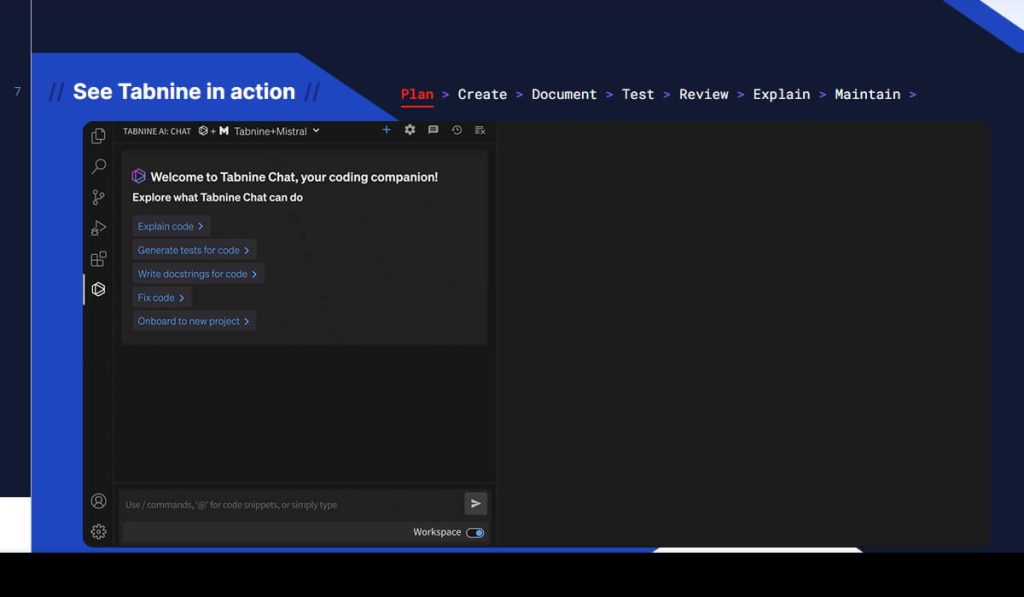
Tabnine is an AI tool designed to enhance coding efficiency by providing intelligent autocompletions and code suggestions. It integrates well with major IDEs and supports a wide range of programming languages.
Pros:
- Excellent support for web development (JavaScript, HTML, and CSS).
- Can be used across multiple IDEs like VS Code, IntelliJ, and more.
- AI-powered completions that save time by writing repetitive code.
- Customizable model to adapt to your codebase.
Cons:
- Some complex code may not be as well-supported.
- Free version has limited functionality compared to the paid version.
- May require manual intervention for some code completions.
Expert Comment:
“Tabnine offers incredible support for web development. Its JavaScript and HTML completions are on point, reducing the time spent on writing repetitive code and allowing developers to focus on innovation.” – Michael Lee, Front-end Developer at WebDev Hub
User Review:
“I started using Tabnine for a web development project, and it has greatly increased my productivity. I’m less likely to make errors now, as the suggestions help me stay consistent with my code style. It’s a must-have for anyone working with JavaScript.” – Anna P., Web Developer
3. Replit – Best for Interactive Coding and Python
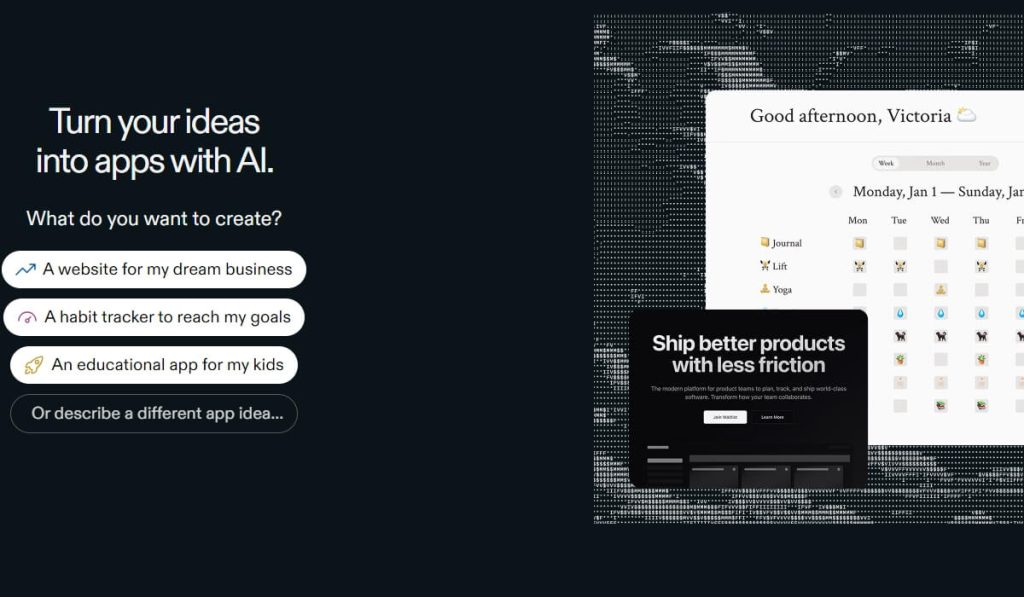
Replit is an interactive platform that allows developers to code directly in their browser, making it accessible from anywhere. It’s widely popular for both beginners and seasoned developers.
Pros:
- Cloud-based, no setup required, and can be used from any device.
- Great for beginners and interactive coding exercises.
- Supports multiple languages, including Python, JavaScript, and more.
- Easy collaboration features for team projects.
Cons:
- Can be slower than local IDEs for more complex applications.
- Limited features in the free version compared to the paid plans.
- Lacks advanced debugging tools available in more established IDEs.
Expert Comment:
“Replit’s cloud-based environment is perfect for people who want to code from anywhere. It’s an ideal tool for learning and experimenting with code quickly. Its Python support is exceptional, but it also does well with JavaScript and other languages.” – Daniel Frost, CTO at CodeLab
User Review:
“Replit is an amazing tool for learning to code. I love that I don’t need to set up anything locally, and I can jump straight into coding. The Python features are particularly helpful, and the interface is simple and intuitive.” – Sam T., Beginner Developer
4. Kite – Best for Python and Machine Learning
Kite helps Python developers by offering intelligent code completions, especially in libraries such as TensorFlow and PyTorch. Kite’s focus on machine learning makes it a powerful tool for AI and data science projects.
Pros:
- Fantastic for Python development, especially for AI and machine learning.
- Provides real-time code suggestions and documentation.
- Offline mode for uninterrupted coding.
- Supports popular machine learning libraries like TensorFlow and PyTorch.
Cons:
- Limited to Python; not suitable for other languages.
- Some features are available only in the paid version.
- The code completion suggestions could be more accurate for advanced AI projects.
Expert Comment:
“Kite’s ability to offer real-time code suggestions and insights into machine learning frameworks like TensorFlow is invaluable. It’s a game-changer for Python developers working in AI.” – Laura Mitchell, Data Scientist at DataWorks Analytics
User Review:
“Kite has been a lifesaver for my machine learning projects. It helps me write cleaner code and reduces my need to look up documentation for every line I write. The offline mode is a huge plus too.” – James L., Data Scientist
5. Sourcery – Best for Python Code Refactoring
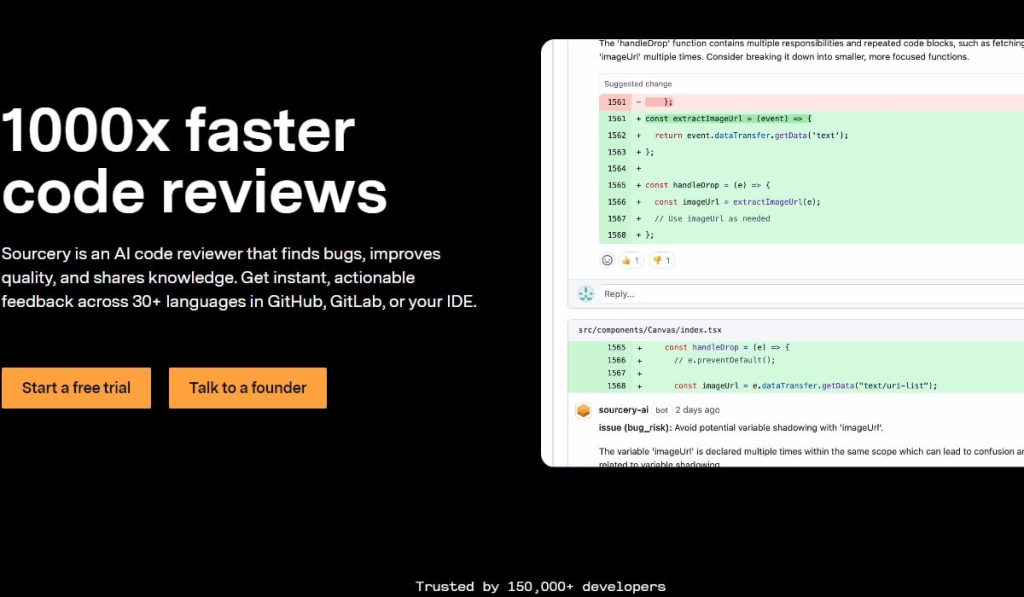
Sourcery is an AI tool that focuses on improving code quality by suggesting refactorings that make your Python code more efficient and readable.
Pros:
- Focuses on improving code readability and maintainability.
- Works seamlessly with existing Python codebases.
- Offers suggestions for efficient coding practices and refactoring.
- Easy to integrate into existing Python projects.
Cons:
- Currently limited to Python; no support for other languages.
- Might require manual adjustments in complex cases.
- Some advanced features are restricted to paid plans.
Expert Comment:
“Sourcery is an incredible tool for developers who want to keep their Python codebase clean and maintainable. The refactoring suggestions are valuable, especially for long-term projects.” – Claire Roberts, Software Engineer at CodeSmith
User Review:
“I’ve been using Sourcery for a few months now, and it has really helped me clean up my Python code. It highlights areas for improvement and suggests better ways of writing functions. It’s a great tool for improving code quality.” – Alex M., Python Developer
6. CodeT5 – Best for Multi-language Support
CodeT5 is an open-source AI model that provides code generation and completion in several programming languages like Python, Java, JavaScript, and C++.
Pros:
- Supports multiple programming languages, including Python, Java, JavaScript, and C++.
- Open-source, free to use with no restrictions.
- Highly flexible and customizable for different project needs.
Cons:
- Setup can be challenging for beginners.
- As an open-source model, it might require more manual configuration.
- Lacks the polished interface of some commercial tools.
Expert Comment:
“CodeT5 offers impressive multi-language support and is one of the best open-source solutions for AI code generation. Its flexibility in adapting to various programming languages makes it a must-try for developers working across different projects.” – Tom H., AI Researcher at OpenAI
User Review:
“I started using CodeT5 for a personal project, and I love its support for multiple languages. It’s particularly useful when I’m working on projects involving both Python and Java. The setup was a bit tricky, but it’s worth the effort.” – Chris K., Full-Stack Developer
7. CodeOcean – Best for Code Experimentation and Prototyping
CodeOcean is a platform designed for collaborative development and prototyping. It provides a cloud-based environment for quickly testing and sharing code, particularly in languages like Python and R.

Pros:
- Excellent for rapid prototyping and experimentation.
- Collaborative environment for team projects.
- Integrates well with machine learning tools and libraries.
- Cloud-based, no setup required.
Cons:
- Not as feature-rich as other coding platforms for production development.
- Can be slower with large codebases.
- Requires an internet connection for use.
Expert Comment:
“CodeOcean’s platform is particularly useful for researchers who need to quickly experiment with algorithms. It’s great for prototyping and offers an efficient way to collaborate with colleagues across different disciplines.” – Richard Evans, Research Scientist at Innovate Labs
User Review:
“I’ve used CodeOcean in a few research projects, and it’s fantastic for quick prototyping. It integrates well with the tools we use for machine learning, and I love the collaborative features. It’s been an essential tool for my team.” – Maria G., AI Researcher
While the tools listed here are versatile and support multiple programming languages, if your work is specifically focused on Python development, you might want to check out our in-depth, tested review of the 7 Best AI Python Code Generators for a more targeted comparison.
FAQs About Code AI Generator
What is an AI code generator?
An AI code generator is a tool powered by artificial intelligence that helps developers automatically generate code snippets or entire code blocks based on specific prompts or contexts. It speeds up the coding process by suggesting code that is contextually relevant and error-free.
Are AI code generators free?
Yes, many AI code generators offer free versions with limited functionality. The free versions typically provide basic features like code completion and suggestions. However, advanced features or unlimited access may require a paid subscription.
Can AI code generators replace human developers?
AI code generators can assist developers by automating repetitive tasks, suggesting code optimizations, and speeding up the development process. However, they cannot replace human developers. AI tools are best used as assistants to help streamline development, but they still require human expertise to ensure the code is correct and functional.
Are AI code generators suitable for beginners?
Yes, AI code generators can be incredibly helpful for beginners. They provide code suggestions, explanations, and real-time feedback, making it easier for new developers to learn and write code.
Which AI code generator is best for Python development?
For Python developers, Kite and GitHub Copilot are among the best AI python code generators. They offer excellent support for Python, especially for machine learning and data science tasks.
What if I need to edit very large files?
For files exceeding thousands of lines, we recommend checking our specialized guide to the best AI coder that can edit a large file, as these tools are optimized specifically for handling massive codebases.
Which tools are best specifically for CSS and styling tasks?
While some of these generators offer CSS support, for dedicated styling workflow we recommend exploring the specialized options in our Top 5 Best CSS AI Generators for Smart Web Design review, which focuses exclusively on visual design automation.
Final Thoughts
Artificial Intelligence code generators are transforming the way developers approach programming. Whether you’re just starting your coding journey or are an experienced developer, these tools can save you time, reduce errors, and help you optimize your code. In 2026, the top 7 free AI code generators we’ve recommended—GitHub Copilot, Tabnine, Replit, Kite, Sourcery, CodeT5, and CodeOcean—are some of the best available tools for streamlining your coding process.
By integrating these AI tools into your workflow, you can focus more on the creative and strategic aspects of development while letting the AI handle the repetitive tasks. Experiment with these tools to find which one works best for your needs, and start coding smarter today!

 English