
Top AI Apps Like NotebookLM with Audio Output
In today’s fast-paced digital world, absorbing information efficiently is key. NotebookLM has gained significant attention for its unique ability to turn documents into conversational, podcast-style audio summaries. However, what if you need similar audio output capabilities for different tasks, like listening to your own notes, having web articles read aloud, or getting instant audio summaries of meetings? This article explores three leading AI apps like NotebookLM with audio output, each offering powerful and distinct solutions to make your information consumption and creation more flexible and accessible.
Why Look for AI Apps Like NotebookLM with Audio Output
The value of audio as a medium for learning and productivity cannot be overstated. AI apps like NotebookLM with audio output cater to diverse needs:
- Accessibility and Multitasking: Audio allows people with visual impairments, dyslexia, or ADHD to access written content. It also enables learning and information processing while commuting, exercising, or doing chores.
- Enhanced Comprehension and Memory: Hearing information can improve understanding and recall for auditory learners, a core principle behind NotebookLM’s success.
- Productivity in Creation and Note-Taking: Tools that convert speech to text or summarize spoken meetings can save hours of manual work, streamlining workflows for students, journalists, and professionals.
Top 3 AI Apps Like NotebookLM with Audio Output
Finding the right tool depends on your primary goal. Below is a detailed analysis of the top three alternatives.
1. Audiopen.ai
Supported Systems: Web app, mobile browser.
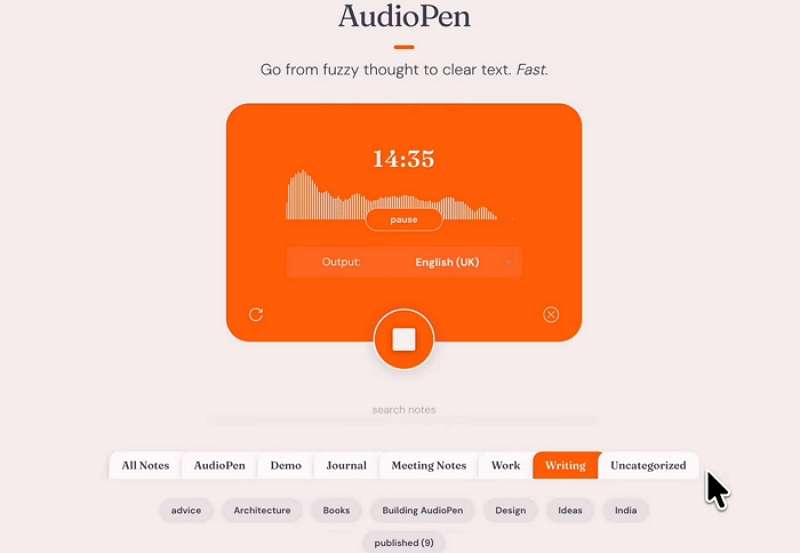
Audiopen.ai is designed as a digital thought partner. It captures your spontaneous voice notes—be it a rough idea, a meeting brainstorm, or a journal entry—and uses AI to magically transform them into clear, structured, and polished text. A key feature is its ability to then read this refined text back to you in a clear audio format, allowing you to review your processed thoughts effortlessly
Key Features:
- Voice-to-Text Intelligence: Records your speech and instantly converts it into well-written notes, summaries, or emails.
- Audio Playback: Listen to the AI-polished version of your notes, helping you review and solidify ideas.
- Customizable Output Styles: Define how you want your thoughts rewritten (e.g., as a professional email, a bullet-point list, a blog post draft).
- Simple and Fast: The interface is minimalistic, focusing on quick capture and transformation without complex settings.
Why We Recommend It:
We recommend Audiopen.ai for individuals, creators, and professionals who think out loud. If you frequently have ideas on the go and want a tool that doesn’t just transcribe but intelligently refines your spoken words into usable text and audio, it is exceptionally effective. It’s less about analyzing external documents (like NotebookLM) and more about polishing and audio-reviewing your own internal monologue.
Expert/User Comment:
The tool’s creator shared that its success stems from solving a universal need: “a simple tool that turns messy thoughts into clear text.” This focus on a single, valuable job has resonated with thousands of users.
2. Speechify
Supported Systems: iOS, Android, Chrome extension, Web.
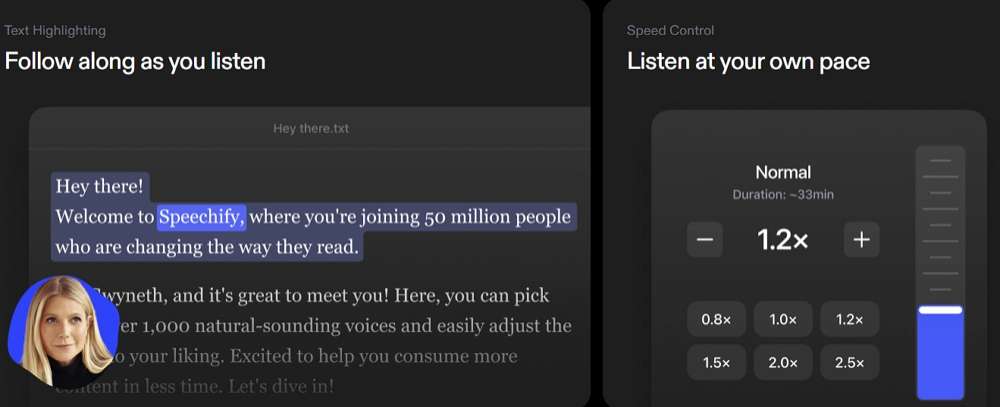
Speechify is a premier text-to-speech (TTS) platform built to make reading accessible and efficient. It stands out in the search for AI apps like NotebookLM with audio output by focusing on the highest quality auditory experience. You can point it at virtually any text—PDFs, websites, emails, or uploaded documents—and it will read it aloud with some of the most natural-sounding AI voices available.
Key Features:
- High-Quality AI Voices: Offers a vast library of over 1,000 lifelike voices in more than 60 languages, far surpassing standard robotic TTS.
- Multi-Platform Functionality: Seamlessly works across devices. The Chrome extension is particularly powerful for listening to articles online.
- Speed Control and Highlighting: Allows users to adjust reading speed dramatically (from 0.5x to 4x) while visually highlighting text to improve focus and comprehension.
- AI Tools Suite: Includes additional features like AI summarization and quiz generation to enhance the learning experience.
Why We Recommend It:
We recommend Speechify for students, professionals with heavy reading loads, and anyone who prefers auditory learning or needs reading assistance. Its unparalleled voice quality and ease of use make listening to text not just practical but enjoyable. While NotebookLM creates narrative audio from source material, Speechify gives you direct audio control over any text you choose.
Expert/User Comment:
A satisfied user on Trustpilot, where Speechify holds an “Excellent” 4.6-star rating, stated: “Speechify has changed the way I learn… I found my reading speed and attention declining, and Speechify makes up for any reading or attention deficit.”.
3. Otter.ai
Supported Systems: Web, iOS, Android.
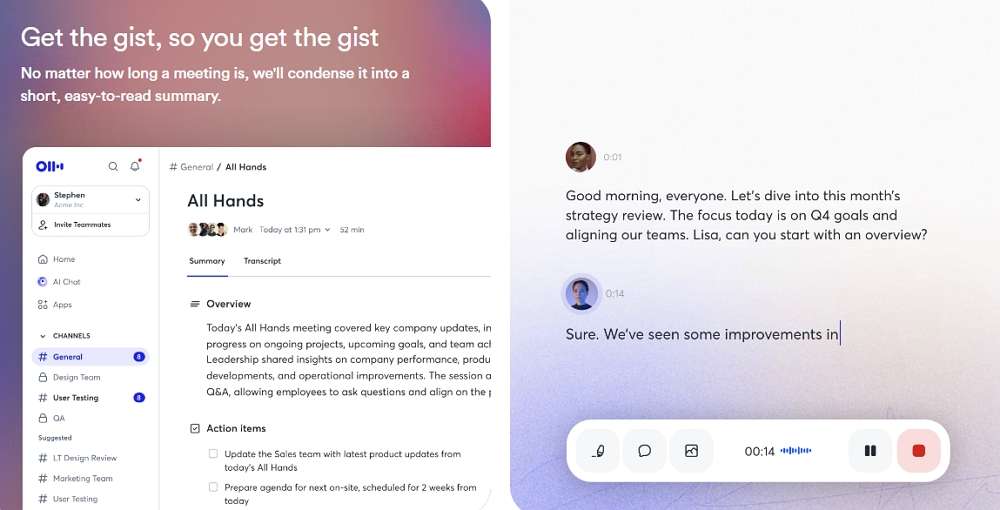
Otter.ai positions itself as an AI meeting assistant. Its core strength is providing real-time, automated transcription of conversations, such as meetings, interviews, lectures, and podcasts. Following transcription, it can generate concise written summaries and, importantly, allows you to play back the audio of the recording synchronized with the transcribed text. This creates a searchable, audible record of any discussion.
Key Features:
- Live Transcription: Joins and transcribes meetings on platforms like Zoom, Google Meet, and MS Teams in real time.
- Speaker Identification: Automatically distinguishes between different speakers, labeling them in the transcript (though accuracy can vary with background noise or accents).
- Audio Playback with Highlights: Click on any part of the transcript to hear the corresponding audio, making review and note extraction simple.
- AI Summary Generation: After a meeting, Otter can automatically generate a summary of key points and action items.
Why We Recommend It:
We recommend Otter.ai for teams, students, journalists, and anyone who regularly needs accurate records of spoken conversations. It is the most direct tool for capturing the “audio output” of live discussions and making them reviewable. Its functionality complements NotebookLM: while NotebookLM creates new audio narratives from documents, Otter.ai faithfully captures and allows you to replay audio from real-world conversations.
FAQs about AI Apps Like NotebookLM with Audio Output
Q1: Are these tools a complete replacement for NotebookLM?
Not exactly. NotebookLM specializes in digesting your uploaded source documents to create new, conversational audio summaries. The tools listed excel in other areas: Speechify is for listening to existing text, Otter.ai is for capturing live speech, and Audiopen.ai is for processing your own spoken ideas. They are powerful complements or alternatives depending on your specific audio need.
Q2: Which tool has the most realistic AI voices for audio output?
Speechify is widely recognized for having some of the most natural and human-like AI voices in the text-to-speech market, with a vast selection across many languages.
Q3: Can I use Otter.ai for lectures as a student?
Yes, absolutely. Otter.ai is an excellent tool for students. You can record lectures (with permission), get a live transcript, and later use the synchronized audio playback to review difficult sections and create study notes efficiently.
Q4: Is the audio output from these tools downloadable?
This varies. Typically, Speechify and Otter.ai allow audio file downloads or playback within their apps, often tied to their subscription plans. Audiopen.ai’s primary output is the refined text, with audio as a review feature. Always check the specific features of the plan you choose.
Conclusion
The landscape of AI apps like NotebookLM with audio output is rich and varied, offering tailored solutions for different aspects of knowledge work and consumption. Whether your priority is crafting clear audio notes from your thoughts with Audiopen.ai, enjoying a best-in-class listening experience for any text with Speechify, or maintaining searchable, audible records of conversations with Otter.ai, there is a powerful tool designed for you. By leveraging these specialized applications, you can unlock greater productivity, accessibility, and flexibility in how you interact with information every day.
If your primary goal extends beyond audio to include deep document analysis and intelligent note synthesis, we recommend exploring our curated list of the Top 7 NotebookLM Alternatives for Smart Note-Taking for a broader perspective.

 English