
What Is Intelligent Character Recognition? Benefits, Uses and Key Insights
In today’s digital age, technology continues to evolve and shape the way we interact with information. One such advancement is intelligent character recognition (ICR), a powerful tool used to extract text from images, scanned documents, and handwritten notes. If you’ve ever wondered how companies process documents or convert old paper records into searchable, editable formats, ICR is likely the technology behind it.
But what exactly is intelligent character recognition? How does it work? And why is it gaining so much traction in various industries? In this article, we’ll dive into the details of ICR, its benefits, its uses, and why it’s a crucial tool in the world of data management and document processing.
What Is Intelligent Character Recognition?
At its core, intelligent character recognition (ICR) is an advanced form of Optical Character Recognition (OCR) that not only reads printed text but also understands and interprets handwritten characters. This makes it a more versatile tool, especially in real-world applications where text is often written in various handwriting styles.
Unlike traditional OCR, which struggles with handwriting and complex fonts, ICR uses machine learning and artificial intelligence (AI) to learn from a variety of writing styles. This means it gets better over time, accurately identifying characters even when they’re written in unique or difficult-to-read handwriting.
Essentially, ICR combines the technology behind OCR with AI-driven algorithms to recognize and interpret handwritten text, making it ideal for processing forms, invoices, medical records, and even handwritten notes.
How Does Intelligent Character Recognition Work?
The magic behind ICR intelligent character recognition lies in its underlying ICR algorithm. These algorithms are powered by artificial intelligence and machine learning techniques that allow the system to “learn” from various handwriting styles. Here’s a step-by-step breakdown of how it works:
- Scanning the Document: The process begins with scanning the document or image containing the handwritten text. This could be a piece of paper with handwritten notes, an old manuscript, or even a form filled out manually.
- Image Preprocessing: Once the document is scanned, the image is preprocessed to remove noise, adjust brightness, and sharpen the text for better clarity. This step is crucial for improving the accuracy of recognition.
- Text Recognition: The ICR software then analyzes the shapes and patterns in the image to identify individual characters. Through its machine learning capabilities, it can recognize handwritten characters with a higher degree of accuracy compared to traditional OCR.
- Data Output: Finally, the recognized text is converted into an editable format, allowing users to extract and manipulate the data for various purposes, such as data entry, analysis, or archiving.
Key Benefits of Intelligent Character Recognition
There’s no doubt that intelligent character recognition software offers a variety of benefits. Here are just a few of the reasons why it’s becoming increasingly popular:
1. Enhanced Accuracy with Handwritten Text
One of the main advantages of ICR intelligent character recognition is its ability to accurately process handwritten text. Traditional OCR struggles with this task, but ICR‘s advanced algorithms can handle a wide range of handwriting styles, even if they are messy or hard to read.
2. Time and Cost Savings
By automating the process of data extraction from documents, ICR saves businesses time and money. Instead of manually transcribing data, companies can use intelligent character recognition software to automate these processes, reducing labor costs and increasing efficiency.
3. Versatility Across Industries
ICR is widely used in many industries, from banking to healthcare, education, and legal fields. Whether it’s converting handwritten medical prescriptions into digital records or extracting data from handwritten forms, the potential applications are vast.
4. Free and Easy Access to Software
Many intelligent character recognition software options are available for free download, making it accessible to a wide range of users. While premium software options offer additional features, free versions still offer impressive capabilities for basic text recognition tasks.
Common Uses of Intelligent Character Recognition
The versatility of ICR intelligent character recognition means it can be applied in various fields. Here are a few examples of how it’s used:
1. Medical Industry
In healthcare, ICR helps digitize handwritten prescriptions, patient notes, and medical records. This allows for better record-keeping, faster data retrieval, and improved patient care.
2. Finance and Banking
In the finance sector, ICR is used to process forms, checks, and other handwritten documents. This streamlines data entry and reduces human errors, ensuring that financial transactions are processed accurately and quickly.
3. Legal and Administrative Work
In the legal world, ICR can help digitize handwritten legal documents, contracts, and case notes. This makes it easier to search and retrieve specific information from vast databases of legal records.
4. Education and Research
For educational institutions and researchers, ICR can be used to digitize notes, exams, and handwritten research papers, making it easier to archive and share information.
The Best Intelligent Character Recognition Software Available
There are several intelligent character recognition software options on the market, each with its own unique features and capabilities. Here are a few that are widely considered among the best:
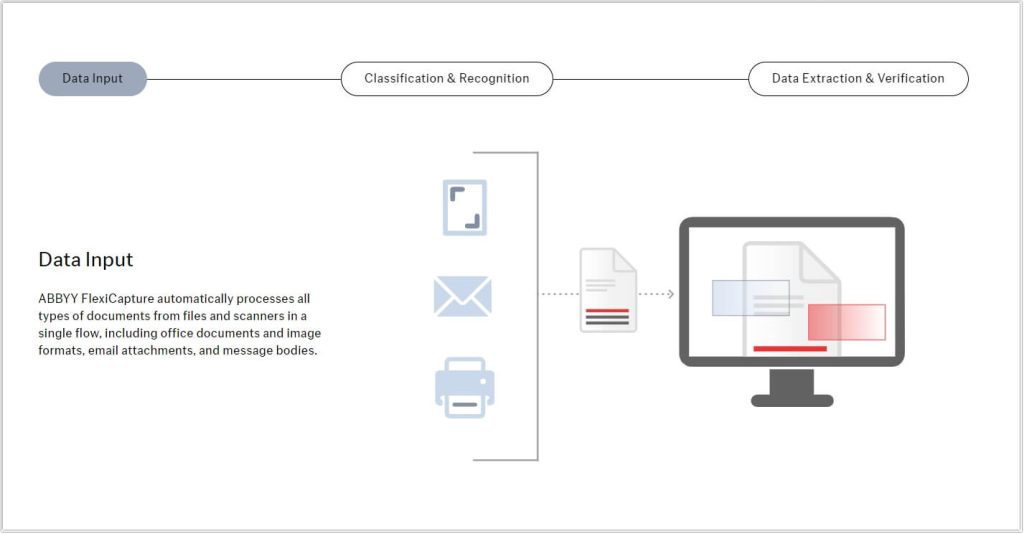
ABBYY FlexiCapture – A powerful ICR software that offers advanced features like document classification and data extraction. It’s particularly popular in the financial and legal sectors.
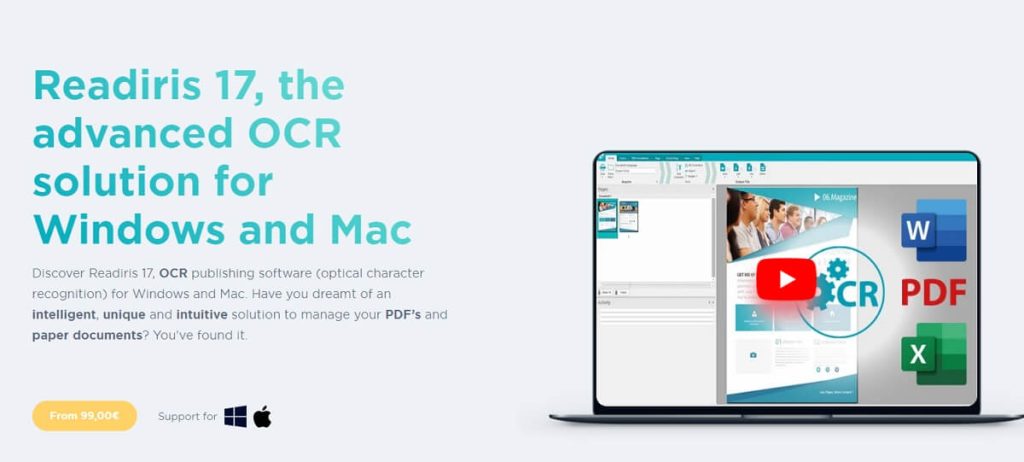
Readiris – A versatile OCR and ICR intelligent character recognition tool that supports various file formats and is great for processing both handwritten and printed text.
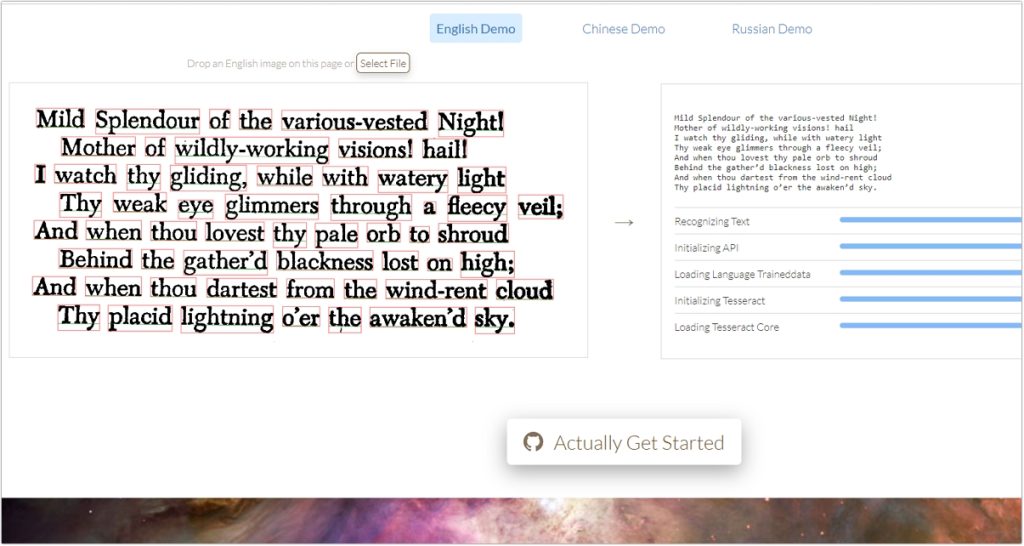
Tesseract – An open-source OCR tool that supports ICR, making it a good option for developers looking for a free solution to build custom document processing applications.
Adobe Acrobat Pro – While primarily known for its PDF editing features, Adobe Acrobat also offers some ICR capabilities, allowing users to extract text from scanned handwritten documents.
How to Choose the Best ICR Software for Your Needs
When searching for the best intelligent character recognition software, consider the following factors:
- Accuracy: Look for software that provides high accuracy in recognizing handwritten text, especially if you deal with a lot of handwritten documents.
- Ease of Use: Some ICR software can be complex, while others are designed for ease of use. Consider your team’s technical skills when selecting a tool.
- Integration with Other Tools: Make sure the ICR software integrates well with other tools you use, like document management systems or data entry platforms.
- Cost: While there are free download intelligent character recognition software options available, premium software often offers more advanced features. Weigh the costs against the benefits to determine the best value for your organization.
Expert Insights on ICR and Its Future
We reached out to a few experts in the field to get their opinions on intelligent character recognition:
- Dr. Emily Foster, AI Specialist:
“The future of ICR intelligent character recognition is incredibly promising. As machine learning and AI technologies improve, we can expect ICR systems to become even more accurate and efficient at recognizing a wider variety of handwriting styles.“ - John Harris, Legal Tech Consultant:
“In the legal industry, the adoption of ICR software has revolutionized the way we handle handwritten documents. It allows us to streamline workflows and reduce the time spent on manual data entry.“ - Linda Gomez, Healthcare IT Expert:
“In healthcare, ICR is essential for digitizing handwritten prescriptions and medical notes. This not only improves accuracy but also ensures patient information is stored in a secure, searchable format.“
For more information on ICR, you can visit its Wikipedia page.
Conclusion
Intelligent character recognition is a game-changer in the world of data extraction, offering both businesses and individuals the ability to digitize handwritten text with incredible accuracy. Whether you’re in healthcare, finance, or legal services, ICR can save time, reduce errors, and streamline your workflow. With many ICR software options available, it’s easier than ever to find a solution that meets your needs.
By understanding the ICR definition, benefits, and best software options, you’re better equipped to leverage this powerful technology for your document processing needs. As ICR continues to evolve, it will undoubtedly play an even more significant role in transforming industries worldwide.

 English