
7 Best SEO Tools for Small Businesses
The best SEO tools for small businesses in 2026 are not necessarily the most expensive ones. Google Search Console and Google Analytics 4 provide essential performance data for free, while Semrush, Ahrefs, SE Ranking, Screaming Frog SEO Spider, and BrightLocal address more specialized needs. The right choice depends on whether you want to improve keyword rankings, fix technical issues, attract local customers, or measure organic conversions. For most small businesses, starting with free data sources and adding one paid tool when a specific limitation becomes a bottleneck is the most practical approach.
How to Choose the Best SEO Tools for Small Businesses
Before comparing subscriptions, consider what you actually need to accomplish. SEO software can generate thousands of metrics, but a small business rarely has the time or resources to act on all of them.
The best SEO tools for small businesses should help you answer four questions:
- What are people searching for? Keyword research reveals the queries potential customers use and helps you identify relevant topics.
- What is preventing my website from performing better? Technical audits identify issues such as broken links, duplicate pages, and missing metadata.
- Which opportunities are worth pursuing? Competitor analysis helps you discover topics, backlinks, and search queries that deserve attention.
- Are my efforts producing business results? Performance analytics connect organic search activity with enquiries, sales, and other meaningful outcomes.
Consider your business model
A local plumbing company has different SEO requirements from an online store selling hundreds of products. The plumbing company may benefit more from local ranking reports and accurate business listings, while the online store may need keyword research, backlink analysis, and technical crawling.
Your budget matters, too. A subscription costing more than $100 per month might make sense for a marketing team managing several websites, but it can be difficult to justify for a business publishing two articles a month.
A useful rule: pay for a tool when it helps you make a decision you cannot make efficiently with your existing tools.
Also distinguish between search visibility and business performance. Ranking for a broad keyword can generate traffic without generating customers. A smaller number of highly relevant visitors may be much more valuable.
7 Best SEO Tools for Small Businesses in 2026
The following tools cover the main stages of an SEO workflow, from understanding search performance to diagnosing technical problems and improving local visibility. Pricing is presented as a guide and should be checked against each provider’s current offer before purchasing.
1. Google Search Console — Best Free SEO Tool Overall
Best for: Website owners who want to understand how their pages perform in Google Search.
Google Search Console (GSC) is an essential starting point because it provides first-party data about how Google Search interacts with your website. It is free and does not require a paid SEO subscription.
Its Performance report shows clicks, impressions, click-through rate (CTR), and average position for search queries and pages. You can also inspect URL indexing, submit sitemaps, and investigate certain crawling or indexing problems.
One particularly useful workflow is to find pages that receive substantial impressions but relatively few clicks. Compare their search queries with the page title and meta description. If the page already satisfies the search intent, improving how its result is presented may be more sensible than publishing another article targeting the same topic.
Pros
- Free access to Google Search performance data.
- Helps identify indexing issues and content opportunities.
- Supports analysis by query, page, country, and device.
Limitations
- Does not provide a complete competitor research suite.
- Average position is an aggregate metric, not a guaranteed ranking.
- Search data is not a direct measurement of sales or revenue.
Verdict: Start here before paying for an SEO platform. GSC gives you a foundation for making evidence-based decisions, even if you eventually need additional tools.
2. Google Analytics 4 — Best for Measuring Organic Traffic
Best for: Businesses that want to know what visitors do after arriving from search.
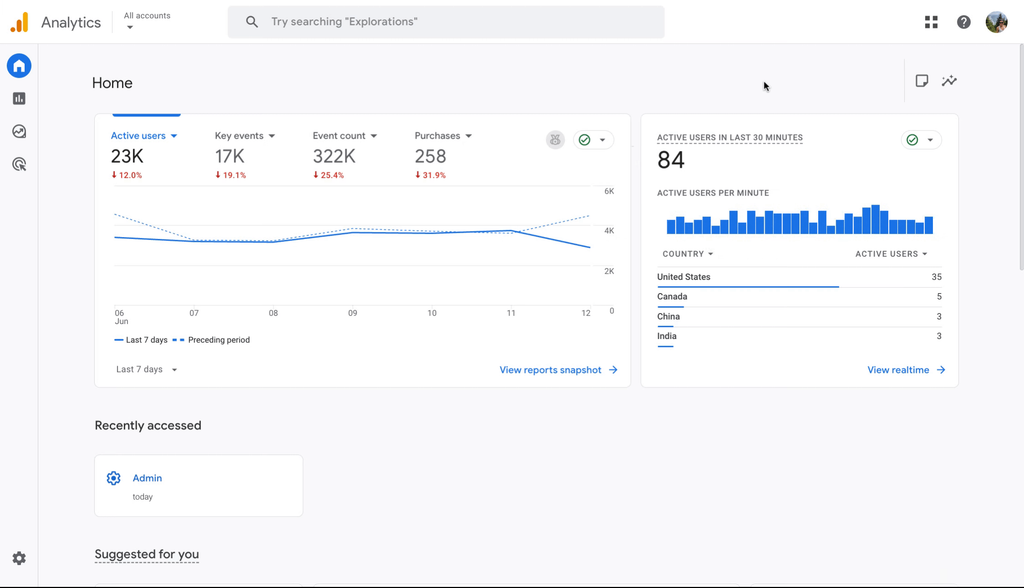
Google Analytics 4 (GA4) complements Search Console. While GSC explains how your website appears in Google Search, GA4 helps you understand what happens after someone visits.
You can examine organic search sessions, landing pages, engagement, key events, and conversions when your analytics configuration supports them. For an online store, these events might include purchases. For a service business, they could include successful enquiry submissions or qualified lead actions.
For example, suppose a blog post attracts 1,000 organic visits but generates no meaningful enquiries, while a service page attracts 150 visits and generates five qualified leads. The blog post may still have value, but the service page is currently contributing more directly to lead generation.
That is why traffic alone should not determine which pages you prioritize.
Pros
- Free standard analytics.
- Helps connect landing-page performance with business outcomes.
- Supports audience, acquisition, and conversion analysis.
Limitations
- Requires correct event and conversion configuration.
- Consent choices, browser restrictions, and other measurement limitations can affect reported data.
- Does not replace a dedicated keyword research or rank-tracking tool.
Verdict: Pair GA4 with Search Console. Together, they help you distinguish search visibility from the business value generated by organic visitors.
3. Semrush — Best All-in-One SEO Platform
Best for: Small businesses that need keyword research, competitor analysis, rank tracking, and site audits in one platform.
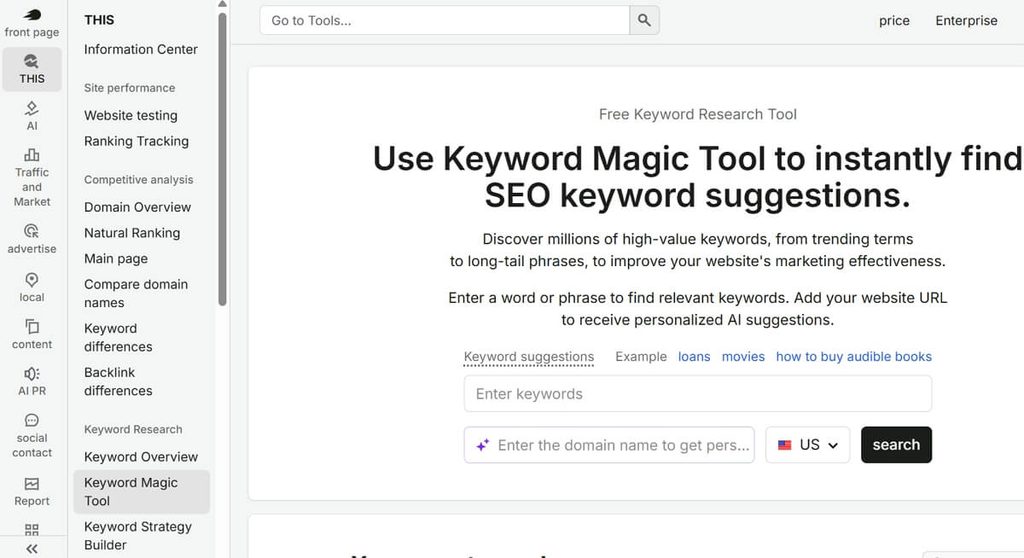
Semrush combines several SEO workflows in one place. Depending on the subscription, its features include keyword research, competitor domain analysis, position tracking, backlink research, site auditing, and content optimization.
Its strongest advantage is breadth. Rather than switching between separate services for every task, a marketer can investigate a competitor’s organic visibility, identify relevant keywords, monitor selected rankings, and audit a website within one ecosystem.
For instance, a small software company could research the search terms competitors appear for, assess whether those topics match its products, and build a content plan around achievable opportunities.
Semrush offers a free option with limited usage. Its official pricing page lists the SEO plan at $117.33 per month when billed annually, compared with a displayed regular monthly price of $139. Other plans and product bundles have different prices and limits.
Pros
- Broad set of SEO and competitor research features.
- Useful for ongoing campaigns and structured reporting.
- Reduces the need to maintain several separate paid subscriptions.
Limitations
- Can be expensive for a very small business.
- Its extensive reports may be overwhelming for beginners.
- Third-party traffic and keyword estimates are modeled data, not exact measurements of a competitor’s analytics.
Verdict: Semrush is a strong choice when you have a recurring SEO workflow and will use multiple features regularly. If you only need occasional keyword ideas, a full subscription may be unnecessary.
4. Ahrefs — Best for Backlink and Competitor Research
Best for: Businesses that want to understand competing websites, backlink profiles, and organic search opportunities.
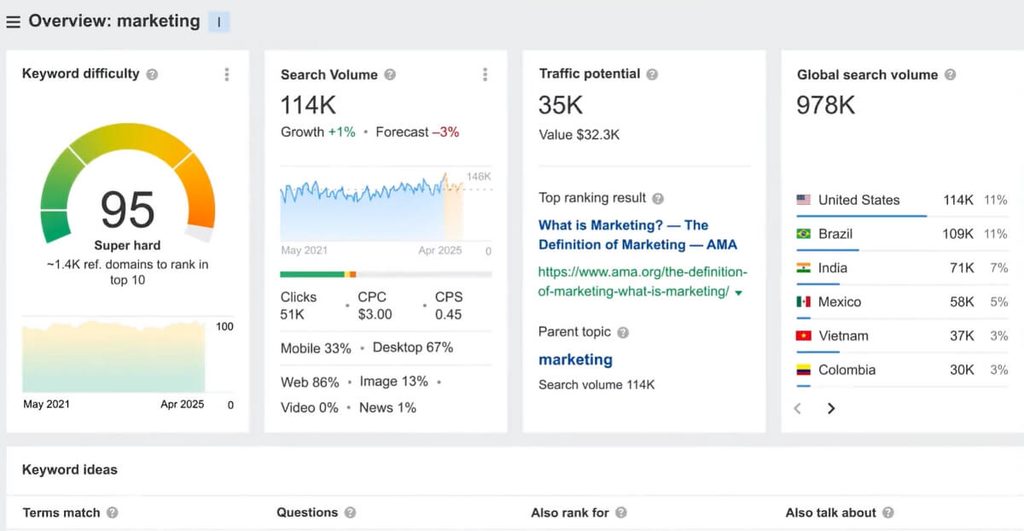
Ahrefs is particularly useful for exploring the relationship between content, backlinks, and search visibility. Its Site Explorer can help you investigate pages that attract organic search traffic, keywords associated with a domain, and links pointing to a website.
Backlinks are links from other websites to yours. They can help search engines discover pages and provide useful signals about the web’s linking relationships, although acquiring more links does not automatically guarantee better rankings.
A practical use case is to investigate competing pages that consistently attract relevant visitors. You can examine the topics they cover, identify useful information missing from your own content, and explore whether legitimate industry resources might find your original research worth referencing.
Ahrefs also offers a free account for verified websites. According to its September 2026 help documentation, the free offering includes Site Audit, limited Site Explorer data, and Web Analytics, with usage limits. The Starter plan is listed at $29 per month, while Lite is listed at $129 per month in the same documentation.
Pros
- Strong backlink and competitor research capabilities.
- Useful for finding content opportunities.
- Free access for verified websites covers several foundational tasks.
Limitations
- Some keyword research features require a paid subscription.
- Link and traffic databases cannot guarantee complete coverage.
- The cost can be difficult to justify if you rarely conduct competitor research.
Verdict: Consider Ahrefs when backlinks and competitor content are central to your strategy. If your immediate priority is fixing your own site’s technical issues, start with free auditing tools instead.
5. Screaming Frog SEO Spider — Best for Technical SEO Audits
Best for: Website owners who need detailed information about crawling, metadata, links, and page-level technical issues.
Screaming Frog SEO Spider is a desktop website crawler. It visits pages in a similar way to a crawler, collects technical information, and organizes findings so you can investigate problems across a website.
It can identify broken links, redirect chains, missing or duplicate page titles, metadata issues, canonical tags, and other technical SEO concerns. It is especially useful when a website has enough pages that checking them individually becomes impractical.
The free version can crawl up to 500 URLs per crawl. The official website lists a paid licence at £199 per year, which removes the URL limit and unlocks additional features.
Consider a small online store with 300 product and category URLs. A crawl could reveal several product pages with missing titles or internal links pointing to pages that no longer exist. Fixing these issues provides a concrete action plan without requiring an expensive all-in-one platform.
Pros
- Detailed technical diagnostics.
- Free version suitable for many small websites.
- Useful for reviewing large groups of URLs efficiently.
Limitations
- Desktop software requires some familiarity with technical SEO.
- The free version has a 500-URL limit and restricted advanced features.
- A crawler identifies potential issues; it does not determine the business priority of every finding automatically.
Verdict: A particularly practical option for WordPress websites, online stores, and businesses undertaking site migrations or technical cleanups.
6. SE Ranking — Best Value for Small SEO Teams
Best for: Small businesses that need regular rank tracking and a broad set of SEO features without assembling their own collection of tools.
SE Ranking offers a combination of keyword research, rank tracking, website audits, backlink analysis, and competitor research. Its appeal is the ability to organize recurring SEO work around a single project.
Rank tracking monitors a selected set of keywords over time. It can help you determine whether a page is gaining visibility after an update, although rankings naturally fluctuate with location, device, search features, and other factors.
A small marketing team could use SE Ranking to track a defined list of commercial keywords, review technical audit findings monthly, and report changes to management without manually compiling everything from separate sources.
Pros
- Broad SEO functionality for recurring campaigns.
- Useful for keyword tracking and reporting.
- Can suit small teams that need more than free webmaster tools provide.
Limitations
- Pricing and usage allowances depend on the selected plan.
- Rank tracking is only useful when the tracked keywords reflect meaningful business goals.
- Some teams may find that free Google tools already cover their immediate needs.
Visit the official SE Ranking website to review current plans and included limits.
Verdict: Put SE Ranking on your shortlist if you need a regular SEO workflow but want to compare subscription costs and limits carefully before choosing a more expensive platform.
7. BrightLocal — Best for Local SEO
Best for: Service businesses, local retailers, clinics, restaurants, and other companies that depend on customers in specific geographic areas.
Local SEO focuses on helping a business appear for geographically relevant searches. These can include searches such as “electrician near me” or “accountant in Austin.”
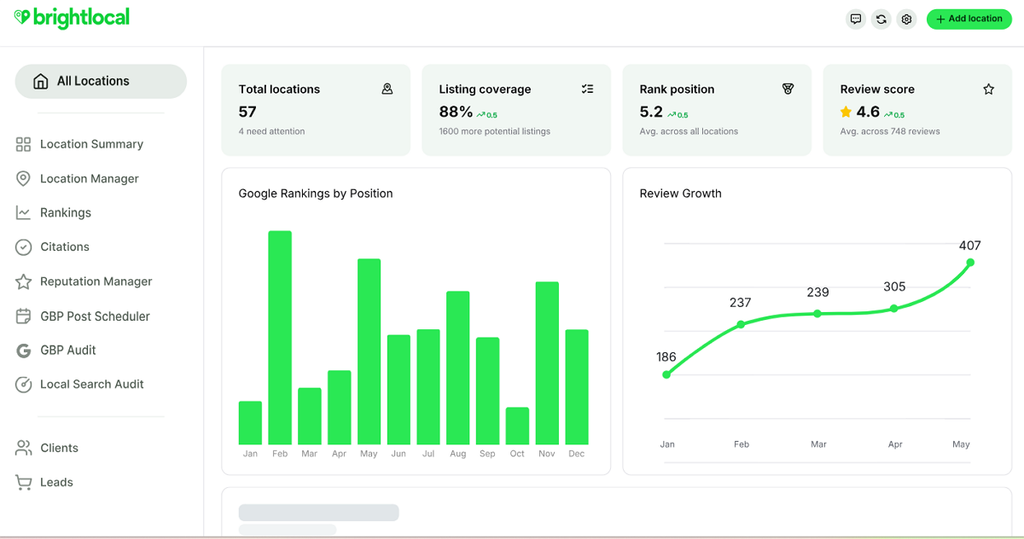
BrightLocal specializes in local search visibility. Depending on the plan, it offers local rank tracking, local SEO audits, citation monitoring, Google Business Profile analysis, and reputation-management features.
A citation is an online mention of a business’s details, such as its name, address, and phone number. Accurate business information across relevant directories can help customers find the correct business and reduce confusion.
BrightLocal’s official pricing page lists annual-billing prices starting at $31 per month for Track, $40 for Manage, and $49 for Grow for one location. Monthly billing is higher, and prices increase with the number of locations managed.
Pros
- Designed specifically for local SEO workflows.
- Useful for monitoring geographic ranking differences.
- Helps businesses organize local listings and reputation activities.
Limitations
- Less suitable as a standalone solution for broad national keyword research.
- May be unnecessary for businesses without a meaningful local customer base.
- Local rankings vary by searcher location and query, so no single ranking report tells the whole story.
Verdict: If your customers come from a defined service area, a dedicated local SEO platform may be more useful than paying for a broad SEO suite that you rarely use.
Best SEO Tools for Small Businesses: Free vs. Paid Comparison
Choosing between the best SEO tools for small businesses is easier when you compare them by the job they do rather than the number of features they advertise.
| Tool | Best use | Free option | When to pay |
|---|---|---|---|
| Google Search Console | Search performance and indexing | Yes | No paid upgrade needed |
| Google Analytics 4 | Organic traffic and conversions | Yes | Standard features may be sufficient |
| Semrush | All-in-one SEO research | Limited free access | When you need recurring research and tracking |
| Ahrefs | Backlinks and competitor analysis | Free account for verified sites | When deeper research is necessary |
| Screaming Frog | Technical site audits | Up to 500 URLs per crawl | For larger sites and advanced crawling |
| SE Ranking | Ongoing SEO management | Check current access and trial terms | When you need regular tracking and reporting |
| BrightLocal | Local SEO | Limited free tools and trial options | When managing local rankings and listings |
The free-access details and subscription prices above reflect the providers’ published information available for this review. Ahrefs’ free-account limits and Screaming Frog’s licence terms are documented by their respective providers.
Which tools should you choose for your budget?
Starting from $0 per month
Google Search Console + GA4 + Screaming Frog Free
Ideal for new websites and owner-operated businesses. You can measure search performance, monitor visitor behavior, and identify technical problems without buying a subscription.
For growing websites
Free Google tools + one paid research or tracking platform
Choose Semrush, Ahrefs, or SE Ranking based on the task you perform most often. Avoid paying for overlapping subscriptions unless each provides a distinct benefit.
For local service businesses
Google tools + BrightLocal when local monitoring becomes necessary
Prioritize business profile accuracy, customer reviews, location-specific landing pages, and visibility in the areas you actually serve.
One important distinction: a free tool is not necessarily less useful than a paid one. Search Console can provide more actionable information about your own site’s Google Search performance than a paid platform’s estimated traffic report. Paid tools earn their place when they provide additional research, scale, automation, or convenience.
How to Use the Best SEO Tools for Small Businesses Together
The best SEO tools for small businesses become more valuable when they form a repeatable workflow. You do not need to open every dashboard every day. Start with a business question, gather the relevant evidence, and make a specific improvement.
Step 1: Find opportunities in Google Search Console
Review the queries and pages receiving impressions. Look for relevant searches where your page has visibility but could better satisfy the searcher’s intent.
Do not automatically rewrite every page with a low CTR. Search results differ by query, device, and search feature. Check which queries generate impressions and whether the page actually answers those searches before changing its title or content.
Step 2: Check whether organic visitors matter to your business
Use GA4 to assess landing-page performance and configured conversion events. A page that attracts traffic but does not generate leads might need a clearer call to action, better alignment with search intent, or a different role in your content strategy.
Make sure conversions are configured correctly before using the numbers to evaluate performance.
Step 3: Research the competition before creating more content
Use Semrush, Ahrefs, or SE Ranking to investigate keywords and competing pages. Focus on topics that match your products, services, and customers.
A competitor ranking for a high-volume keyword does not automatically mean that keyword is worth targeting. Consider search intent, relevance, competition, and whether you can create a genuinely more useful page.
Step 4: Audit technical issues
Run Screaming Frog when you need a structured view of your website’s links, titles, metadata, and other technical elements.
Prioritize problems that affect important pages. A broken internal link to a high-value service page is generally more urgent than a minor metadata issue on an unimportant archive page.
Step 5: Measure the result
After making changes, record the date, the pages affected, and the reason for the update. Monitor relevant search queries and organic conversions over an appropriate period.
SEO results are affected by many factors, so a ranking improvement after a change does not prove that the change alone caused it. A simple record of what changed and when still makes future decisions more informed.
A practical example: A local service company with a limited budget
Imagine a small home-repair company that wants more enquiries from Google but cannot justify a large monthly software bill.
Its first month could look like this:
- Establish a baseline: Configure Search Console and GA4, including an appropriate enquiry conversion.
- Find opportunities: Identify service pages already appearing for relevant local searches.
- Fix problems: Use Screaming Frog’s free version to check the site’s crawlable URLs for broken links and missing titles.
- Improve priority pages: Make service descriptions more specific, clarify the areas served, and improve calls to action where needed.
- Consider paid software later: If competitor research or local rank tracking becomes a recurring obstacle, trial an appropriate platform before subscribing.
This is an illustrative scenario, not a claim about a tested client or a guaranteed outcome. The point is that the company can begin making informed improvements before purchasing a comprehensive SEO suite.
The most useful SEO workflow is the one your business can sustain. Ten reports that nobody acts on are worth less than one report that leads to a meaningful improvement.
Frequently Asked Questions About the Best SEO Tools for Small Businesses
1. What is the best SEO tool for a small business?
Google Search Console is the best starting point for most small businesses because it is free and provides first-party data about Google Search performance. Businesses that need more extensive keyword research, competitor analysis, or rank tracking can add a platform such as Semrush, Ahrefs, or SE Ranking.
2. Are there free SEO tools for small businesses?
Yes. Google Search Console and Google Analytics 4 offer free standard services, while Screaming Frog provides a free crawler limited to 500 URLs per crawl. Ahrefs also offers free features for verified websites, subject to usage limits. These tools can cover many basic SEO needs without a paid subscription.
3. Is Semrush or Ahrefs better for small businesses?
Semrush is a strong option for businesses seeking a broad set of SEO and marketing research features in one platform. Ahrefs is particularly useful for backlink analysis and competitor research. Neither is universally better: compare the features you will use, the limits of each plan, and the cost before deciding.
4. How much should a small business spend on SEO tools?
There is no universal budget. A new website may be able to start with free tools and spend nothing on subscriptions. A growing business may justify a paid tool if it saves staff time or supports valuable marketing decisions. Start with the smallest plan that solves a clear problem and review its value regularly.
5. Can a small business do SEO without hiring an agency?
Yes. Small businesses can handle many foundational tasks themselves, including monitoring search performance, researching relevant topics, improving page content, and fixing basic technical issues. More complex migrations, large-scale technical problems, or highly competitive markets may require specialist help. Tools support decision-making, but they do not replace a sound strategy or consistent execution.

 English