
5 Best Open Source SEO Tools
Open source SEO tools can help you audit websites, track keyword rankings, analyze search performance, and identify technical issues without relying entirely on expensive SEO subscriptions. In 2026, five tools worth exploring are CrawlObserver, LibreCrawl, SEOnaut, SerpBear, and crawlseo. Each serves a different purpose, from technical website crawling to keyword monitoring and integrated SEO reporting.
However, open source does not automatically mean completely free to operate. Hosting, maintenance, and third-party APIs can introduce additional costs. The best choice depends on your website’s size, technical experience, and SEO goals.
What Are Open Source SEO Tools and Are They Worth Using in 2026?
Open source SEO tools are applications whose source code is publicly available under an open-source license. Depending on the license, users can inspect, run, modify, and redistribute the software under specified conditions.
For website owners, bloggers, agencies, and developers, the biggest advantage is flexibility. You can run audits, automate recurring checks, and build custom reports around the metrics that matter to your business.
However, open source does not automatically mean free to operate. Hosting, server maintenance, paid APIs, and developer time can all add costs.
There is another important distinction: not every free SEO tool is open source. A free trial or limited free plan does not provide access to an application’s source code. When choosing a tool, check its license, public repository, documentation, and current maintenance status.
The five projects in this guide cover different SEO workflows, including technical crawling, website audits, keyword tracking, and integrated monitoring.
5 Best Open Source SEO Tools for Different SEO Tasks
The best tool depends on the problem you need to solve. Some projects focus on crawling and technical audits, while others track keyword positions or combine multiple SEO data sources in one dashboard.
1. CrawlObserver — Best for Technical SEO Crawling
Best for: Technical SEO specialists and developers
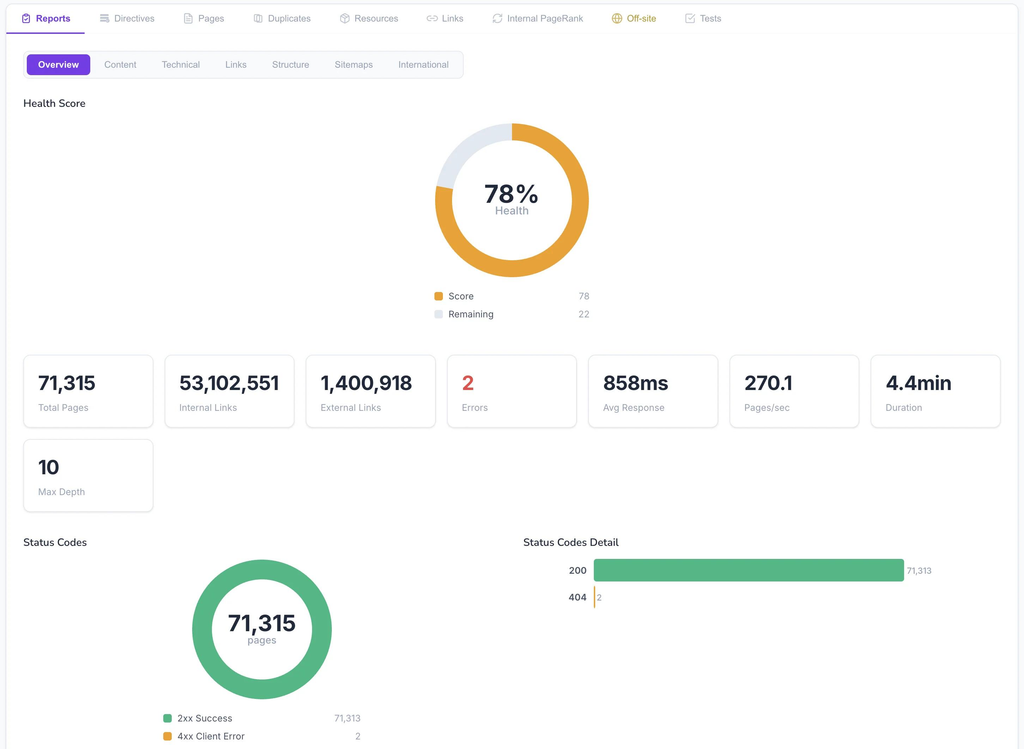
CrawlObserver is an open-source website crawler designed to collect technical SEO signals at scale. It focuses on extracting website data and making crawl results available for further analysis.
Its potential applications include:
- Extracting page titles, meta descriptions, headings, and canonical URLs.
- Identifying broken links, redirects, and HTTP response problems.
- Analyzing crawl depth and internal linking structure.
- Examining crawl data to identify pages that may be difficult to discover.
One particularly useful approach is to examine internal linking rather than simply count errors. A page receiving few internal links may be harder for search engines and visitors to discover than a page linked prominently throughout the website.
For example, an older article might still contain useful information but receive almost no internal links from newer posts. A crawler can help identify this situation so you can consider adding relevant links from related content.
The main limitation is that CrawlObserver is a technical crawling tool, not a complete SEO research suite. It does not independently provide the comprehensive keyword volumes or backlink indexes available from established commercial platforms.
It may also require more technical setup than a browser-based SEO checker.
Choose CrawlObserver if you manage a large website, need detailed crawl data, or want to investigate how internal linking affects discoverability.
2. LibreCrawl — Best for Accessible Website Audits
Best for: Bloggers, small businesses, and SEO consultants
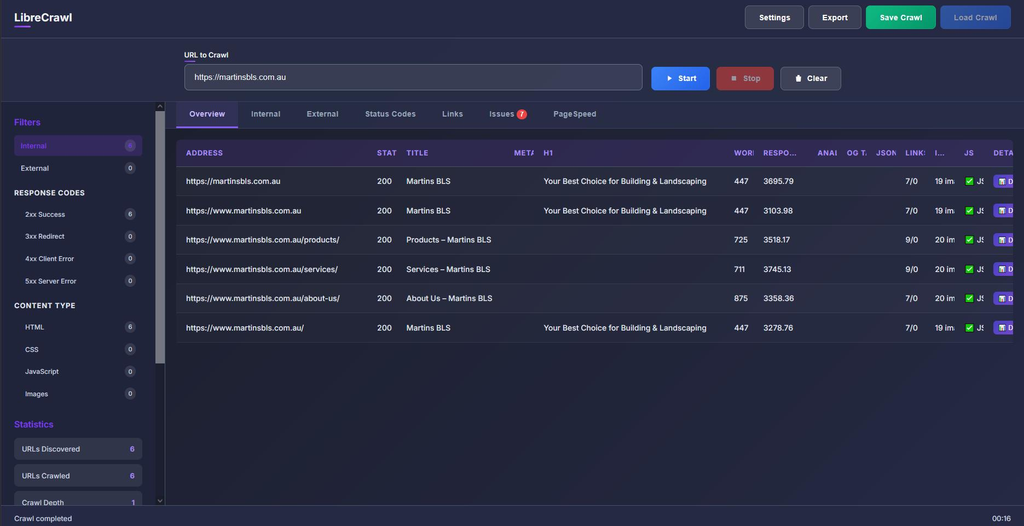
LibreCrawl is a free, open-source crawler designed to help users inspect website pages, links, and SEO elements.
For a smaller website, its appeal is straightforward: crawl your pages, inspect the results, and export findings for further analysis.
Useful applications include:
- Finding broken internal links and problematic URLs.
- Reviewing page titles and other on-page SEO elements.
- Identifying pages that may need technical corrections.
- Collecting crawl data for a recurring maintenance checklist.
Imagine a WordPress blog with 150 published articles. After several months of publishing, older posts may contain links to deleted pages, inconsistent title tags, or URLs that redirect unnecessarily.
A crawler gives you a systematic way to discover these issues instead of checking every post manually.
The trade-off is that LibreCrawl is primarily an auditing tool. It does not replace a dedicated keyword database or a comprehensive backlink research platform.
You should also evaluate its setup requirements and JavaScript-rendering capabilities against your site’s size and complexity before relying on it for regular production audits.
If your priority is finding and fixing technical problems without paying for a proprietary crawler, LibreCrawl is a practical starting point.
3. SEOnaut — Best for Prioritized SEO Audits
Best for: Website owners who want actionable audit reports
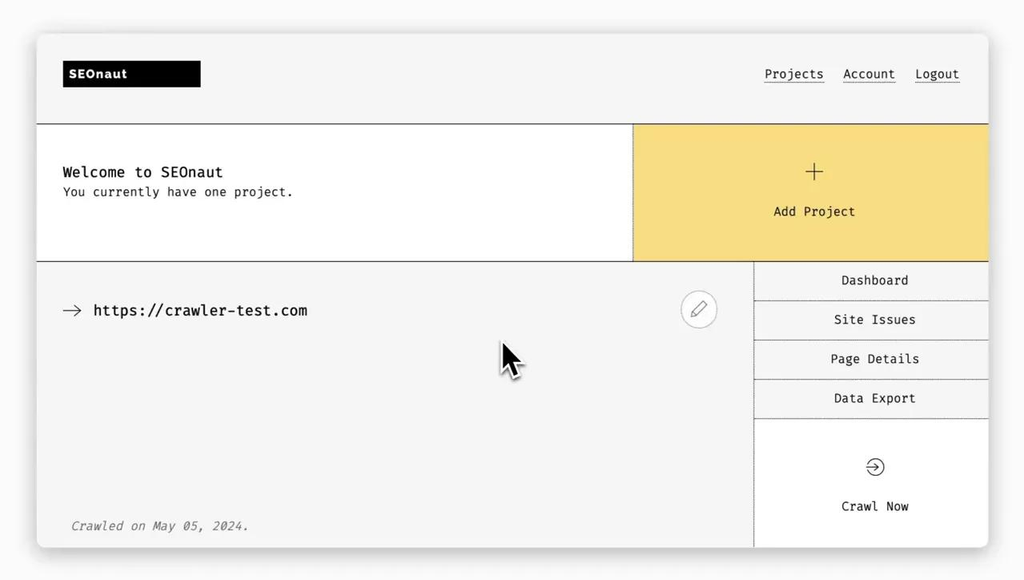
SEOnaut is an open-source SEO auditing application that scans websites and organizes identified issues into reports. Its documented checks include problems involving links, redirects, metadata, and headings.
This makes it useful for people who need to move from a list of technical problems to a more organized correction plan.
Consider three findings from a hypothetical audit:
- An important landing page returns a 404 error.
- Several articles have duplicate title tags.
- A few pages use inconsistent heading structures.
These problems do not necessarily have equal business impact. Restoring an important broken landing page may deserve attention before adjusting a minor heading issue on a low-traffic article.
SEOnaut helps surface and categorize problems, but the site owner still needs to prioritize fixes based on search performance, page purpose, and business value.
The project provides a web application and Docker-based deployment options. This can make setup more manageable for users who are comfortable following technical instructions, although databases, networking, and secure access still require attention.
One important caveat: an audit cannot guarantee higher rankings. It identifies potential obstacles, and the outcome depends on whether those obstacles actually matter to search engines and users.
Choose SEOnaut if you want organized technical audit reports rather than raw crawl data.
4. SerpBear — Best for Open Source Keyword Rank Tracking
Best for: Bloggers, niche websites, and small SEO teams
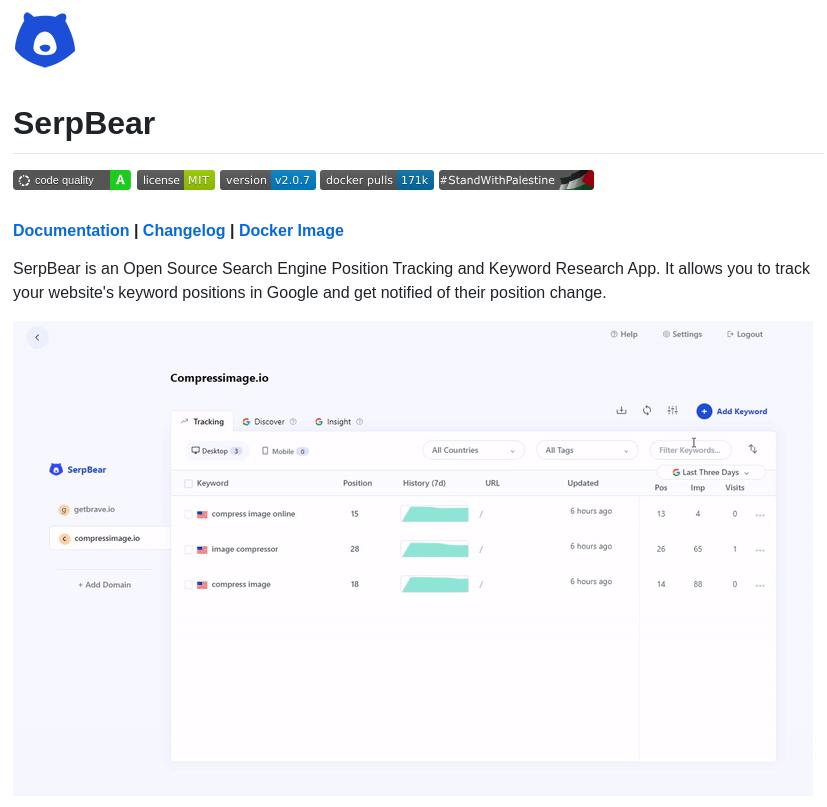
SerpBear is an open-source application for monitoring keyword positions in Google search results. It supports tracking domains and keywords, viewing position changes, and monitoring ranking movements over time.
Rank tracking is valuable because a website’s search performance changes over time. A page might climb from position 18 to position 9, lose visibility after a content update, or fluctuate because of competition and search-result changes.
With a consistent tracking process, you can:
- Monitor priority keywords over time.
- Identify pages that may deserve content updates.
- Compare ranking trends across several projects.
- Build alerts around meaningful position changes.
The key is to track keywords that map to actual pages and business goals. Monitoring hundreds of irrelevant phrases creates a large dataset without necessarily improving your decisions.
SerpBear’s main limitation is that rank tracking depends on reliable search-result data. Depending on your configuration, you may need an external SERP API, proxies, or another data source, which can introduce costs and maintenance requirements.
Its self-hosted nature also means you are responsible for deployment and security.
For someone managing a portfolio of small websites, SerpBear can offer greater control over the tracking workflow than a closed-source subscription product.
5. crawlseo — Best for an Integrated SEO Monitoring Workflow
Best for: Founders and website owners who want one dashboard
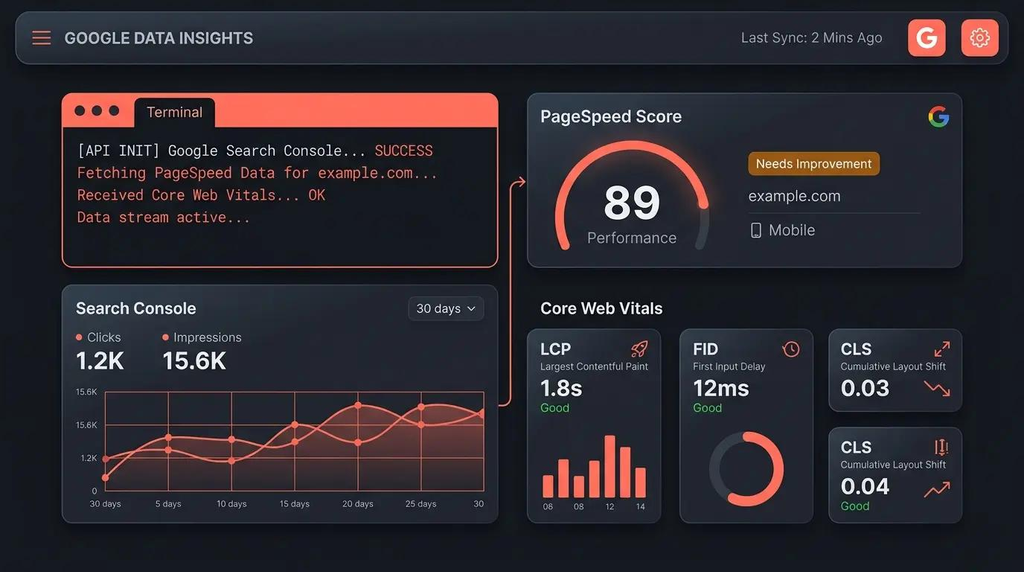
crawlseo combines several SEO monitoring functions in a self-hosted dashboard. Its public repository describes Google Search Console integration, website crawling, Core Web Vitals monitoring, and optional keyword and backlink data integrations.
The integration is the main attraction. Rather than treating every SEO problem as a separate report, you can investigate relationships between search performance and technical site health.
For instance, imagine that a landing page’s impressions remain steady while its click-through rate falls. Google Search Console data can help identify the change. A crawler can then reveal whether the page’s title or metadata has changed. PageSpeed-related data may provide additional context if performance is also a concern.
This does not prove that any one factor caused the decline. It simply gives you a more efficient way to investigate.
Potentially useful capabilities include:
- Google Search Console data for queries, pages, clicks, impressions, and average position.
- Website crawling with a documented limit of 2,000 pages.
- Core Web Vitals monitoring through PageSpeed Insights.
- Optional keyword and backlink data through external providers.
- SEO opportunity reporting and notifications.
The limitation is that some advanced data requires external services or API credentials. The documented page limit also matters if you manage a large ecommerce site or publisher with thousands of URLs.
For a small business or independent publisher, crawlseo is worth considering when the goal is to connect technical monitoring with actual search performance rather than use separate tools for every task.
How to Compare Open Source SEO Tools Before Choosing One
Not all open source SEO tools solve the same problem. Before installing anything, compare their main purpose, setup requirements, and dependence on external data.
| Tool | Primary Use | Setup Difficulty | External Data Costs |
|---|---|---|---|
| CrawlObserver | Technical crawling | High | Usually unnecessary for basic crawling |
| LibreCrawl | Website audits and crawling | Moderate | Depends on integrations |
| SEOnaut | Technical SEO reports | Moderate | Not generally required for core audits |
| SerpBear | Keyword position tracking | Moderate | May apply to SERP data sources |
| crawlseo | Integrated SEO monitoring | Moderate | May apply to keyword and backlink APIs |
Setup difficulty is an editorial estimate rather than a standardized benchmark. Actual costs depend on your configuration, hosting, and data providers.
A Practical Decision Framework
Use your biggest SEO bottleneck to narrow the choice.
- You have technical SEO problems: Start with CrawlObserver, LibreCrawl, or SEOnaut.
- You need to track keyword movements: Choose SerpBear.
- You want search performance and technical monitoring together: Evaluate crawlseo.
- You need competitor backlink analysis and reliable keyword-volume estimates: Expect to supplement open source software with a suitable external data provider.
That last point matters. An application can be open source while relying on a commercial API for its most valuable data. Read the documentation and pricing of any external service before committing to a workflow.
What Open Source Tools Cannot Replace
Established commercial SEO platforms often have extensive historical search data, keyword databases, and backlink indexes. Building and maintaining those datasets requires significant infrastructure.
A self-hosted crawler can tell you which pages link to one another on your own website. It cannot automatically give you the same competitive backlink intelligence as a provider that continuously indexes the wider web.
The practical solution is often a hybrid stack: use open source software for crawling, monitoring, automation, and first-party analytics, then pay for specialized data only when you genuinely need it.
How to Build an SEO Workflow With Open Source SEO Tools
The most effective open source SEO tools are the ones that help you turn observations into prioritized actions. Installing five applications is not inherently better than using two consistently.
Consider a small publishing website with 200 articles that wants to increase organic traffic without committing to several expensive subscriptions.
A sensible workflow might look like this:
Step 1: Find Technical Problems
Run LibreCrawl or SEOnaut to identify broken links, missing metadata, redirect issues, and other crawlable problems.
Step 2: Check Real Search Performance
Review Google Search Console for pages with declining clicks, high impressions but low click-through rates, or queries that are close to page one.
Step 3: Monitor Priority Keywords
Use SerpBear to track selected search terms and determine whether changes coincide with ranking movements.
Step 4: Prioritize Fixes and Measure Again
Fix critical errors first, improve pages with clear search opportunities, and compare results over an appropriate period.
This is an illustrative workflow, not a claim that these steps guarantee a ranking increase.
An Important Insight: Prioritize Opportunities, Not Audit Scores
A website can have dozens of technical warnings without every warning deserving immediate attention. A missing canonical tag on an important page may be more consequential than a minor metadata inconsistency on an obscure archive page.
Google Search Central emphasizes creating helpful, reliable, people-first content and making pages accessible to search engines. Technical fixes support those goals, but no SEO tool can guarantee a ranking position.
A better prioritization model considers three factors:
- Impact: Could the problem prevent crawling, indexing, or useful search visibility?
- Evidence: Is there data showing that the affected page matters?
- Effort: How quickly can the problem be corrected and verified?
This approach keeps SEO work focused on outcomes rather than generating endless reports.
For more guidance, see Google’s documentation on creating helpful, reliable, people-first content.
Frequently Asked Questions About Open Source SEO Tools
1. What Are the Best Open Source SEO Tools in 2026?
CrawlObserver, LibreCrawl, SEOnaut, SerpBear, and crawlseo are five options worth evaluating. CrawlObserver specializes in technical crawling, LibreCrawl and SEOnaut focus on audits, SerpBear tracks rankings, and crawlseo combines several monitoring functions.
The best choice depends on your website, technical experience, and data requirements.
2. Are Open Source SEO Tools Completely Free?
Not always. The software may be available at no licensing cost, but hosting, maintenance, and external API usage can cost money. Tools that rely on paid SERP, keyword, or backlink data may require separate subscriptions or usage-based payments.
3. Can Open Source SEO Tools Replace Ahrefs or Semrush?
They can replace some workflows, especially technical audits, self-hosted rank tracking, and website analytics. However, they generally do not provide the same breadth of proprietary keyword databases and backlink indexes as established commercial platforms. A hybrid approach may be more practical.
4. Which Open Source SEO Tools Are Best for Beginners?
Start with a tool that addresses one clear need. LibreCrawl is worth exploring for website crawling, while SEOnaut offers structured audit reports. If installing software or managing a server sounds unfamiliar, read the setup documentation first or consider a hosted option.
5. Can Open Source SEO Tools Help Improve Google Rankings?
Yes, indirectly. They can help you identify technical issues, monitor search performance, and uncover pages that deserve attention. Ranking improvements depend on the problems you fix, content quality, competition, search intent, and many other factors. No tool can guarantee higher positions.

 English