Top 8 AI Image Detectors Free&Paid in 2026
The digital landscape is undergoing a revolution, one pixel at a time. With the meteoric rise of generative AI models like Midjourney, DALL-E 3, and Stable Diffusion, distinguishing between a photograph captured by a lens and an image synthesized by an algorithm has become a formidable challenge. This blurring of lines has profound implications for photographers, journalists, educators, and anyone who consumes digital content. The need for verification and authenticity has never been greater. This is where a reliable ai image detector free tool becomes an indispensable asset in your digital toolkit.
An AI image detector is a sophisticated software solution designed to analyze an image’s digital footprint—its artifacts, noise patterns, and metadata—to predict the likelihood of it being AI-generated. In 2026, the market is flooded with options, ranging from basic free ai image detector online services to advanced, paid enterprise solutions. This comprehensive guide will cut through the noise. We have rigorously tested and reviewed the eight best AI image detectors available this year, providing you with a trustworthy resource to find the perfect tool for your needs, whether you’re seeking a quick ai picture detector or the best ai image detector for professional use. This article focuses exclusively on the best AI image detectors available. For a wider range of tools that can detect other AI-generated content, see our comprehensive list of free AI detectors.
Why You Need an AI Image Detector Free in 2026
The question is no longer if you will encounter AI-generated content, but how often. The implications are vast and touch nearly every sector:
- Combating Misinformation and Deepfakes: In an era of global elections and social media frenzy, malicious actors use hyper-realistic AI images to create and spread false narratives. A robust ai picture detector free tool is a first line of defense for fact-checkers and news organizations.
- Academic Integrity and Education: The classroom has become a battleground for authenticity. Educators and institutions are increasingly relying on these detectors to ensure the originality of student submissions and uphold academic standards.
- Content Moderation and Brand Safety: Social media platforms and online marketplaces use AI detection at scale to filter out synthetic, inappropriate, or copyrighted imagery, protecting users and brand reputation.
- Professional Photography and Art: For photographers and digital artists, proving the authenticity of their work is crucial for maintaining copyright integrity and professional credibility. Using an ai image detector online can provide the necessary verification.
Understanding the “why” is the first step; choosing the “how” is the next. Our in-depth reviews will equip you with the knowledge to make an informed decision.
8 Best AI Image Detectors Free & Paid
Here is our meticulously curated list of the top 8 AI image detection tools for 2026, analyzed based on accuracy, ease of use, features, and value.
1. AI Image Detector by Decopy
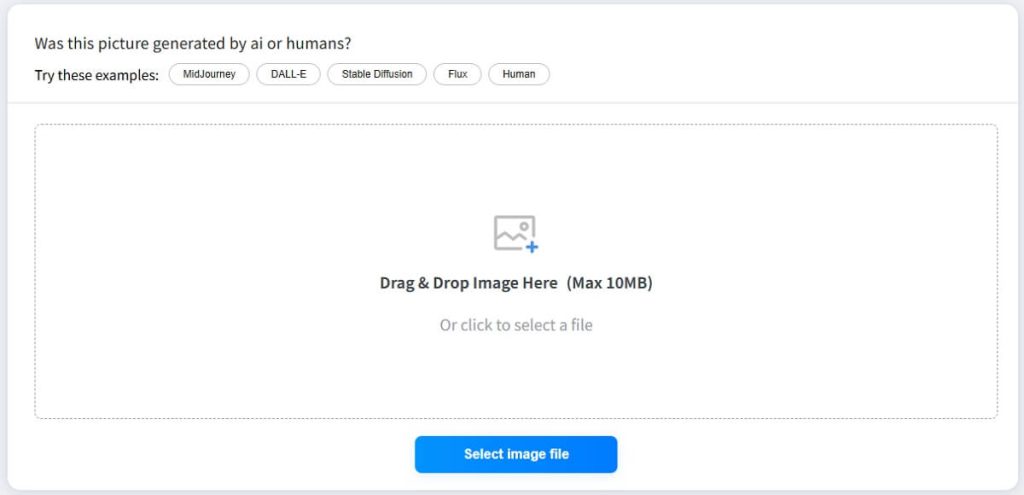
A rising star in the AI toolspace, Decopy’s detector offers a clean, user-friendly interface that delivers quick and reliable results. It’s an excellent starting point for anyone looking for a no-fuss free ai image detector.
- Free/Paid: Freemium model. The free tier offers a generous number of checks per month.
- Introduction: Decopy has built a reputation for creating accessible AI utilities. Their image detector is no exception, designed for both novices and professionals who need a fast analysis without a steep learning curve.
- Key Features: Batch processing capabilities, detailed confidence percentage, support for various image formats (JPG, PNG, WebP), and a clean, ad-free dashboard.
- Pros:
- Intuitive and modern user interface.
- Generous free plan is great for occasional users.
- Provides a clear, easy-to-understand probability score.
- Cons:
- Less brand recognition compared to established players.
- Advanced features are locked behind the paid plan.
- Expert Comment: “Decopy’s tool excels in user experience. It strips away the complexity and gives you a straightforward, trustworthy result in seconds, making it a top contender for a daily-driver ai image detector free.” – Digital Integrity Analyst.
2. Sightengine’s AI image detector
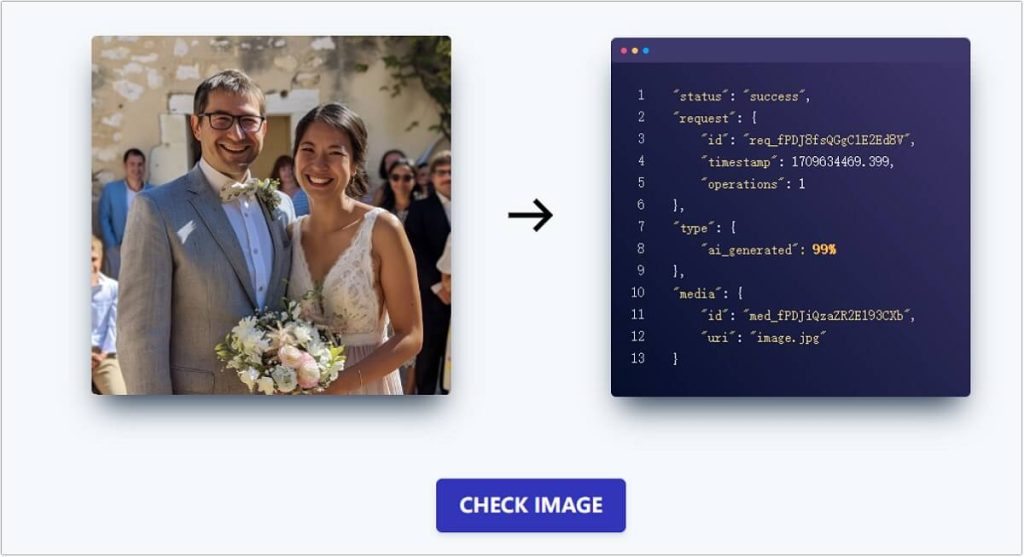
A veteran in the content moderation space, Sightengine offers a powerful, API-driven solution trusted by some of the world’s largest platforms. This is more than just a detector; it’s a comprehensive content analysis suite.
- Free/Paid: Freemium, with paid API plans based on volume.
- Introduction: Sightengine has been providing AI-powered moderation tools for years. Their ai image detector online is built on a massive dataset, making it exceptionally robust against a wide array of generative models.
- Key Features: Powerful API for developers, additional moderation for nudity and weapons, detailed JSON responses, and high-volume processing capabilities.
- Pros:
- High accuracy and reliability from an established provider.
- Seamless integration into workflows via API.
- Multi-purpose platform (detects AI, moderates content).
- Cons:
- The interface is more technical and less consumer-friendly.
- Can become expensive for high-volume API calls.
- Expert Comment: “For businesses needing to integrate detection directly into their platform, Sightengine is the gold standard. Its robustness and additional moderation features make it the best ai image detector for scalable, enterprise-level applications.” – CTO of a Social Media Startup.
3. Isgen’s AI Image Detector
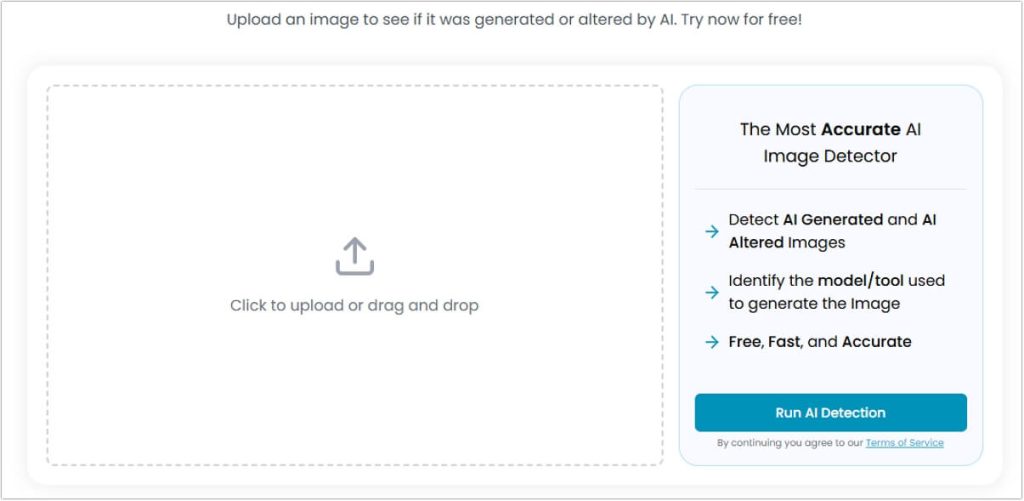
Isgen specializes specifically in AI content detection, and their focused approach is evident in the precision of their tool. They are known for their deep analysis and detailed reporting.
- Free/Paid: Free to use with optional premium credits for high-volume users.
- Introduction: Isgen is a niche player dedicated to identifying AI-generated content. Their detector often goes beyond a simple score, providing insights into which parts of the image triggered the AI suspicion.
- Key Features: Heatmap visualization showing AI-likely areas, model origin prediction (e.g., guesses if it’s from Midjourney or DALL-E), and a detailed technical report.
- Pros:
- Provides explanatory insights, not just a score.
- The heatmap feature is incredibly useful for understanding why an image was flagged.
- Completely free for standard use.
- Cons:
- The interface can feel cluttered with technical data for the average user.
- Analysis can be slower than more streamlined competitors.
- User Comment: “As a photography teacher, Isgen’s heatmap is a game-changer. I can show students exactly which elements look synthetic, which makes for a much more educational experience than just a percentage.” – University Professor.
4. MyDetector’s AI Image Detector
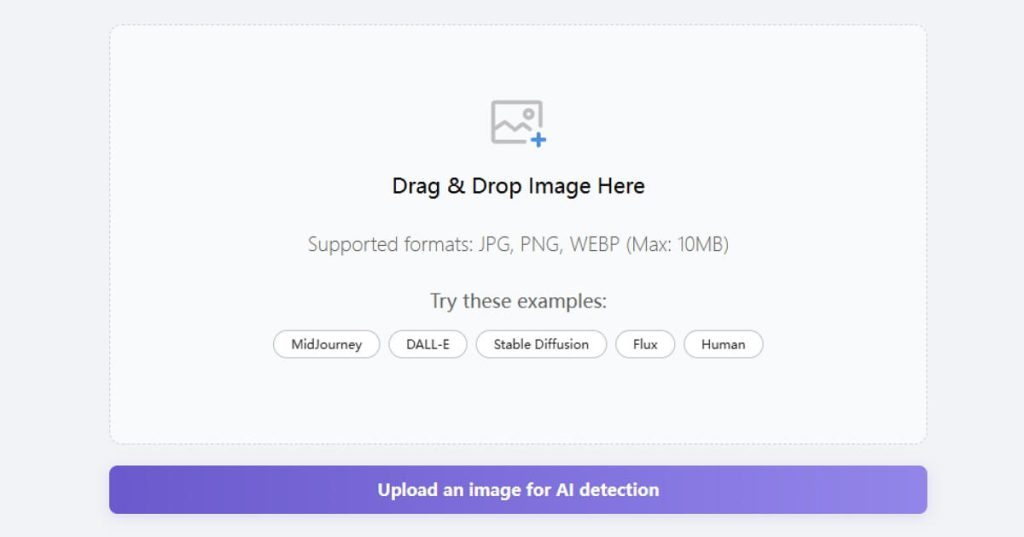
MyDetector positions itself as a multi-purpose detection toolkit, with its AI image module being a core component. It’s designed for users who need a quick, reliable check without any frills.
- Free/Paid: Free core service, with a subscription for advanced features and unlimited scans.
- Introduction: This tool is all about speed and simplicity. You drag, drop, and get a result. It’s a fantastic option for when you need a rapid verification from a free ai image detector online.
- Key Features: Extremely fast processing, browser extension for one-click detection on any image, and a simple “Human/AI” binary result.
- Pros:
- One of the fastest detectors on the market.
- The browser extension integrates seamlessly into your browsing experience.
- Very easy for anyone to use.
- Cons:
- Lacks the nuanced probability scores and detailed reports of other tools.
- The binary result can be less informative for borderline cases.
- User Comment: “The MyDetector browser extension is my go-to. I right-click on any suspicious image online and know in under two seconds if it’s likely AI. For a quick ai picture detector free, it’s unbeatable.” – Freelance Journalist.
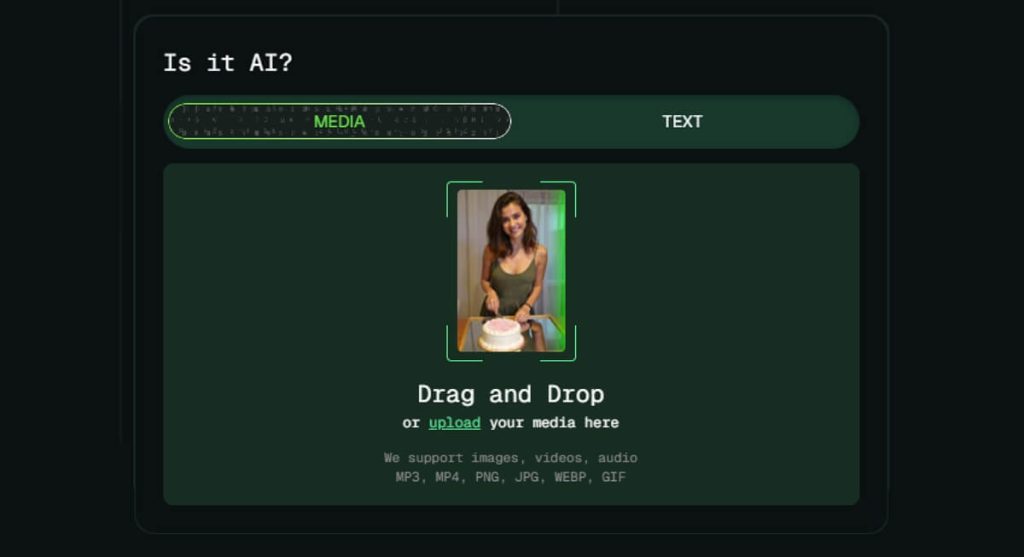
5. AI or Not‘s Image Detector
As the name suggests, this tool is dedicated to answering one simple question. AI or Not has gained popularity for its straightforward approach and commitment to providing a clear, binary answer with high confidence.
- Free/Paid: Freemium, with a limited number of free checks and subscription plans for more.
- Introduction: AI or Not has built a simple yet effective platform. It’s designed for clarity, giving users a definitive “AI” or “Not AI” result, backed by a confidence percentage.
- Key Features: Simple binary output, API access for developers, and a focus on maintaining high accuracy for the most common AI models.
- Pros:
- The name and interface leave no room for confusion—it’s designed for a single purpose.
- High accuracy on common image types.
- Clean and minimalist design.
- Cons:
- The free tier is quite restrictive.
- Lacks advanced analytical features for power users.
- Expert Comment: “AI or Not does one thing and does it well. For users who don’t need a deep dive and just want a reliable ‘yes’ or ‘no’, it’s a fantastic choice. Its API is also solid for developers needing this binary logic.” – Tech Blogger.
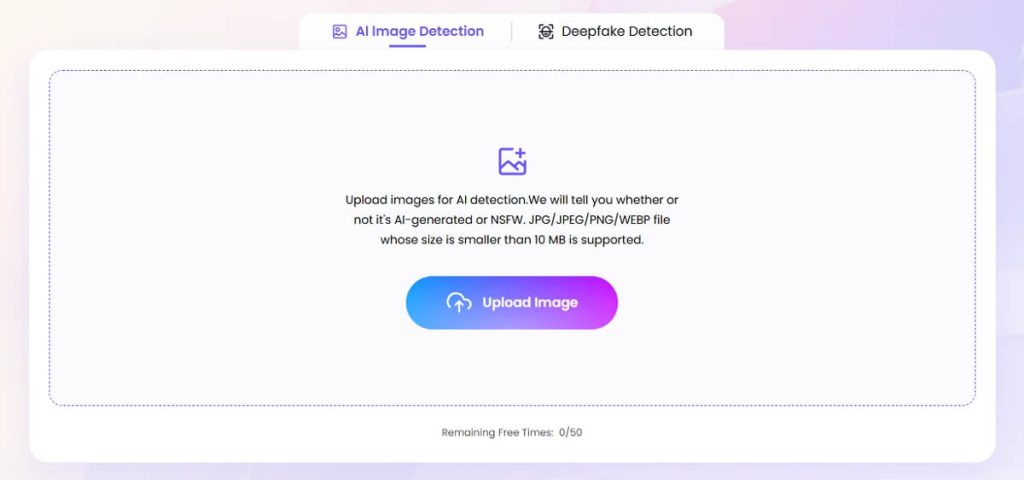
6. HitPaw AI Image Detector
HitPaw is best known for its multimedia software suite, and its AI Image Detector is a well-integrated component. It offers a good balance between user-friendliness and functional depth.
- Free/Paid: Free to try, with one-time purchase or subscription for full version.
- Introduction: This detector is part of HitPaw’s ecosystem of video/photo tools. It benefits from a polished interface and is aimed at content creators and general users who are already within the HitPaw ecosystem.
- Key Features: Integration with other HitPaw tools (like watermark remover), desktop and online versions, and batch detection in the paid version.
- Pros:
- Polished, consumer-friendly software.
- Good option for users who already use other HitPaw products.
- Offers both online and offline detection.
- Cons:
- The free version is heavily limited, acting more as a trial.
- As part of a larger suite, it may not be as specialized as standalone detectors.
- User Comment: “I use HitPaw for video editing and found their image detector was just a click away. It’s accurate enough for my needs, and having everything in one place is convenient.” – Video Content Creator.
7. Tenorshare AI Image Detector
Similar to HitPaw, Tenorshare is a established software company with a diverse product portfolio. Their AI Image Detector is a reliable, web-based tool that emphasizes accuracy and ease of use.
- Free/Paid: Freemium model.
- Introduction: Tenorshare brings its reputation for reliable software to the AI detection space. Their tool is accessible via a website and provides a clear, percentage-based result for each analysis.
- Key Features: High-resolution image support, detailed analysis report, and a straightforward upload-and-detect process.
- Pros:
- Backed by a well-known and trusted software brand.
- Handles high-resolution images effectively.
- The free version is quite usable for intermittent checks.
- Cons:
- Doesn’t offer as many unique features as some niche competitors.
- Primarily a web tool without a browser extension.
- Expert Comment: “Tenorshare offers a no-surprises, dependable detection experience. It may not have the flashiest features, but it consistently delivers accurate results, making it a solid best ai image detector free option for those who value brand trust.” – Software Reviewer.
8. Undetectable AI Image Detector
This tool has a unique position in the market. While many tools try to detect AI, “Undetectable AI” also understands how to make AI content bypass detectors. This dual knowledge arguably makes their detection tool more robust.
- Free/Paid: Paid service with a free trial scan.
- Introduction: Undetectable AI’s primary focus is humanizing AI text, but their image detector leverages their deep understanding of the attributes that make content detectable. It’s a sophisticated tool for those who need to stay ahead of the curve.
- Key Features: Built on reverse-engineered detection logic, constantly updated to combat new AI models, and offers a high degree of accuracy for “humanized” AI images.
- Pros:
- Potentially higher accuracy against intentionally obfuscated AI images.
- Developed by a team with deep expertise in AI content properties.
- Clean and professional interface.
- Cons:
- It is a premium tool with no permanent free tier.
- The unique selling point is most relevant for a niche audience.
- Expert Comment: “Undetectable AI operates on both sides of the fence, which gives them a unique advantage. Their detector is finely tuned to catch the subtle traces that other tools might miss, especially in images that have been lightly edited to appear more human.” – Cybersecurity Consultant.
FAQs About AI Image Detector Free
Q1: How accurate are free AI image detectors?
Accuracy varies significantly between tools. The best free ai image detector options, like Isgen and Decopy, can achieve over 95% accuracy on standard, unaltered AI images. However, accuracy can drop with heavily modified images, very realistic generations, or new, unknown AI models. Paid versions often use more advanced models and update more frequently for better accuracy.
Q2: Can these tools detect all AI-generated images?
No tool is 100% infallible. The field is an arms race between generators and detectors. While modern detectors are highly effective, the most advanced AI models are specifically trained to create images that are harder to detect. A good practice is to use a combination of tools for critical verifications. Keeping up with AI-generated content is a multi-front effort. Beyond images, consider using a dedicated AI voice detector for audio clips and a reliable AI essay detector for academic work.
Q3: What’s the difference between an online tool and an API?
An online ai image detector online like MyDetector or Tenorshare is designed for manual, one-off checks through a web browser. An API (Application Programming Interface), like the one from Sightengine, allows developers to integrate detection capabilities directly into their own applications, websites, or moderation workflows for automated, large-scale analysis.
Q4: Are there any completely free AI detectors without limits?
Some tools, like Isgen, offer their core service completely free, though they may have voluntary premium plans. Most “freemium” models, however, impose a limit on the number of free checks per day or month to encourage users to upgrade to a paid plan for unlimited access and advanced features.
Final Words
Navigating the new reality of AI-generated imagery requires vigilance and the right tools. The ideal ai image detector free or paid for you will depend on your specific needs: the volume of images you need to check, the level of detail you require, and your budget. For quick, daily checks, a tool like Decopy or MyDetector is perfect. For in-depth analysis, Isgen is unparalleled. For businesses and developers, Sightengine’s API is the industry standard.
The key is to start using these tools now to build a critical skill for the digital age: informed skepticism. By verifying the authenticity of the visual content you consume and share, you contribute to a more truthful and reliable internet.
What has your experience been with AI image detectors? Have you found a particular tool to be exceptionally accurate or useful? Share your thoughts and recommendations in the comments below—we’d love to hear from you!
 English
Darius Bacani
ImageDetector.com is a great tool for content creators who want to maintain trust and transparency with their audience.