
Top 7 PowerPoint Alternatives You Should Try in 2026
Bottom Line Up Front: If you’re seeking more creative freedom, better collaboration, and stunning visual results without PowerPoint’s limitations, tools like Canva, Google Slides, and Gamma AI provide compelling alternatives that balance ease of use with professional output.
For nearly decades, Microsoft PowerPoint has dominated the presentation software landscape. Yet, a noticeable shift is occurring as professionals, educators, and creatives seek tools that offer enhanced collaboration, creative freedom, and accessibility. While PowerPoint remains powerful, its traditional approach can feel restrictive in our era of remote work and visual communication.
Exploring PowerPoint alternative software isn’t just about finding something different — it’s about discovering tools that can transform how you communicate ideas. Modern substitute for PowerPoint options often provide more intuitive interfaces, AI-powered design assistance, and superior collaboration features that make creating compelling presentations faster and more enjoyable.
Why Looking for PowerPoint Alternatives
Bottom Line Up Front: Professionals are moving beyond PowerPoint primarily due to collaboration limitations, design constraints, and accessibility barriers, seeking tools that better align with modern work dynamics.
The growing interest in presentation software comparison stems from very specific pain points users experience with traditional PowerPoint. The alternative to PowerPoint market addresses these key issues:
- Real-time collaboration challenges: While PowerPoint has improved, dedicated online platforms like Google Slides enable multiple users to edit simultaneously with changes saved automatically.
- Design limitations: Non-designers struggle with PowerPoint’s complex formatting tools. As one design specialist notes, “Platforms like Canva provide drag-and-drop interfaces and professionally designed templates that make creating visually appealing presentations accessible to everyone regardless of design experience.”
- Accessibility and cost: With prices starting at $159.99 for standalone PowerPoint, many users seek more affordable options, especially when advanced features go unused.
- Static presentation style: Modern audiences often expect more dynamic, interactive content than traditional slide-to-slide presentations.
- Platform restrictions: Being tied to Microsoft’s ecosystem can create compatibility issues when sharing with users on different systems.
7 Best PowerPoint Alternatives You Should Try
1. Google Slides
Google Slides, part of Google Workspace, stands as one of the most accessible PowerPoint alternative software options, particularly for collaborative work environments.
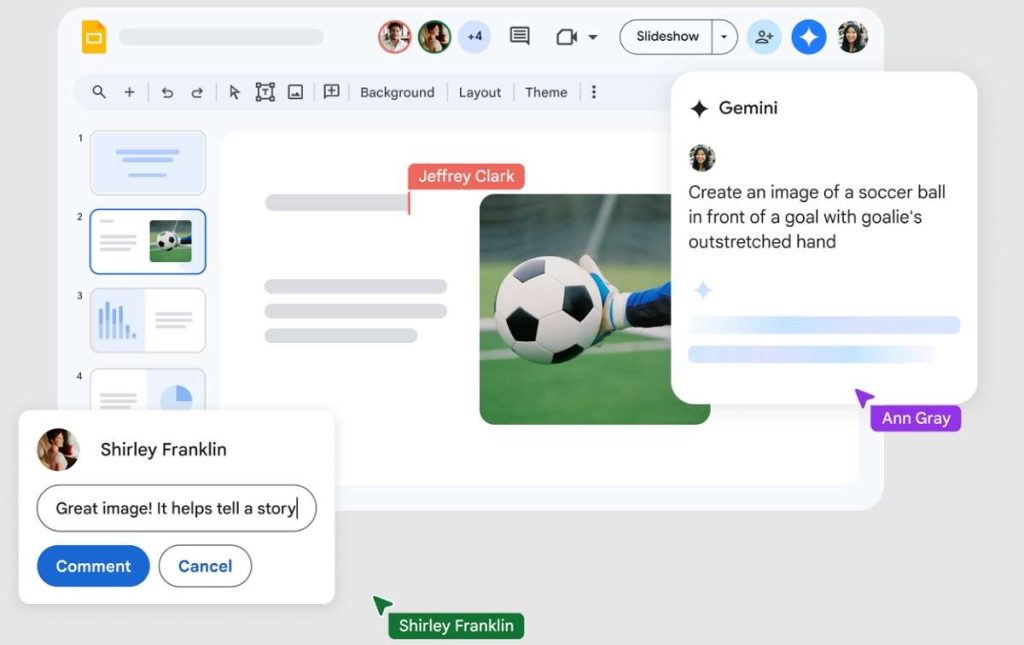
Key Features:
- Real-time co-editing with comment and suggestion capabilities
- Automatic saving to Google Drive
- Extensive template gallery
- Offline editing capability
- Completely free for personal use
Expert Comment: “Google Slides’ collaboration features are unmatched for team projects. The ability to see edits happening in real-time while chatting within the document has transformed how our remote team develops presentations together,” says Mark Thompson, a project manager at a tech startup.
Best For: Teams needing seamless collaboration and those already embedded in the Google ecosystem.
Limitations: Less advanced design capabilities compared to dedicated design platforms.
2. Canva
Canva has revolutionized design for non-designers, making it a popular substitute for PowerPoint for those prioritizing visual appeal.
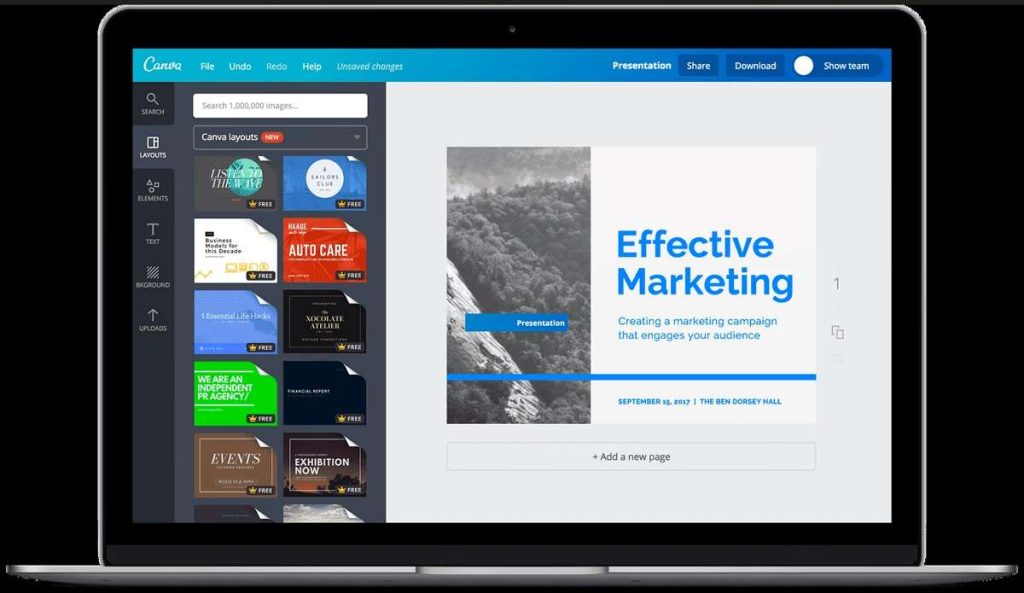
Key Features:
- Drag-and-drop interface requiring no design skills
- Massive library of templates, stock images, and design elements
- AI-powered design suggestions and content creation
- Team collaboration features
- Free version with robust capabilities
Expert Comment: “Canva’s template library is extraordinary. What used to take me hours in PowerPoint now takes minutes. The brand kit feature keeps our company presentations consistent without manual oversight,” notes Sarah Chen, a marketing director.
Best For: Creatives, marketers, educators, and anyone needing professional-looking designs quickly.
Limitations: Some advanced features require a Pro subscription, and animation options are more limited than PowerPoint.
3. Prezi
Prezi reimagined presentation structure with its zoomable canvas, offering a distinctive alternative to PowerPoint for those telling visual stories.
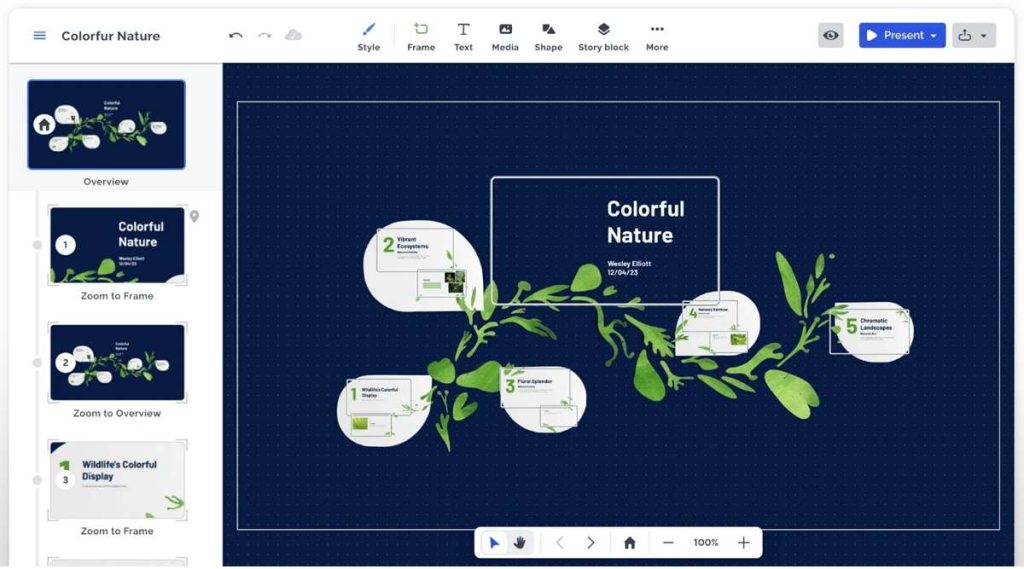
Key Features:
- Non-linear presentation flow with zooming and panning
- Conversational presentation style
- Prezi Video for presenting with graphics alongside the speaker
- Template library for various use cases
User Comment: “At first, Prezi’s interface felt unfamiliar after years of PowerPoint, but once I adapted, my presentations became more engaging. The spatial relationships help audiences remember how concepts connect,” shares David Rodriguez, a university professor.
Best For: Presentations where storytelling and conceptual relationships are important.
Limitations: Has a learning curve; overuse of zooming effects can distract audiences.
4. Figma Slides
Figma Slides brings the power of Figma’s design capabilities to presentations, representing a sophisticated PowerPoint alternative for design-focused teams.
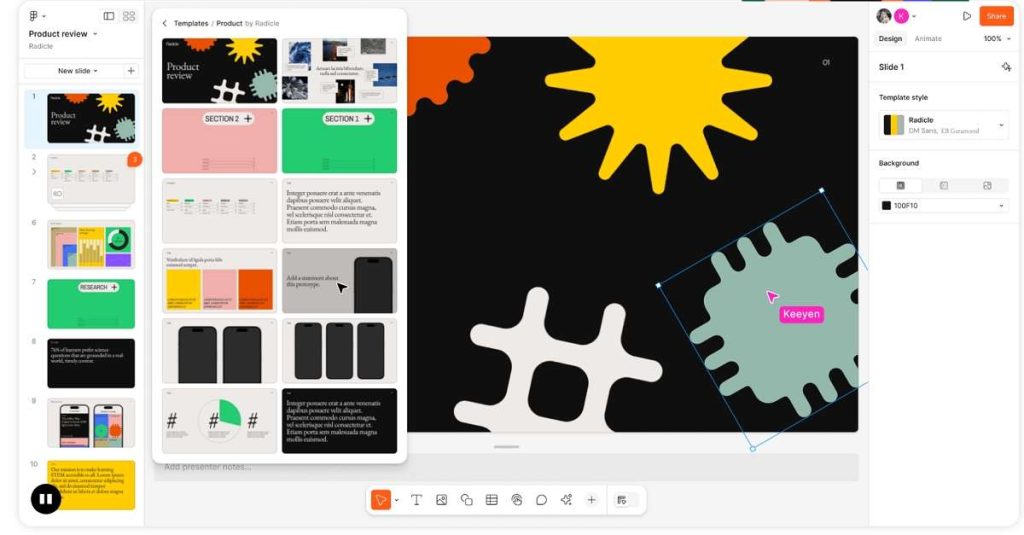
Key Features:
- Integration with Figma’s design tools and components
- Real-time collaboration
- Modern, clean templates
- Prototyping capabilities
Expert Comment: “Figma Slides has transformed how our design team creates client presentations. We can seamlessly incorporate UI mockups and interactive prototypes directly into our decks without constant switching between applications,” explains Jessica Lin, a product design lead.
Best For: Design teams and tech companies already using Figma for their design work.
Limitations: Less suitable for non-designers; analytics features are reportedly in development but not yet available.
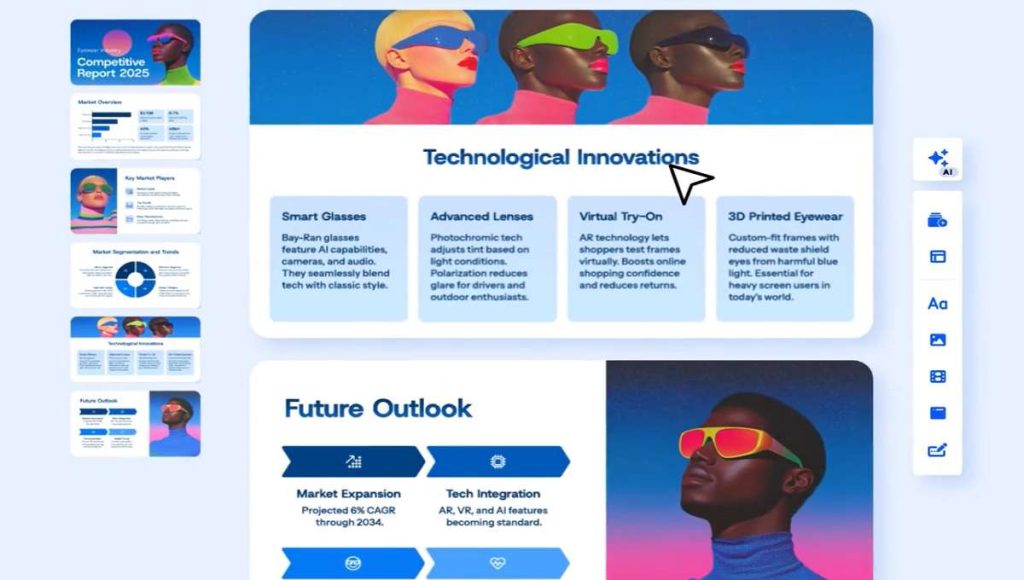
5. Gamma AI
Gamma AI leverages artificial intelligence to streamline presentation creation, making it an innovative PowerPoint alternative software for content-focused professionals.
Key Features:
- AI-generated presentations from text prompts
- Modern templates with automatic formatting
- Embedded interactive elements
- Analytics to track engagement
Expert Comment: “Gamma has dramatically reduced our presentation creation time. The AI understands context surprisingly well and produces clean, modern designs that would typically require hours of manual formatting in PowerPoint,” observes Michael Brown, a business consultant.
Best For: Content creators and professionals who need to produce polished presentations quickly.
Limitations: Font choices are limited, and AI-generated content can sometimes feel generic.
6. Visme Presentation Software
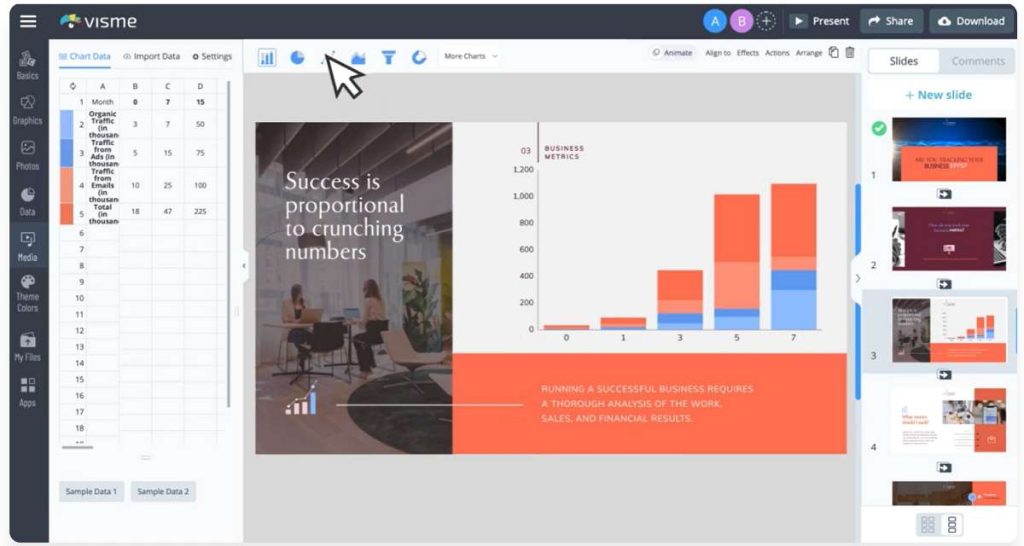
Visme Presentation Software positions itself as a comprehensive visual communication tool, serving as a versatile substitute for PowerPoint for data-rich presentations.
Key Features:
- Extensive data visualization tools (charts, graphs, maps)
- Animation and interactivity options
- Brand management tools for consistency
- Asset library with millions of resources
User Comment: “As someone who regularly presents complex research findings, Visme’s data visualization capabilities are incredible. I can create interactive charts that help audiences understand nuanced patterns that static PowerPoint slides simply can’t convey,” states Dr. Emily Watson, a research scientist.
Best For: Data-heavy presentations, reports, and educational content.
Limitations: The extensive options can feel overwhelming to new users.
7. Pitch
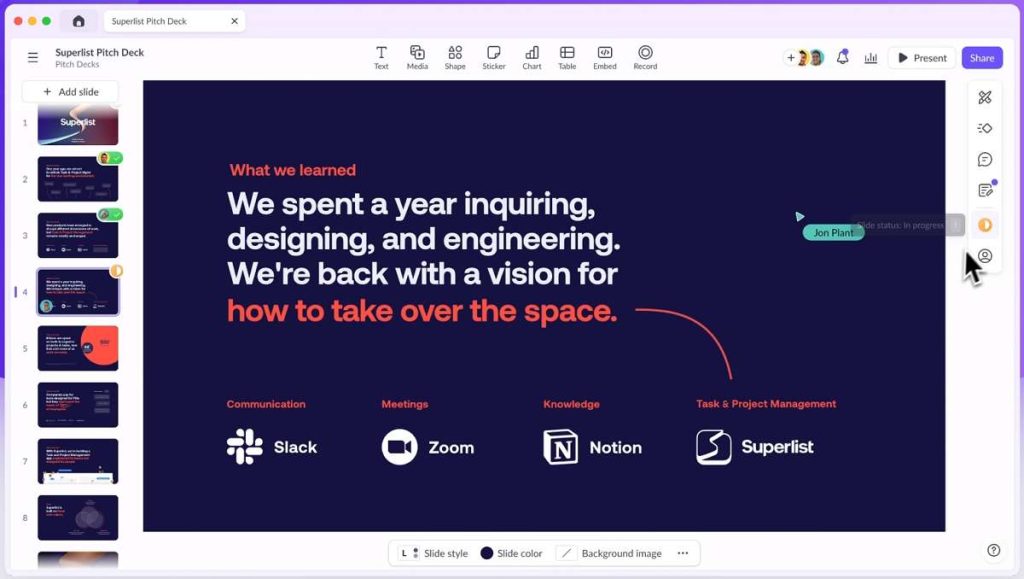
Pitch was built specifically for modern teams needing to create beautiful presentations quickly, offering a streamlined alternative to PowerPoint for business environments.
Key Features:
- Smart templates with automatic formatting
- Multi-user editing with version history
- Analytics to track viewer engagement
- Integration with popular work tools
Expert Comment: “Pitch strikes the perfect balance between design sophistication and usability. Our sales team can maintain brand consistency while customizing presentations for different clients, and the analytics help us understand which content resonates,” says Alex Reynolds, a sales operations manager.
Best For: Sales teams, startups, and businesses that need to create on-brand presentations efficiently.
Limitations: Customization options are more limited compared to PowerPoint.
PowerPoint Alternatives Comparison Table
| Software | Best For | Key Strength | Pricing | Learning Curve |
|---|---|---|---|---|
| Google Slides | Collaboration, Education | Real-time co-editing | Free | Low |
| Canva | Design, Marketing | Template variety | Freemium | Low |
| Prezi | Storytelling, Education | Non-linear presentations | Freemium | Medium |
| Figma Slides | Design teams, Tech | Design integration | Freemium | Medium-High |
| Gamma AI | Quick creation, Business | AI generation | Freemium | Low |
| Visme | Data visualization, Reports | Charts & graphs | Freemium | Medium |
| Pitch | Sales, Business | Team templates | Freemium | Low |
FAQs About Powerpoint Alternatives
What is the best completely free alternative to PowerPoint?
Google Slides offers the most robust completely free experience, especially for collaboration. Canva also provides substantial free capabilities with extensive templates and design assets.
Which PowerPoint alternative works best for team collaboration?
Google Slides excels for real-time collaboration, while Pitch offers advanced team features like analytics and version history.
Are these alternatives compatible with PowerPoint files?
Most alternatives allow importing PowerPoint files, and many support exporting to PPTX format, though some formatting may not transfer perfectly. Google Slides and WPS Office maintain particularly strong PowerPoint compatibility.
Which alternative is best for creating highly visual presentations?
Canva provides the most comprehensive set of design tools and templates for non-designers, while Figma Slides offers advanced capabilities for professional designers. For a deep dive into the most cutting-edge category, take a look at our dedicated review of the best AI slide generators to try.
Conclusion
The landscape of presentation software comparison reveals that the best PowerPoint alternative depends entirely on your specific needs, skills, and workflow. For collaborative projects, Google Slides remains unmatched. For design-impactful presentations, Canva and Figma Slides offer distinct advantages. For those seeking the cutting edge, AI-powered tools like Gamma can dramatically reduce creation time.
The common thread across all these options is their focus on solving specific pain points that users experience with traditional PowerPoint. Whether you prioritize collaboration, design flexibility, speed, or data visualization, there’s a capable substitute for PowerPoint waiting to transform how you create and deliver presentations. The best choice for you depends on your primary need. If you frequently need to audit or learn from existing presentations, specialized AI slide summarizers will be your best friend.

 English